What should you look for when buying?
First, measure the available projection distance and your preferred image width. Then check how you’ll play your family videos and how bright the room is when you usually watch them.
| Consideration |
What to check before buying |
Who it matters most to |
| Image size from the intended position |
Measure the distance and preferred image width; check the throw ratio and the specific model’s optical and digital image adjustment features. |
If I can’t keep a permanent spot free, I want to know whether the projector can produce the image width I want from the available positions. Around 29% of consumers say where to place it is their main buying consideration. |
| Playing your own videos |
Check that your existing playback device is compatible with the connections; for USB playback, check the file and audio formats supported by the specific model. |
If my recordings come from different devices, I need a reliable way to connect a player or storage device to the projector. Around 22% of consumers say playing their own videos is their top priority. |
| Picture quality in ambient light |
Consider the room lighting at viewing time and the image size; check the unit and measurement basis used for the model’s brightness rating. |
If we can’t fully darken the shared room, I want to know how visible the picture will be at our usual image size. Around 21% of consumers say ambient light is their main concern. |
| Being considerate of housemates |
Check the operating noise in the available modes and the audio connections; consider the volume at the times you usually use it. |
If other people in the house are studying or sleeping next door, I want to adjust the projector and video sound to suit our shared living arrangements. Around 14% of consumers say being considerate is their main concern. |
| Overall set-up requirements |
Factor in your existing playback and audio devices, as well as the available projection surface; check what’s included, the light source and the service conditions for the specific offer. |
If I want to keep using devices I already own, I want to find out in advance what else I’ll need for a complete set-up. Around 14% of consumers say the total cost is their main buying consideration. |
Joybuy products for family videos
The products below include portable projectors for different set-up locations, as well as a model described as an ultra-short-throw projector for tight spaces.
 No image available
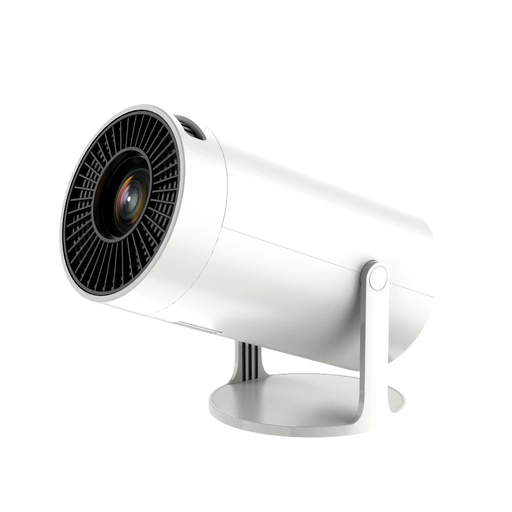
Portable projector with Wi-Fi and Bluetooth
Described as a portable projector, it could suit moving between different viewing spots in a shared house.
The product information gives conflicting resolution details: the title says 1080P Full HD, while the description lists 720p HD. Check the native resolution before buying. Wi-Fi, Bluetooth, HDMI and USB are also listed.
View at Joybuy
 No image available
Philoent mini projector, ultra-short throw
Described as an ultra-short-throw projector, it could suit a tight space; check the distance needed to achieve your preferred image width.
The title mentions automatic image correction and a quiet cooling system. The product description lists built-in apps and Wi-Fi for streaming.
View at Joybuy
 No image available
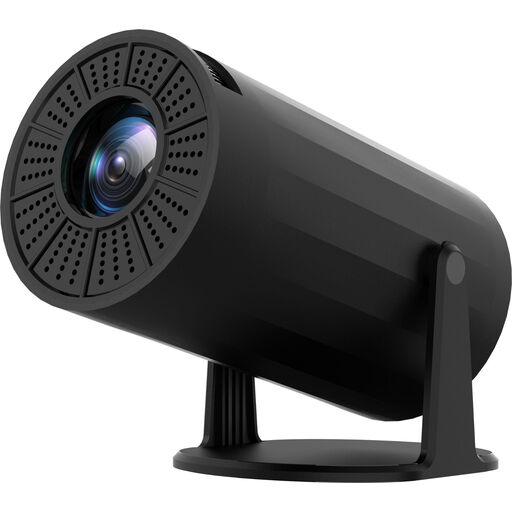
Mini projector with Wi-Fi and Bluetooth, 720p
The compact design and adjustable projection angle are intended for use in different locations.
The product description lists 720p resolution, Wi-Fi mirroring, HDMI and USB. Check that they’re suitable for your video source and preferred image size.
View at Joybuy
 No image available
XGODY Gimbal N6 Pro
Autofocus and automatic keystone correction are listed for different set-up locations. Still, plan where to put it based on the distance and image width.
The product information lists native 1080p resolution, 700 ANSI lumens, HDMI and USB. Built-in streaming apps are also listed.
View at Joybuy
 No image available
XBJ portable projector
The title mentions a rotating stand for changing the projection direction, including ceiling projection.
The product information lists native 1080p resolution, 700 ANSI lumens, autofocus and automatic keystone correction. Check that the stand angle and image size suit your intended position.
View at Joybuy
Frequently asked questions
How can I check whether a projector will work in the shared living room?
Measure the available distance between the planned projector position and the screen, as well as your preferred image width. BenQ Germany describes the throw ratio as distance divided by image width. Before relying on digital image correction, compare the required ratio with the specifications for the specific model.
Is a USB port enough for my family videos?
Not necessarily. The BenQ GV50 has USB-A with reader function, but whether your video and audio files are supported depends on the formats and specifications for this model. Alternatively, you may be able to connect a compatible playback device via HDMI.
What should I know about maintenance, returns and disposal?
Compare the light source, operating mode and service conditions for the specific device. A stated light-source lifespan doesn’t guarantee trouble-free operation for that length of time. Returns and warranty cover depend on the purchase and the individual circumstances. Germany’s Federal Environment Agency advises that end-of-life electrical equipment must not go in household waste in Germany and should be collected separately.
Is the CE mark independent proof of safety?
No. According to information from the European Union, the CE marking is the manufacturer’s declaration that the product meets the applicable requirements; it isn’t an independent quality mark. The requirements depend on the specific product. So check the product and manufacturer information required for the particular offer.


