What should you check before buying?
Viewers sitting to the side don’t automatically need lens shift. Check the screen’s viewing angle, and, if the projector will be off-centre too, make sure its optical alignment is suitable.
| Consideration |
What to check before buying |
Who it matters to |
| Viewing from the seats at the sides |
Mark out the furthest seating position and check the viewing angle or half-gain figure for the specific screen material. Take the room’s ambient light into account too. |
If I want to see intertitles and picture details clearly from a seat at the side, I’ll check the screen material. Around 36 % of consumers say off-centre viewing is a top buying consideration. |
| Off-centre projector position |
Measure the projector position and image width; check the throw ratio and the horizontal and vertical lens-shift ranges that can be used together on the specific model. |
If the projector can’t be positioned centrally, its image shift needs to suit the planned screen size. Around 29 % of consumers say an off-centre projector position is a top buying consideration. |
| Film edition format |
Check the aspect ratio of the specific release and make sure it can be played without forced cropping. The Criterion Collection lists Master of the House (1925) in 1.33:1 format. |
If I want to watch a digital silent film edition without unnecessary stretching or cropping, I’ll check its release details and settings. Around 21 % of consumers prioritise faithful playback. |
| Light source and aftercare |
Check the light source type and model-specific information. Consider the terms of any voluntary warranty separately from your statutory consumer rights. |
If maintenance and after-sales support are particularly important to me, I’ll compare the light source and terms. Around 14 % of consumers say ongoing upkeep is a top buying consideration. |
Projectors at Joybuy
The Joybuy projectors below are options for digital film playback. Check separately whether each one suits your setup and screen.
 No image available
Aurzen Tri-Fold DLP Mini Projector
Could be worth considering if you need to project in different locations.
The product name lists DLP projection, 4K support, a 5000mAh battery and a 1.5 Hour Run Time.
View at Joybuy
 No image available
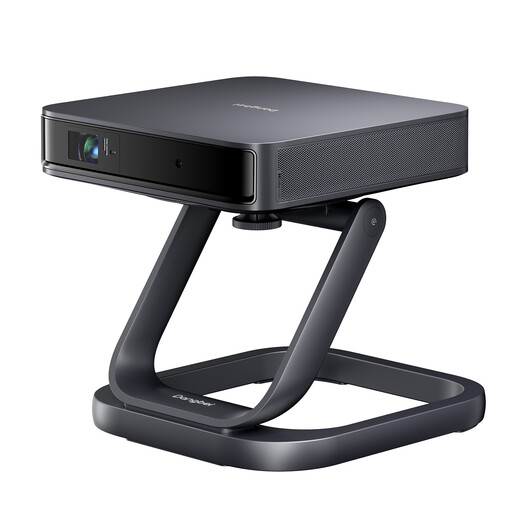
Dangbei Atom with Special Desktop Stand
The product description identifies this model as a portable projector.
The product name lists a laser light source and a Dangbei Atom Special Desktop Stand as a free gift.
View at Joybuy
 No image available
Philoent Smart Projector
The listed ultra-short-throw projection may suit rooms with limited throw distance. Check the required image size and the actual distance available.
The product name lists 4K/1080P support, Wi-Fi 6 and Bluetooth 5.4.
View at Joybuy
 No image available
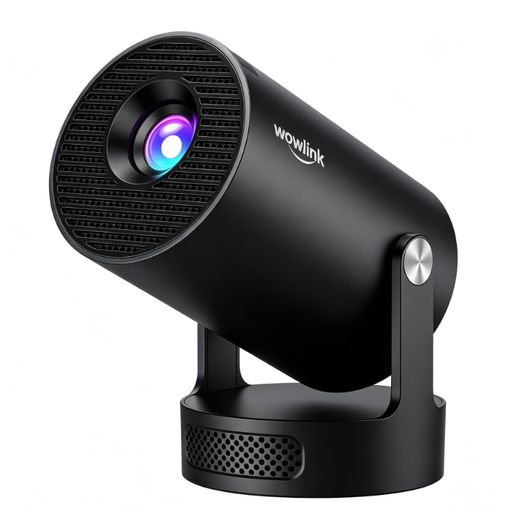
White Video Projector, Black
The product description identifies this device as a video projector. Before choosing, compare your setup and screen requirements with the specifications for the specific model.
View at Joybuy
 No image available
XGIMI Vibe One
This portable mini projector could be worth considering if you need to use it in different locations.
The product name lists 1080p, 4K Netflix, Sound by JBL, Bluetooth, Wi-Fi, an integrated 160° stand, autofocus, keystone correction and 250 ISO Lumens.
View at Joybuy
Frequently asked questions
Do I need horizontal lens shift because my sofa is off to one side?
No, not for that reason alone. Lens shift moves the projected image if the projector is off-centre. For viewers sitting to the side, check the viewing angle of the specific screen material. If the projector is off-centre too, both checks matter. Stewart Filmscreen explains that viewing from the side can reduce brightness.
How should I plan the setup before buying?
Measure the image width and the distance from the planned lens position to the screen. Then compare the throw ratio and zoom, and check which horizontal and vertical shift ranges can be used together on the specific model. BenQ recommends factoring room dimensions into your installation planning.
Does a silent film need to be sent to the projector at its original frame rate?
Not necessarily: what matters is the specific release and playback method. The British Film Institute explains, using Battleship Potemkin as an example, that extra frames need to be generated to play a film shot at 18 frames per second within a 24-fps signal. So don’t infer the film’s speed from the HDMI frame rate alone.
Which picture format should I set for a digital silent film edition?
Set the display to match the aspect ratio of the specific edition rather than automatically stretching or cropping it to 16:9. For example, The Criterion Collection lists Master of the House (1925) in 1.33:1 format.


