What should you look for when buying?
Start by checking the lighting and intended picture size. Then measure the available space and projection distance, and finally check the sound and reception options for the quiz show you want to watch.
| What matters |
What to check when buying |
Who is this important to? |
| Readable questions with the lights on |
Consider the brightness specification alongside picture size and ambient light; if possible, test the projector in the intended spot. |
If you’ll keep the lights on, quiz questions should be legible from your seats; around 33% of consumers put picture readability in room light first. |
| Suitable picture size and positioning |
Measure the wall width and available distance, then compare these with the throw ratio of the specific model. |
If the table or seats are close to the wall, I want to be able to set up a picture without anything blocking the light path; around 27% of consumers prioritise getting the positioning right. |
| Clear sound for everyone |
Check the built-in speakers and available audio connections; test how well you can hear from the seats you’ll actually use. |
If several people are talking, everyone should still be able to follow the questions and answers; around 20% of consumers put shared listening clarity first. |
| Access to your chosen quiz show |
Check the channel, app and whether you’ll watch live or on demand; if necessary, plan to use an external playback device and check its connections. |
If a particular show is the focus of quiz night, I need a way to watch that specific content; around 20% of consumers prioritise access to the show they want. |
Projectors at Joybuy
This selection includes smart projectors for different quiz-night setups, including devices with specified streaming apps and a projector described as a short-throw model. Before buying, check whether your chosen show is available through the app you use or your playback device.
 No image available
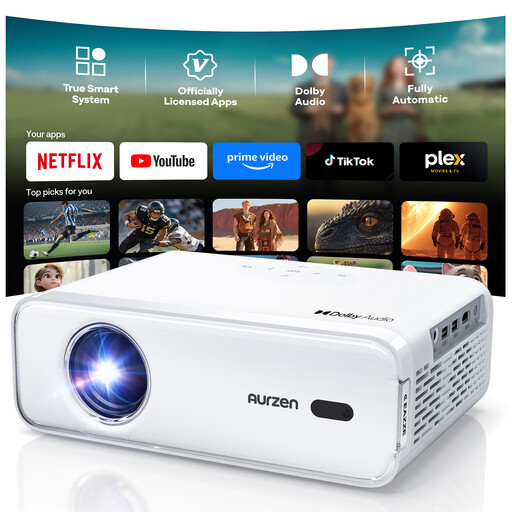
Aurzen Smart Projector, Full HD 1080p
Could suit a shared-house gathering if your quiz show is available through one of the specified pre-installed apps and you want to use the built-in speakers for sound.
The product description lists native 1080p, autofocus, vertical and horizontal keystone correction, and two 8-W speakers. No additional streaming app downloads are specified for this version.
View at Joybuy
 No image available
Philoent Smart Projector, 4K/1080P, Short Throw
Could be worth considering for a shared house with limited room depth, if the advertised short throw suits your planned screen area.
The product title lists 4K/1080P support, Wi-Fi 6, Bluetooth 5.4, autofocus and automatic keystone correction. Measure the actual distance available for your preferred picture size.
View at Joybuy
 No image available
XGIMI Elfin Flip Laser 1080P
Could be a good fit if you set up your projector in different places and want to take its stated light output into account alongside your room lighting.
The product title lists 1600 ISO lumens and a foldable design; the description mentions an integrated 160° stand. Check the picture and text readability in the intended spot.
View at Joybuy
 No image available
XGODY Gimbal N6 Pro, White + Gold
Could suit a quiz night without a separate audio system if the specified Netflix app offers the show you want to watch.
The product title lists native 1080p and 700 ANSI lumens; the description mentions 5-W stereo speakers. Keep the ventilation openings clear, don’t look directly into the lens, and supervise children.
View at Joybuy
 No image available
Magcubic HY350Max, native 1080p
Could be worth considering if you’re planning a close-set setup and want to start by using the built-in speaker.
The product title lists 900 ANSI; the description specifies a 1:1 throw ratio and an integrated 15-W speaker. Keep the ventilation openings clear and don’t look directly into the lens.
View at Joybuy
Frequently asked questions
Can I watch a quiz show directly on a smart projector?
Not just because it’s described as smart. Check whether the specific show is available through an app on your device, or plan to use an external way of accessing it. ARD Help describes media library options that vary by device.
What should I measure before setting up in a shared-house room?
Measure the available projection area and the possible distance between the lens and the wall. Compare these measurements with the throw ratio of the specific projector, and plan your cables so they don’t block walkways.
Will a bright projector be enough if we keep the lights on during quiz night?
A brightness specification alone doesn’t guarantee that questions will be legible in your room. Consider it alongside picture size and ambient light, and if possible, test the picture in the intended position.
Is the built-in speaker good enough for a group in a shared house?
You can’t tell from the wattage alone. Check how clear speech sounds from the seats and compare the available speaker connections with your audio system.
Can every quiz show be streamed live?
No, availability depends on the show. ARD Help notes that online rights may not be available for some live streams, so check how to access the specific show you want to watch.


