If only your seat is off-centre, the screen’s viewing angle is what matters: lens shift adjusts the projector, but it doesn’t change the viewing angle from the sofa. If the projector is also positioned off-centre, the model’s horizontal optical lens shift, lens offset and achievable image size at your throw distance all need to work together. In a room you can darken, a matt white screen could be a good option. With ambient light, a suitable ALR or CLR screen may help, provided its viewing angle and projector compatibility are right too.
Who is this selection for?
TV fans who sit off-centre
If you regularly sit away from the centre of the screen, check the viewing angle of the specific screen material from your seat. Elite Screens explains how viewing angles differ between matt white and light-rejecting screens.
Homes where the projector has to sit off-centre
If you can’t position the projector in the centre, measure the required horizontal offset and compare it with the specifications for the exact model. BenQ Germany recommends taking room dimensions and possible throw distances into account when positioning a projector.
TV viewers in a brighter living room
If you can’t always darken the room when watching, compare the potential benefits of a suitable ALR or CLR screen with its viewing angle from the seats at either end. Elite Screens explains that these properties vary depending on the screen material.
What should you look for when buying?
First, decide where people will sit and where the projector could go. Then choose a screen and projector to suit the ambient light, throw distance and image width you want.
| Buying criterion |
What to check |
Who is it important to? |
| Picture from an off-centre seat |
Check the stated viewing angle of the specific screen material from the furthest seats. Elite Screens notes that viewing angles can vary depending on the screen material. |
If I want a clear picture even from the end of the sofa, I’ll check the screen’s viewing angle. Around 31% of consumers put off-axis viewing angle first. |
| Off-centre projector position |
Measure the lens offset and compare it with the exact model’s horizontal optical lens shift and throw ratio. BenQ Germany lists vertical lens shift and horizontal digital keystone correction separately for the W2720i. |
If my projector has to sit off-centre, I want to check the required offset against a stated optical adjustment range. Around 31% of consumers prioritise this positioning issue. |
| Ambient light and dark scenes |
Consider the room’s usual lighting and where the light sources are. Elite Screens describes potential benefits of light-rejecting screens in ambient light, while also noting differences in viewing angle. |
If I can’t always darken the room when watching, I want to choose a screen that suits the ambient light without overlooking the seats off to the sides. Around 23% of consumers prioritise room lighting. |
| Image size when space is limited |
Compare the available throw distance and desired image width with the throw ratio and zoom. Also check that the screen is suitable for the type of projector you plan to use. |
If my room has limited depth, I want to know how wide an image the projector can produce from the available position. Around 15% of consumers prioritise a compact set-up. |
Common selection mistakes
-
Confusing an off-centre seat with an off-centre projector position
Your seat affects the screen’s viewing angle; an off-centre projector affects image alignment. These are two separate issues, and each needs to be checked differently.
First, mark out the seats and possible projector position. Then check the screen’s viewing angle and, if the projector needs to sit off-centre, the model’s horizontal optical lens shift.
-
Assuming “lens shift” will solve the problem without checking the axis
Vertical lens shift doesn’t mean the image can also be shifted horizontally using optical adjustment. Digital keystone correction is a different feature.
Compare the measured horizontal offset with the exact model’s explicitly stated horizontal optical adjustment range.
-
Choosing an ALR screen without checking seating positions and projector type
A light-rejecting screen can be useful in the right lighting conditions, but viewing angles and intended uses vary between materials. Not every screen is designed to work equally well with standard-throw and ultra-short-throw projectors.
Check that the specific screen is compatible and assess its viewing angle from the seats you’ll actually use.
Projector brands to consider
Epson
Home cinema models such as the EH-TW7000 are worth considering if you want to check zoom and lens shift when planning your set-up.
- Epson Germany lists lens shift, optical zoom and HDMI inputs for the EH-TW7000. The lamp is rated for 5,000 hours in Eco mode.
- Check whether the adjustment range covers the horizontal offset needed in your room. Don’t assume that “4K PRO-UHD” means a native 4K panel resolution without checking.
BenQ
The W2720i is worth comparing if you’re weighing up the light source, zoom and positioning options together.
- BenQ Germany lists a 4LED light source and a throw ratio of 1.0–1.3 for the W2720i.
- The spec sheet lists vertical lens shift of ±5% and horizontal digital keystone correction of ±30°. Keystone correction is not horizontal optical lens shift.
Sony
The VPL-XW5000ES is a home cinema laser projector whose native resolution and positioning options can be assessed separately.
- Sony Pro Germany describes the VPL-XW5000ES panel as native 4K, with 3840 × 2160 pixels.
- Check the model-specific specifications to see whether the horizontal adjustment range will work in your room; resolution alone doesn’t tell you whether it can be positioned off-centre.
Optoma
The UHZ55 is a useful comparison for zoom, vertical lens shift and digital image correction.
- Optoma’s UHZ55 spec sheet lists 1.3x zoom, vertical lens shift and horizontal keystone correction.
- These specifications alone don’t confirm horizontal optical lens shift or suitability for a particular off-centre projector position.
Projectors at Joybuy
This selection includes projectors with flexible positioning or compact set-up options. If you’re positioning a projector off-centre, also check whether the specific model offers stated horizontal optical adjustment.
 No image available
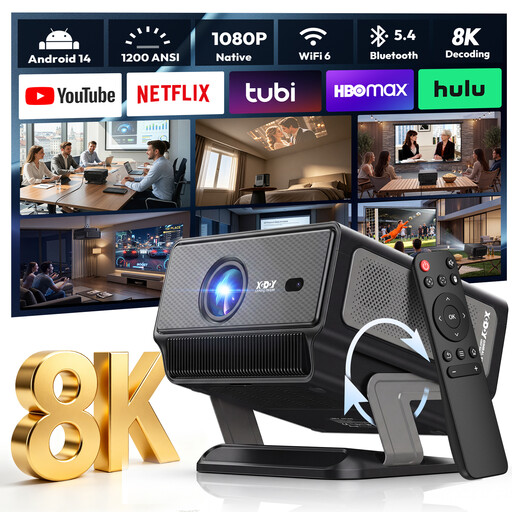
XGODY Gimbal A8 projector
The gimbal projector may be worth considering if you want flexible positioning; check that the intended orientation suits your screen and room.
Native 1080p resolution; 1200 ANSI; 1.08:1 throw ratio; stated image size of 60–180 inches; Android 14.0, Wi-Fi 6 and Bluetooth 5.4.
View at Joybuy
 No image available
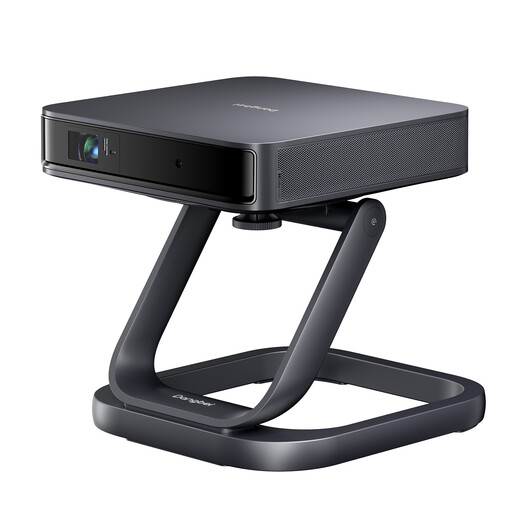
Dangbei Atom Portable Laser Projector with Bonus Table Stand
The portable design and table stand mentioned in the product title make this a flexible placement option; they don’t confirm horizontal optical lens shift.
The product title describes this as a portable laser projector and includes a special table stand as a bonus.
View at Joybuy
 No image available
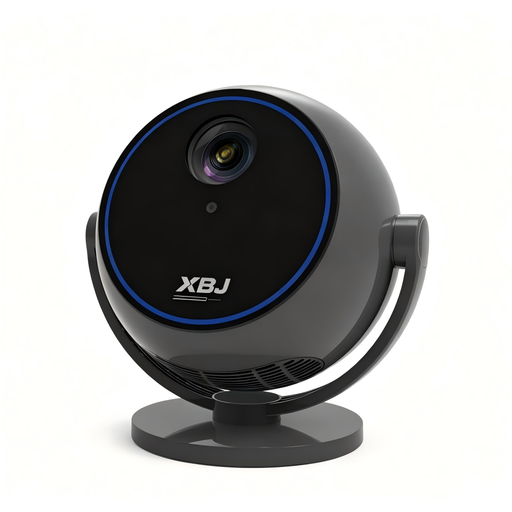
Android 13 Smart Projector with 360° stand
If you want flexible positioning, the rotating stand mentioned in the product title is a useful feature to consider; still check how it lines up with your screen and seating.
1080P HD; Wi-Fi 6; Bluetooth 5.0; built-in streaming apps; the product title specifies a stand that rotates through 360°.
View at Joybuy
 No image available
Projector with built-in apps and 180° rotation
The stated rotation may be useful if you need flexible positioning; check the image alignment and possible throw distance in your room.
Built-in apps; automatic image correction; stated image size of 50–200 inches; 50–100% digital zoom; 180° rotation.
View at Joybuy
 No image available
XGIMI Elfin Flip Laser 1080P Smart Mini Projector
The portable design and foldable form are useful if you’ll be changing where you set it up; for off-centre installation, check the model-specific information on optical image adjustment.
1080p resolution; RGB triple laser; 1600 ISO lumens; portable model with a foldable design.
View at Joybuy
Frequently asked questions
Do I need horizontal lens shift because my sofa is off to one side?
No, not for that reason alone. An off-centre seat affects the screen’s viewing angle; horizontal lens shift affects the projector’s position from side to side. If both apply, check each separately.
How can I check before installation that I’ll get the image size I want?
Measure the screen width, the possible distance between the projector and screen, and, if relevant, the horizontal lens offset. Compare these measurements with the exact model’s throw ratio, zoom and stated adjustment ranges rather than relying on the term “lens shift” alone.
What ongoing costs and service terms should I allow for?
Check the light source, the cost of replacement lamps or repairs, and who to contact if there’s a fault. Epson gives the EH-TW7000 a lamp life of 5,000 hours in Eco mode; this doesn’t mean it will last the same amount of time with different usage. The Verbraucherzentrale notes that statutory warranty rights and a voluntary guarantee are not the same thing.
What should I check about the compliance of a projector sold in Germany?
The Bundesnetzagentur lists CE marking, product and manufacturer identification, and German-language instructions and safety warnings among the points checked during market surveillance. These checks don’t prove picture quality or confirm that a particular model is compliant.


