Film fans sitting off to one side
You can place the projector in the centre, but you sit to one side for film night. First, check whether the screen’s viewing angle works for your seating positions.


If only your seat is off to the side, first check the screen’s viewing angle: lens shift moves the projected image but doesn’t change your viewing angle. If the projector also needs to sit off to one side, you’ll need a suitable way to offset the image horizontally. Check the lens-shift range of the specific model against the projection distance, room lighting and connections.
You can place the projector in the centre, but you sit to one side for film night. First, check whether the screen’s viewing angle works for your seating positions.
Your shelf or mounting point is off to one side of the screen axis. Check the projection distance and the required horizontal image offset against the specifications for the particular projector.
You only set up the projector occasionally and want to align the image quickly. Check that it has the connections you need and see which image correction features the model offers.
First, work out whether only the seating or the projector itself is off to one side. Then measure the position, distance and image width, and choose a screen to suit your viewing angle and room lighting.
| What to consider | What to look for | Who is this important to? |
|---|---|---|
| Viewing from the side | Mark the seat furthest to the side and check the stated viewing angle for the specific screen material. | If I sit to one side, I want a clear view of the screen from my seat. Around 36% of consumers put the viewing angle from the side first. |
| Side-mounted projector | Measure the position, screen width and distance. Don’t confuse horizontal lens shift with vertical lens shift or digital keystone correction. | If my shelf is off to one side of the screen axis, I need a suitable way to offset the image horizontally. Around 29% of consumers prioritise a side-mounted projector. |
| Room lighting and screen surface | Take the lighting at the planned viewing time into account, and consider the screen material, projection type and projector brightness rating together. | If the room won’t be completely dark for film night, I want to choose a screen that suits the lighting and side seating. Around 21% of consumers prioritise choosing a screen to suit their lighting conditions. |
| Occasional set-up | Check the connections for your source device and the correction features on the exact model; plan the set-up for the intended location. | For regular film nights, I want to be able to set up and align the projector easily. Around 14% of consumers prioritise a quick set-up for occasional use. |
Getting the image offset right won’t automatically solve the problem of viewing from the side: lens shift aligns the projected image, while the viewing angle affects what you can see from your seat.
Sketch out the seating positions and projector location separately before choosing a screen and projector.
Elite Screens gives CineGrey 3D a viewing angle of 90 degrees and rules out ultra-short-throw and short-throw projectors for this material. The manufacturer gives CineWhite a viewing angle of 180 degrees. These specifications apply to the respective materials, not to all screens across the board.
Check the stated viewing angle and permitted projection type for the exact screen material you’ve chosen.
For the W2720i, BenQ lists horizontal and vertical keystone correction, but only vertical lens shift. Digital correction is therefore not the same as optical horizontal image shift.
If the projector will be fixed off to one side, check both specifications separately and make sure the model can handle the offset you need.
The EH-TW7100 is a home cinema model whose zoom, lens shift and connections are worth checking against your planned set-up.
For the CineBeam HU810PW, the horizontal and vertical lens-shift specifications are relevant if you’re planning a fixed, offset installation.
For the W2720i home cinema model, you can check the throw ratio and automatic keystone correction for a flexible set-up.
The X100-4K is worth considering for a fixed, offset installation, as its specifications include both horizontal and vertical lens shift.
The UHZ65LV is a home cinema option whose brightness rating and optical zoom can be checked against your planned use.
Here you’ll find projectors for flexible film nights, including portable models and a device described as an ultra-short-throw projector. If you’re planning a side-mounted installation, check carefully that the specifications for the model suit your position and screen.
 No image available
This portable projector is ideal for an occasional, flexible set-up.
The product title lists 450 ISO lumens, Harman Kardon audio and a battery with a 2.5-hour runtime. The description mentions Google TV; an EA SPORTS FC 26 Game Code is included in the pack.
 No image available
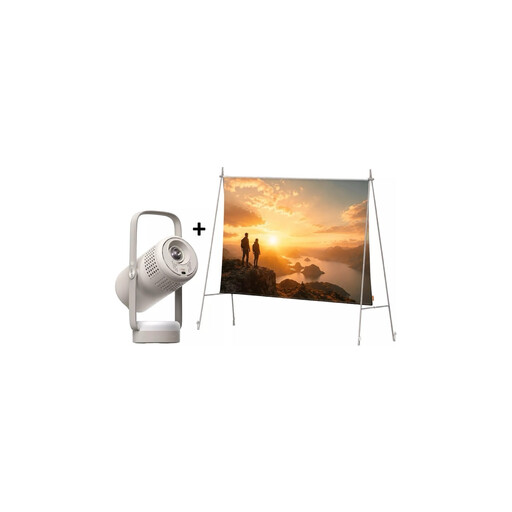
This portable set combines a projector with a screen and stand for a flexible set-up.
The specifications list Full HD 1080p, 250 ISO lumens, Google TV, JBL audio and a built-in battery. The screen is listed as 70 inches.
 No image available
The product title describes this model as an ultra-short-throw projector, while the description lists small rooms as a suitable use.
Features include automatic keystone correction, WiFi 6 and Bluetooth 5.4. Check that the projection type and position suit your screen.
 No image available
The rotation feature and automatic image correction make this model suitable for changing the projection direction.
The product title lists 50–100% digital zoom, an image size of 50–200 inches, WiFi 6 and Bluetooth. Compatible devices listed include HDMI and USB sticks, iOS, Android and laptops.
 No image available
The built-in stand and the listed focus and keystone correction features are useful if you need to change the set-up.
The product title lists Full HD 1080p, 250 ISO lumens, JBL audio, Wi-Fi and Bluetooth.
No. Lens shift changes the position of the projected image, not your viewing angle. If you’re sitting off to one side, check the viewing angle of the screen material. If the projector also needs to sit off to one side, horizontal lens shift becomes relevant.
Note the image width, projection distance, the projector’s offset to the side and the seats furthest to either side. Check the projector position against its throw ratio and, where relevant, its horizontal lens shift. Separately, check the viewing angle from your seat against the screen material.
Depending on the combination you choose, you may also need a screen, mount or external source device. For goods bought in the EU, the EU consumer portal states that the legal guarantee lasts for at least two years from receipt. This is separate from any voluntary warranty.
According to Germany’s Federal Network Agency, for products that require CE marking, the manufacturer confirms on its own responsibility that the product complies with the applicable requirements. The CE marking is not, in itself, an independent quality seal.