What should you look for when buying?
Check separately where your guests will sit and where the projector can go. This will show whether the screen’s viewing angle or horizontal image correction is the more important factor.
| Consideration |
What to check before buying |
Who it matters to |
| View from side seats |
Check the viewing angle of the specific screen and the view from the furthest seat to the side. ProjectorCentral describes a preferred viewing angle for ALR screens. |
If guests are sitting at the edge of the room, I want them to be able to see the whole screen clearly from the furthest seat; that’s why around 36% of consumers put viewing angle first. |
| Image in ambient light |
Consider the ambient light at the planned kick-off time and the image width you want. Only compare lumen ratings when they use the same measurement standard; don’t treat ANSI lumens and ISO lumens as equivalent. |
If the room can’t be completely darkened, I want to plan for the lighting conditions and image size together; around 29% of consumers prioritise an image that works with the ambient light. |
| Projector position and image geometry |
Measure the throw distance, image width and horizontal offset. Check the specific model’s horizontal lens shift and horizontal keystone correction separately. |
If the projector has to sit off-centre, I want to be able to align the image without an unsuitable setup; around 21% of consumers prioritise making the most of limited space. |
| Source device and sound |
Check the connections on your receiving device, the HDMI input you need and the audio connection you want in advance. |
For a hassle-free broadcast, I want to connect my receiving device and sound system without unexpected connection problems; around 14% of consumers put the source and audio setup first. |
Relevant brands at a glance
The model details below can help you compare specific positioning features; they aren’t a general assessment of each brand.
Epson
If your projector needs to sit off-centre, the horizontal lens-shift specifications of specific home cinema models may be relevant.
- Epson Deutschland lists horizontal lens shift of ±47,1 % for the EH-LS11000W. For the EH-TW7100, Epson lists lens shift, optical zoom and two HDMI inputs.
- The product specifications listed for the EH-TW7100 don’t state a specific horizontal shift range. Epson says the ELPSC36 screen is designed for ultra-short-throw projectors, so it shouldn’t automatically be considered suitable for the home cinema models mentioned here.
BenQ
The TK710 may be worth considering if digital horizontal keystone correction suits your planned setup.
- The German BenQ TK710 specification sheet lists 3.200 ANSI lumens and horizontal keystone correction of ±30 degrees.
- BenQ lists vertical lens shift of +10 % and a 5-W speaker for this model. Horizontal correction is digital; these specifications don’t apply to all BenQ projectors.
XGIMI
According to the manufacturer, the HORIZON 20 combines an integrated TV and sound solution with horizontal lens shift.
- XGIMI Deutschland lists 3.200 ISO lumens and horizontal lens shift of up to ±45 % for the HORIZON 20.
- According to XGIMI, the maximum horizontal value is only available when vertical shift is set to zero. ISO lumens and ANSI lumens shouldn’t be compared directly unless they use the same measurement standard.
Joybuy projectors at a glance
The following Joybuy products list features for image correction, source devices or integrated sound. To see whether a model is suitable for side-on seating or a horizontal offset in your room, check the screen and your specific setup.
 No image available
ETOE Dolphin 2 RGB laser projector, 1080P
The battery and adjustable stand may be useful for flexible setups; compare the stated battery life with the length of the broadcast.
The product details list native 1080P, 800 ANSI lumens, built-in Google TV, HDMI 2.1, two 5-W speakers and up to 2 hours of battery life. Autofocus and automatic keystone correction are also listed.
View at Joybuy
 No image available
2026 projector with built-in apps and 180° rotation
Automatic image correction and rotation can be useful if you need a flexible setup; still check that the image position and geometry work with your screen.
Features listed include built-in apps, Wi-Fi 6, Bluetooth, automatic image correction and 180° rotation. The specifications give an image size of 50–200 inches and digital zoom of 50–100 %. Compatible devices listed include HDMI devices, TV sticks and laptops.
View at Joybuy
 No image available
XGIMI Elfin Flip laser projector, 1080P
Its portable, foldable design, as described in the product name, may be useful for a flexible setup; it doesn’t tell you anything about the viewing angle for people sitting to the side.
The product title lists 1080P, 1.600 ISO lumens, RGB triple laser, Harman-Kardon speakers and autofocus.
View at Joybuy
 No image available
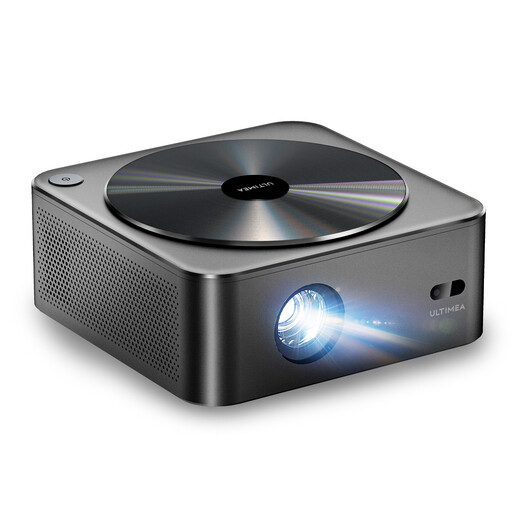
ULTIMEA Apollo P40, native 1080P
If you’re considering automatic focus and image correction, compare the features listed with the horizontal offset in your room.
The product details list native 1080P, 700 ANSI lumens, 4K support, autofocus and 6D keystone correction. Wi-Fi and Bluetooth, as well as two 5-W speakers, are also listed.
View at Joybuy
 No image available
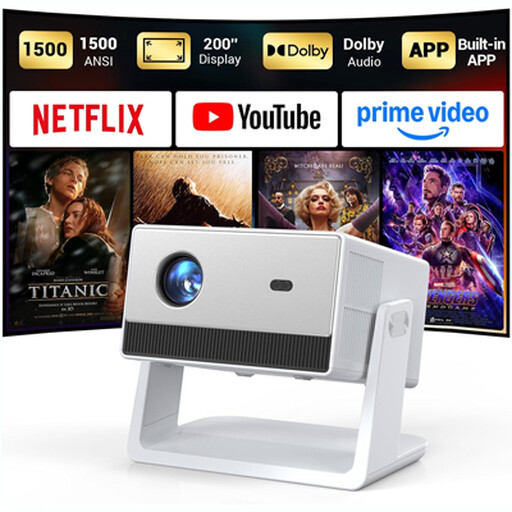
Funflix smart projector, native 1080P
The listed autofocus, adjustable stand and built-in sound may be worth considering when planning your setup; still check the image position at the intended location.
The product description lists native 1080P, 1.500 ANSI lumens, built-in apps, HDMI and USB, plus two integrated 5-W speakers.
View at Joybuy
Frequently asked questions
Will lens shift help if only the viewers are sitting to the side?
No. Lens shift moves the position of the projected image; for viewers sitting to the side, the sightlines and viewing angle of the specific screen are what matter. Epson Deutschland describes the ELPSC36 as having a wide viewing angle, while ProjectorCentral notes that ALR screens have a preferred viewing angle.
How can I check that the image will fit the room before installation?
Measure the distance to the screen, the image width you want and the horizontal offset. Compare these measurements with the throw ratio and horizontal correction range of the specific model, then test the setup before the broadcast.
What should I consider when it comes to sound, source devices and future costs?
Check in advance whether you can connect your actual receiving device and what kind of audio connection you need. If you choose a lamp-based model, include the availability of a suitable replacement lamp in your budget. Verbraucherzentrale distinguishes the statutory warranty against the seller from a voluntary guarantee.
Are the same rules for a public screening as for a private viewing?
Not necessarily. Section 15(3) of the UrhG (German Copyright Act) defines public communication, among other things, by whether those present have personal connections with one another; Section 15 of the UrhG lists public communication as an exclusive right. Without details of the specific event and streaming service, it isn’t possible to say in general whether additional permissions are needed.
Can I return a projector bought online if it doesn’t work with my setup?
For distance purchases, Verbraucherzentrale says you generally have a 14-day right to cancel after receiving the goods; you must notify the other party to the contract that you wish to cancel. Check the terms of your specific purchase.


