Film night with seats to the side
If several people are watching from different seats on the sofa, the viewing angle of the specific screen material matters. The projector’s position is a separate consideration.


If viewers are sitting to the side, the first thing to consider is the viewing angle of the specific screen material. Lens shift and keystone correction, by contrast, help align the picture when the projector is positioned off-centre. A screen with a wide viewing angle may work well for several seats. In a room with ambient light, the screen material, projector type and viewing angle all need to work together.
If several people are watching from different seats on the sofa, the viewing angle of the specific screen material matters. The projector’s position is a separate consideration.
If the projector cannot sit directly in front of the screen, check the model’s horizontal lens shift range and keystone correction. BenQ describes lens shift as optical image adjustment and keystone correction as digital correction.
If projection space is limited or you have little control over the light, match the image width and distance to the throw ratio, and choose a screen material suited to the type of projector.
First, distinguish between viewers sitting to the side and a projector positioned off-centre. The screen material matters for seating, while the right image adjustment matters for the projector’s position.
| What matters | What to check before buying | Who is this important to? |
|---|---|---|
| Viewing from the side | Check the viewing angle and whether the specific screen material suits your projector type. Elite Screens lists a 180° viewing angle for its CineWhite material. This is the manufacturer’s specification for that material, not a guarantee of even brightness from every seat. | If I’m watching with several people from the end of the sofa, I want to know whether the picture looks good from the side on this particular screen. Around 33 % of consumers put side viewing first. |
| Projector positioned to the side | Match the distance and image width to the model’s horizontal lens shift range. For the BenQ W4000i, BenQ lists horizontal ±15 % lens shift and ±30 degrees of horizontal keystone correction; neither describes the screen’s viewing angle. | If the projector has to sit to one side, I need image adjustment that suits that position. Around 27 % of consumers prioritise being able to position the projector off-centre. |
| Ambient light and picture quality | Consider typical room lighting, the brightness rating and its measurement standard, and the screen material together. Epson lists 3,000 lumens for both white and colour brightness on the EH-TW7000. This does not indicate how it will perform on every screen or in every lighting condition. | If I can’t fully darken my living room, I want to choose a projector and screen suited to the actual lighting conditions. Around 20 % of consumers prioritise ambient light and picture quality. |
| Picture size with limited space | Measure the available distance and desired image width, then compare them with the throw ratio of the specific model. BenQ lists 1.15–1.50 for the BenQ W4000i. | If there’s limited space in front of the screen, I’m looking for a combination that will deliver the picture width I want at the available distance. For around 13 % of consumers, limited projection distance is the top concern. |
| Running costs and support | Compare light source figures only under the stated operating conditions, and check the warranty terms for the specific model. Epson lists 5,000 hours for the EH-TW7000 lamp in Eco mode; this is not a figure for the lifespan of the entire projector. | If running costs and after-sales support matter to me, I want to know the conditions that apply to the light source and service. Around 7 % of consumers put running costs and customer service first. |
Lens shift and keystone correction adjust the projection. Whether viewers can see the picture clearly from the side depends on the screen material.
First check whether the seats, the projector or both are positioned off-centre.
A different projector won’t fix an unsuitable viewing angle on your existing screen.
Specialist CLR materials for ultra-short-throw projectors are not automatically suitable for standard projectors. CLR and Fresnel materials direct light in different ways.
Check that the intended projector type matches the screen manufacturer’s material specification, and also check the viewing angle from your planned seating positions.
Depending on the combination, you may need a different projection surface.
Light source figures apply to specific models and operating modes; they don’t tell you how long the entire device will run without maintenance.
Compare the operating conditions for the light source figure and read the warranty terms for the specific model. If there’s a fault, the seller is generally responsible for your statutory rights; a manufacturer’s warranty is separate.
BenQ lists the W4000i as a home cinema projector with horizontal and vertical lens shift, zoom and 2D keystone correction.
According to Epson, the EH-TW7000 combines 3LCD home cinema projection with lens shift, optical zoom and keystone correction.
The HORIZON S Max is listed as a 4K projector with an integrated adjustable stand.
The Cosmos 4K SE is a smart projector option for film nights with a flexible setup.
Screen manufacturer Elite Screens offers CineWhite, as well as CLR and Fresnel materials for different types of projection.
The projectors below offer flexible image adjustment; the XGIMI Aura 2 is an ultra-short-throw model. Even with automatic correction, the viewing angle of the specific screen material is a separate point to check.
 No image available
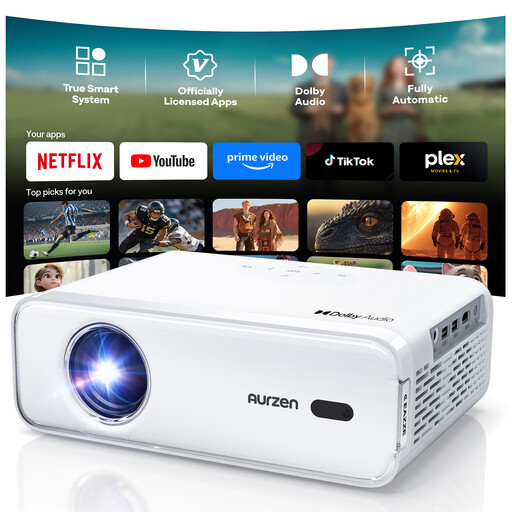
An option if you’re looking for automatic image correction with a flexible setup. This feature won’t improve the screen’s viewing angle from the side.
The product name lists support for Full HD 1080P, Netflix and Dolby Audio.
 No image available
This could suit you if you’re considering flexible image adjustment and the stated short-throw use. Even so, match your planned image width to the available distance.
The product name lists 1,000 ANSI lumens, native 1080P resolution, 4K support, autofocus and keystone correction.
 No image available
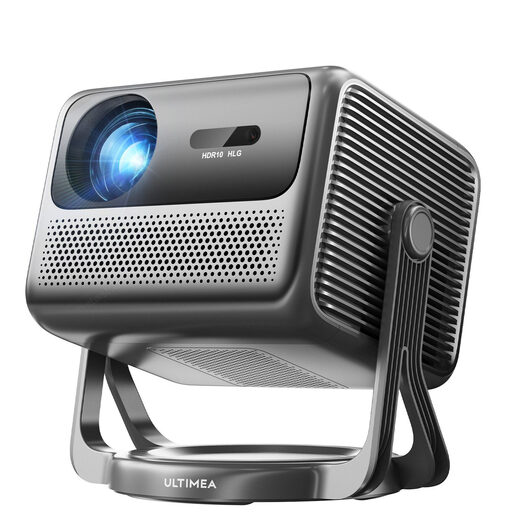
The integrated stand with a 90° gimbal is useful if you want flexibility when positioning the projector. Check the required image angle and screen position.
The product name lists 600 ANSI lumens, native 1080P resolution, HDR10+HLG and Dolby Audio. “4K” appears in the name as a projector designation, while the native resolution is listed as 1080P.
 No image available
A possible choice if flexible positioning and automatic image correction matter for your film night. Align the picture with the screen and check the view from your seats.
The product name lists a 50–200-inch image size, 50–100 % digital zoom, 180° rotation and automatic image correction. Compatible devices listed include HDMI, TV stick, USB stick, iOS, Android and laptop.
 No image available
This ultra-short-throw option may be worth considering if projection space is limited. Before choosing, check that the specific screen material suits this projector type and how it looks from seats to the side.
The product name lists 2,300 ISO lumens, Dolby Vision, IMAX Enhanced and built-in 60-W Harman Kardon speakers.
No. Lens shift moves the projected image to accommodate the projector’s position. For viewing from the side, the screen material is the main consideration; check its viewing angle.
Measure the available distance from the lens to the screen and the image width you want. Match both to the throw ratio of the specific model, then check whether lens shift or keystone correction can address any remaining misalignment.
No. In particular, CLR materials designed for UST projectors are not necessarily suitable for standard projectors. Check the projector type specified by the screen manufacturer and, if you’ll be sitting to the side, also check the viewing angle.
The seller is generally responsible for your statutory rights; a manufacturer’s warranty is a separate promise with its own terms. The Verbraucherzentrale recommends distinguishing between statutory rights and a warranty. Before buying, check who the seller is and what warranty terms apply to the model.
No. The German Environment Agency advises that waste electrical equipment must not go in household rubbish. Find out what return options are available to you.