Trainers working with large groups
If you’re demonstrating work processes to a group, consider image width, viewing distance and room layout together. Epson Deutschland describes adjustable screen sizes for different rooms and audience sizes.


The key factors are the desired image width, the distance between the lens and the screen, and visibility from the back row. Then check that the throw ratio of the specific model suits your planned installation position. Native resolution and typical room lighting also matter when showing small details. Manufacturer specifications are no substitute for testing typical materials in your own room.
If you’re demonstrating work processes to a group, consider image width, viewing distance and room layout together. Epson Deutschland describes adjustable screen sizes for different rooms and audience sizes.
For labels, on-screen content and small components, native resolution and the visibility of the specific content are important. The data sheets from Epson Deutschland and BenQ provide model-specific resolution details, but they don’t guarantee visibility from every seat.
If the lights need to stay on so people can take notes or work during a demonstration, test the projection at the usual lighting level and image size. BenQ highlights how ambient light affects the perceived image.
| Consideration | What to check when buying | Who is it important for? |
|---|---|---|
| Image width and installation position | Measure the distance to the screen and the desired image width; check the image range of the specific model. | If I want people at the back to see the image, its width needs to suit the room and the distance from the lens. Around 36% of consumers focus primarily on image size and installation position. |
| Small details | Compare native resolution, not just supported input signals; view a typical example from the back row. | If small movements or labels need to remain visible, how they appear from the intended viewing distance matters. Around 29% of consumers prioritise details in demonstrations. |
| Room lighting | Check the stated light output and its measurement standard; test the planned image size under typical lighting. | If the lights need to stay on for note-taking or practical exercises, assess the image under those conditions. Around 21% of consumers focus on visibility with the room lights on. |
| Operation and connectivity | Check the light source and operating conditions, along with suitable connections and any accessories you actually need. | If demonstrations take place regularly and you need to connect existing devices, operation and connectivity are important points to consider. Around 14% of consumers focus primarily on these aspects. |
The potential image size alone doesn’t tell you whether fine details in a demonstration will be visible from the very back.
Check typical demonstration content from the back row under the planned lighting conditions. If you need to adapt the materials, factor in the extra work involved.
Viewing distance is measured from the audience to the image; projection distance is measured from the lens to the screen. So a distant audience doesn’t automatically mean the projector needs to be mounted far away.
Measure both distances separately and check the image range of the specific model before installation. Optoma notes that its distance calculator provides an estimate only.
An unsuitable lens range may mean you need to change the installation position or adjust the mounting.
The data sheet for the BenQ LH730 lists a native resolution of 1,920 × 1,080 pixels, even though the model also supports higher-resolution input signals.
When comparing projectors for small labels, look at native resolution rather than just the list of compatible signals.
A stated light-source lifespan doesn’t automatically reflect the maintenance needs of the entire projector. Wireless connectivity for the BenQ LH730 requires an optional accessory.
Check the connections, what’s included and the operating conditions for your chosen model. If your planned setup needs additional accessories, include them in your plans.
Epson Deutschland offers projectors for education and installation environments; the EB-L530U is one specific model in this range.
According to its German data sheet, the LH730 is an LED projector for presentations with native 1080p resolution.
ViewSonic describes the LS740HD as a laser installation projector for commercial and educational spaces.
Optoma positions the ZH450 as a compact Full HD laser projector with installation features.
Sony Professional Deutschland presents the VPL-PHZ51 as a laser projector for venues including lecture theatres and large classrooms.
The Joybuy options below include projectors with details on screens, resolution and connectivity. Check the specific room measurements and product specifications to see whether a model can deliver the image width you want from your planned installation position.
 No image available
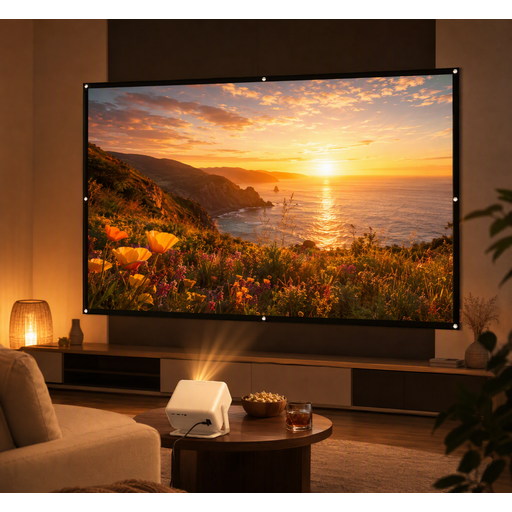
Worth considering if you want a screen included; first check that the image width and throw distance will suit your training room.
The listing mentions 1080P support and a 100-inch screen.
Connections listed include HDMI, USB, AV and VGA.
 No image available
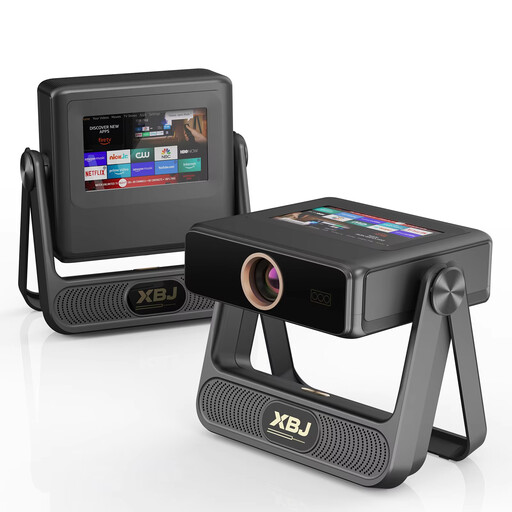
Could be worth considering for a demonstration if the listed alignment features suit your setup; also check how clear the image is from the back row.
The product title lists native 1080P, 900 ANSI lumens and a projection size of up to 300 inches.
It also lists autofocus, automatic keystone correction, WiFi 6 and Android OS.
 No image available
The rotation feature may be useful when planning where to position the projector; separately check that the throw distance and image width will work for the back row.
The product title lists a projection size of 50–200 inches, 50–100% digital zoom and 180° rotation.
Compatible sources listed include HDMI, TV stick, USB stick, iOS, Android and laptop.
 No image available
May be worth considering if you need a rotating stand for your planned setup; test whether the content is visible from the back row.
The product title lists native 1080P, 700 ANSI lumens and a rotating stand with 280° rotation.
It also lists autofocus, keystone correction and automatic obstacle avoidance.
 No image available
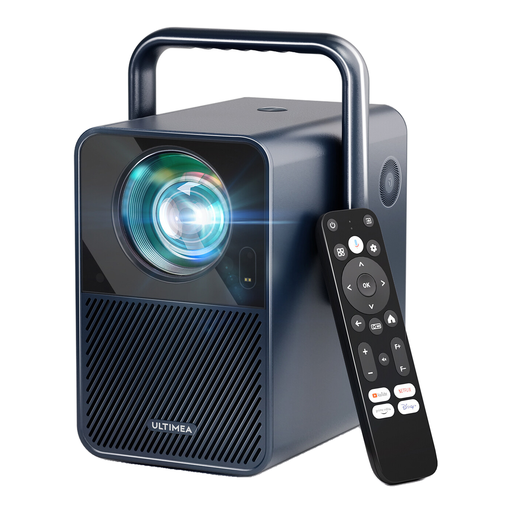
Native resolution can be a useful factor when choosing a projector for detailed content; also check that the image size and lighting conditions suit your room.
The product title lists 1,000 ANSI lumens and native 1920 × 1080 resolution.
The product description recommends an image size of 80–120 inches.
No. Projection distance is measured from the lens to the screen, while viewing distance is measured from the viewer to the image. Consider both distances separately when choosing a projector.
Yes, as long as the image size and legibility are right for the back row. A short-throw or ultra-short-throw projector is designed to sit close to the screen and can reduce shadows falling across the image.
Compare your desired image width and the distance from the lens to the screen with the specifications for the specific model. Optoma notes that its distance calculator provides an estimate only; test the setup in the actual room before installation.
No. Lifespan figures apply to the light source and depend, among other things, on the model and operating conditions. For the specific device, also check accessories, warranty terms and any maintenance requirements.
The lighting should allow people to carry out practical tasks safely. The Federal Institute for Occupational Safety and Health covers appropriate lighting and the risks of glare; take particular care when working with machinery.