If you’re sitting to one side of the screen, start by checking its viewing angle. Lens shift on a projector moves the image, but it won’t improve the view from a seat off to one side. If the projector itself has to sit to one side, check the specific model’s horizontal optical lens shift. Depending on how much correction is needed, digital keystone correction can affect the image. For watching gardening programmes with some ambient light, the image size, room lighting and the brightness rating of your chosen projector all need to work together.
Who is this selection for?
Viewers sitting off to one side
If you watch gardening programmes from the sofa while sitting to one side of the screen’s centre, consider how well you can see the image from your actual seat and the screen’s viewing angle. celexon explains the relationship between gain and viewing angle.
Viewers watching with some ambient light
If you don’t want to darken the room completely to watch TV, consider the image size and lighting conditions alongside the brightness rating of the specific projector. Epson and BenQ publish these figures for individual models.
Households with a projector positioned to one side
If furniture or walkways make a central position impractical, check whether the specific model offers enough horizontal optical lens shift or a digital correction option. BenQ explains the differences between lens shift and keystone correction.
What should you look for when buying?
Seat to one side, projector facing the screen
A good fit if: your sofa is off-centre from the screen and you can position the projector as centrally as possible.
The trade-off: A more focused reflection can improve brightness when viewed head-on, but may restrict the viewing angle from the side.
Projector positioned to one side with optical lens shift
A good fit if: the projector has to sit to one side because of space constraints, and its horizontal shift range suits the measured position.
The trade-off: The horizontal lens shift available varies by model and can’t be inferred from a vertical figure.
Flexible positioning with digital keystone correction
A good fit if: you occasionally move the projector and only need a small amount of correction at its actual position.
The trade-off: BenQ notes that stronger digital keystone correction can affect the image edges, sharpness and size.
| Buying priority |
What to check when buying |
Who this matters to |
| Viewing from the side |
Match the screen’s viewing angle and material to your actual seating positions. celexon explains that a higher gain may come with a narrower viewing angle. |
If I sit to one side of the centre of the image, I want to be able to see it clearly from my seat. This is the top priority for around 36% of consumers. |
| Image with some ambient light |
Consider the image size and room lighting together. Epson gives the EH-TW7000 a white and colour light output of 3,000 lumens; BenQ rates the W2720i at 2,500 ANSI lumens. These figures aren’t directly comparable. |
If I want to watch gardening programmes with the lights on, the planned image size needs to suit the room. For around 29% of consumers, visibility with some ambient light is the top priority. |
| Projector positioned to one side |
Measure the distance, horizontal offset and desired image width; check the specific model’s horizontal lens shift in particular. Epson gives the EH-LS12000B a horizontal shift of ±47,1 %; the BenQ W2720i is listed with vertical lens shift. |
If the projector has to sit to one side because of the room layout, I need a suitable way to align the image. This is the top priority for around 21% of consumers. |
| Playback and operation |
Check your existing source devices and the connections you need. Epson lists two HDMI ports for the EH-TW7000; lamp or light-source life figures apply to the specific model and the stated conditions. |
If I want to watch programmes through a source device I already own, I check that it has the right connections and light source. For around 14% of consumers, this is the most important buying consideration. |
Common misconceptions
-
Confusing a seat to one side with a projector positioned to one side
Lens shift changes the position of the projected image, not how light is distributed across the screen. Positioning the projector to one side and sitting to one side are therefore two separate planning considerations.
First, check the view from your seats and the screen’s viewing angle. Plan the projector’s position separately.
If the screen isn’t suitable for seats off to one side, you may need to replace the screen material.
-
Mistaking automatic keystone correction for optical lens shift
Digital keystone correction doesn’t shift the image optically. BenQ notes that it can affect the image edges, sharpness and size, particularly when more substantial correction is needed.
Position the projector as well as you can, then check how much correction is actually needed at the intended location.
-
Focusing only on ambient light rejection with a UST screen
Screens can vary in how well they reject ambient light from the side and the viewing angles from which the image remains clear.
Choose a screen type that suits your specific projector and check that its stated viewing angle works with your seating positions.
Key brands at a glance
Epson
Home cinema projectors such as the EH-TW7000 for use with external source devices; the EH-LS12000B is a separate model with a specified horizontal lens shift.
- For the EH-TW7000, Epson lists lens shift, optical zoom, two HDMI ports and a lamp life of 5,000 hours in Eco mode.
- The horizontal lens shift of ±47,1 % applies to the EH-LS12000B, not the EH-TW7000 or the brand as a whole.
BenQ
The W2720i is a home cinema model with a 4LED light source, a stated throw ratio and digital horizontal keystone correction.
- BenQ gives the W2720i a throw ratio of 1,0–1,3 and horizontal keystone correction of ±30 degrees.
- The W2720i is listed with vertical lens shift of ±5 %. BenQ also notes that keystone correction can affect the image.
XGIMI
The HORIZON S Max is aimed at households looking for an adjustable stand and automatic image alignment.
- XGIMI lists an integrated adjustable stand and automatic keystone correction for the HORIZON S Max.
- These set-up features listed by the manufacturer don’t prove that sharpness will remain unchanged when projecting from the side.
Valerion
The VisionMaster Max is a model designed for installation, with optical image shift.
- The German product page lists ±105 % vertical optical lens shift and an optical throw ratio of 0,9–1,5:1 for the VisionMaster Max.
- The vertical figure doesn’t confirm horizontal lens shift. Check separately whether the model is suitable for a projector positioned to one side.
Joybuy products
This selection includes projectors for flexible viewing at home or outdoors. If you’re sitting to one side, still check the screen’s viewing angle; if the projector is positioned to one side, check the alignment options of the specific model.
 No image available
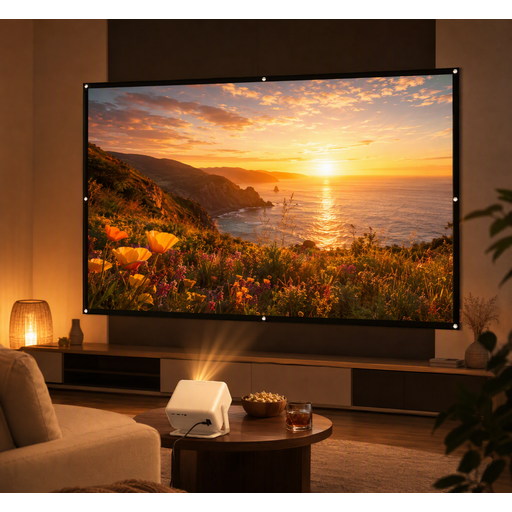
XGODY Gimbal A6 Pro with 100-inch screen
This bundle is designed for viewing on a projection screen; visibility from seats to one side still depends on the screen’s viewing angle.
The product description lists native 1080p resolution and HDMI, USB, AV and VGA ports.
View at Joybuy
 No image available
Projector with built-in apps and 180° rotation
The stated rotation and automatic image correction offer alignment options; check whether they’re sufficient for the intended position off to one side.
The product title lists built-in apps, HDMI compatibility, 180° rotation and a digital zoom of 50%–100%.
View at Joybuy
 No image available
XBJ portable projector, native 1080p
The rotating stand and automatic keystone correction are designed to make alignment more flexible; they don’t remove the need to check that the screen suits seats to one side.
The product description lists 700 ANSI lumens and a stand that rotates through 280°.
View at Joybuy
 No image available
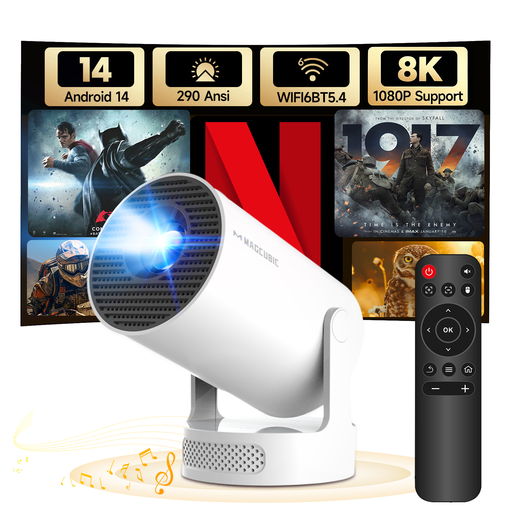
MAGCUBIC HY300Pro+ mini projector
Automatic correction is specified for the vertical direction; if you plan to position the projector to one side, check the manual four-point correction and the alignment required.
The product description lists 290 ANSI lumens, a projection size of 35 to 140 inches, a projection distance of 0,6 to 2,5 m and a weight of 0,88 lb.
View at Joybuy
 No image available
Magcubic HY350Max smart projector
Automatic keystone correction can make set-up easier; check at the intended position whether it provides enough alignment for the image placement you want.
The product description lists native 1080p resolution, 900 ANSI lumens, Android 14 and 180° rotation.
View at Joybuy
Frequently asked questions
Does lens shift help if only the viewers are sitting to one side?
No. Lens shift moves the position of the projected image; for a view from the side of the sofa, the screen’s viewing angle is particularly important.
What should I measure before installing the projector permanently?
Decide on the image width and projection area, then measure the available distance and any potential horizontal offset for the projector. Compare these measurements with the specific model’s throw ratio and correction options.
What should I know about faults or returns after buying online in Germany?
The Verbraucherzentrale distinguishes between your statutory rights against the seller and a voluntary guarantee. Many online purchases generally come with a 14-day right to cancel; the Verbraucherzentrale says this period starts when the contract is concluded or the goods are received. The terms of the specific purchase remain important.
Will having a projector mean paying an extra broadcasting licence fee?
No. The broadcasting contribution is generally charged per home, not per projector. The Beitragsservice notes that different rules apply to certain living arrangements.
What should I look for in an electrical appliance sold in Germany?
As part of its market surveillance, the Bundesnetzagentur lists checks including correct CE marking, identifiable manufacturer details and German instructions with the necessary warnings. Check the details of the specific offer and device.


