For architecture programmes watched from side seats, first make sure the screen suits the widest viewing angle: lens shift changes the projector’s position, but it does not widen the screen’s viewing angle. Stewart Filmscreen notes that image brightness can decrease when viewed from the side. If the projector also needs to be positioned off-centre, check specifically for horizontal optical lens shift; vertical lens shift or digital keystone correction will not automatically meet this requirement.
Who benefits from which checks?
Viewers sitting at the side of the sofa
If you want to make out façades, floor plans and on-screen labels from an end seat, check the viewing area of the specific screen. Stewart Filmscreen explains that image brightness can decrease when viewed from the side.
Detail-focused documentary viewers
If you want to see fine lines and text, consider image width, viewing distance and source quality together. BenQ Germany explains throw ratio as the projection distance divided by the image width.
Households with an off-centre projector position
If the shelving unit or sideboard is not in front of the centre of the screen, the horizontal offset needs to be within the adjustment range of the specific model. LG lists horizontal lens shift for the HU810PW; BenQ distinguishes between vertical lens shift and horizontal keystone correction on the TK710.
What matters when buying?
For your seating and setup, assess the screen, image size and projector position separately.
| Buying priority |
What to look for |
Who is this important to? |
| Viewing from end seats |
Check the end seat and the screen’s viewing area or half-gain angle; also take the planned room lighting into account. |
If I want to make out floor plans and labels from the end of the sofa, I’ll first check how the screen performs when viewed from the side. Around 38% of consumers put visibility from end seats first. |
| Seeing architectural details clearly |
Assess the image width, viewing distance, stated resolution of the exact model and source quality together. |
For fine façade lines and small text, I’d check the image size, viewing distance and programme source together. Around 23% of consumers prioritise being able to see these architectural details clearly. |
| Off-centre projector position |
Measure the projector’s offset and compare it with the horizontal optical lens shift, zoom and throw ratio of the exact model variant. |
If the shelving unit is off to the side of the screen, I’ll specifically look for horizontal optical lens shift. Around 23% of consumers put suitable alignment for an off-centre projector position first. |
| Image with ambient room light |
Treat the manufacturer’s brightness figure as a model specification, and assess the combination of room lighting, image size and screen. |
If I can’t fully darken the room, I’ll check how the image looks with the planned screen under the intended lighting conditions. Around 16% of consumers focus on using a projector with ambient room light. |
Common planning mistakes
-
Confusing a side seat with an off-centre projector position
Lens shift adjusts the projector’s position, not the screen’s viewing angle.
Mark out all the seating positions and the planned projector location before choosing your equipment.
Depending on the room, you may need a different screen or a change to the projector’s position.
-
Assuming “lens shift included” means horizontal adjustment
BenQ lists +10% vertical lens shift for the TK710; horizontal keystone correction is a different feature.
Compare the expressly stated axis and adjustment range of the exact model variant with your measured offset.
An unsuitable mount or a different installation position may require additional planning.
-
Planning for the projector alone
Screen material affects side viewing. Accessories such as a replacement filter also need to be compatible with the model.
Plan for the screen and any accessories you need with the specific model in mind; an accessories list does not confirm a regular replacement interval.
A screen suited to your seating arrangement and model-compatible accessories may also need to be factored into your installation plans.
Relevant brands and models
LG
The CineBeam HU810PW is a specific home cinema model with horizontal lens shift.
- LG lists ±24% horizontal lens shift and 1.6x zoom for the HU810PW.
- LG Germany marks this model as “No longer available”; this says nothing about other retailers or the rest of LG’s range.
Sony
Sony offers a projection simulator to help plan the setup for the VPL-XW5000ES.
- According to Sony, the simulator helps you plan projection distances and available lens shift ranges.
- You’ll need to check whether the setup works for side seating using your room and screen measurements.
BenQ
The TK710 illustrates why you should check the lens shift axis for each specific model.
- BenQ lists a throw ratio of 1.15–1.5 and +10% vertical lens shift for the TK710.
- The horizontal keystone correction also listed is not the same as horizontal optical lens shift.
Epson
Epson’s listed setup features vary between individual home cinema models.
- Epson describes the EH-TW7100 as having lens shift and optical zoom; for the EH-TW6250, Epson specifically lists vertical lens shift.
- Don’t assume these specifications apply to other models in the range, and check which axis your setup requires.
Optoma
The UHZ65LV is a documented laser home cinema model with specifications for zoom and vertical lens shift.
- An Optoma Europe data sheet from 2024 lists 5.000 lumens, 1.6x zoom and vertical lens shift.
- These specifications do not confirm horizontal lens shift.
Projectors at Joybuy
This selection includes compact home cinema and portable models. If you’re positioning the projector off-centre, check separately whether horizontal optical lens shift is expressly specified for the particular model variant.
 No image available
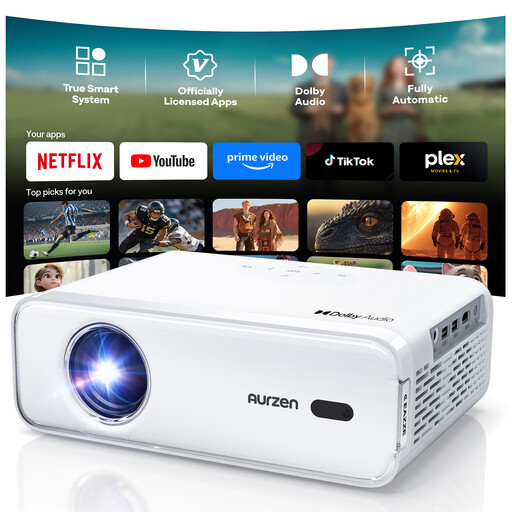
Aurzen Smart projector, Full HD 1080P, 4K support
Autofocus and keystone correction are listed for image setup; if the projector is off-centre, also check that it offers the horizontal optical adjustment you need.
View at Joybuy
 No image available
XGODY N7 Cine, 1,000 ANSI lumens, native 1080P
Native 1080P resolution is a useful specification when choosing a projector for architecture programmes, but it doesn’t guarantee readable small text at every image size and viewing distance.
The product title also lists 4K support, autofocus and automatic keystone correction.
View at Joybuy
 No image available
XGIMI MoGo 4, Match Night EU Edition, with EA SPORTS FC 26 game code
This model is described as portable, so it may suit setups where the projector needs to be moved; the product title also lists a built-in battery.
Specifications include Full HD 1080p, 450 ISO lumens and a battery life of 2.5 hours.
View at Joybuy
 No image available
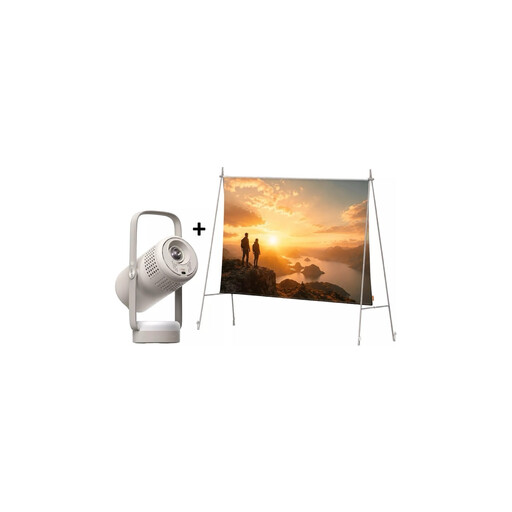
XGIMI Vibe One Match Night Collection, with screen and stand
The bundle lists a built-in battery and a screen with stand; if you’re positioning the projector off-centre, check its optical alignment separately.
The product title also lists FHD 1080P and 250 ISO lumens.
View at Joybuy
 No image available
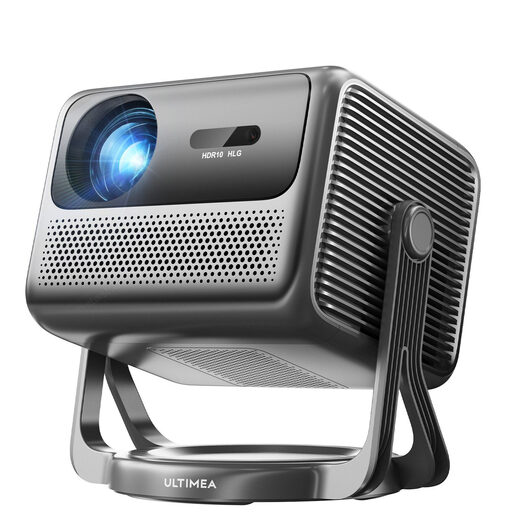
ULTIMEA Nova C40 Android TV 4K
The 90° gimbal may be useful for different projection angles, but it is not the same as specified horizontal lens shift.
The product title lists 600 ANSI lumens, Full HD 1080P and HDR10+HLG.
View at Joybuy
Frequently asked questions
Does lens shift help if I’m only sitting to the side?
Not directly. Lens shift changes the image position when setting up the projector; for side seating, check the screen’s viewing area.
How can I check that the image size will fit before installation?
Measure the available projection distance and the image width you want. BenQ Germany describes throw ratio as distance divided by image width; compare the result with the range for the specific model.
What should I bear in mind when cleaning the projector and choosing accessories?
Follow the manual for your specific model. BenQ recommends disconnecting the power supply before cleaning the exterior. Check accessories such as replacement filters individually for model compatibility; Epson lists compatible main units for this purpose.


