Daylight viewers
You regularly watch during the day, can only partly block out light from tall windows, and need to plan the screen area, ambient light and screen together.


For art documentaries in daylight, with light coming through tall windows, first check whether light falls on the intended screen area. Then plan the image size, shading and screen accordingly. Next, choose between a flexible home cinema projector, a model with high stated brightness and an ultra-short-throw option. Compare colour and white brightness, as well as the practicalities of installation, rather than relying on a high lumen figure alone.
You regularly watch during the day, can only partly block out light from tall windows, and need to plan the screen area, ambient light and screen together.
You want to see paintings, photographs and dark film scenes in detail, and care about colour reproduction and image detail as well as brightness.
You need to fit the projector into a specific room, so you’re deciding between standard and ultra-short throw, as well as choosing a suitable screen area.
A good fit if: You have enough distance from the screen and want to weigh up image detail, colour brightness and lens adjustment. Epson specifies 3,000 lumens of white and colour brightness for the EH-TW7100, along with lens shift.
The trade-off: This figure doesn’t guarantee a high-contrast image when light falls on the screen. The model also uses a lamp.
A good fit if: The room stays bright and Full HD is enough for you. BenQ specifies 5,000 ANSI lumens and 98% Rec.709 coverage for the LH750 conference projector.
The trade-off: Manufacturer specifications don’t prove independently measured colour accuracy for art documentaries. Make sure the resolution and intended installation location are right for you.
A good fit if: You have space in front of the screen but no suitable position for a projector further back. Epson specifies 4,000 lumens in Standard mode and a throw ratio of 0.16–0.40:1 for the EH-LS800W.
The trade-off: Check the screen type, available installation space and direction of the window light together. A screen designed for standard throw won’t necessarily work with an ultra-short-throw projector.
A good fit if: You prioritise high detail and have enough space for a standard-throw setup. Optoma specifies 4K UHD laser technology and 4,000 lumens for the UHZ66; Acer specifies 4,000 ANSI lumens and HDR10 compatibility for the H6815BD.
The trade-off: Light sources and brightness figures aren’t directly comparable. They don’t guarantee colour brightness or how dark art images will look in daylight from a window.
| Consideration | What to check before buying | Who it matters most to |
|---|---|---|
| Visibility in daylight | Light falling on the screen area, desired image size, possible shading and a suitable screen. | If daylight comes through tall windows and falls on the screen area, you’ll want a clearly visible image. Plan the image size, shading and screen together. Around 40% of consumers say visibility in daylight is their main concern. |
| Colour and image detail | Assess colour and white brightness, colour gamut coverage and actual image resolution separately. | When viewing paintings and photographs, you’ll want to assess colours and fine details, not just bright areas. Around 33% of consumers put colour and image detail first. |
| Installation and screen | Check the image width against the throw distance; for ultra-short throw, make sure the screen is suitable. | If the projector needs to fit in a specific room, you’ll want to check the throw distance and image width before buying. Around 17% of consumers say projector position and screen are their main concern. |
| Running costs and overall cost | Compare the light source, warranty terms, power consumption in your chosen mode and the cost of a suitable screen. | If you need to factor in the light source, maintenance and screen, you’ll want to know the requirements of the specific model. Around 10% of consumers put running costs and overall cost first. |
White brightness, colour brightness, measurement methods and image size each tell you something different. For art images, a bright white test area alone says little about how coloured subjects will look.
Only compare brightness figures measured on the same basis, and take colour brightness and your planned image size into account.
Ultra-short-throw projectors hit the screen at a different angle from standard-throw models. Choosing an unsuitable screen could mean having to buy another one.
Check specifically that the screen is designed for your chosen projection type and the direction of the window light.
Depending on the light source and how you use it, you may need to factor in a suitable screen, maintenance and electricity costs as well as the projector itself.
Compare the light source, power consumption in the intended operating mode and warranty terms for the specific model.
Epson’s range includes both standard-throw home cinema projectors and ultra-short-throw laser projectors.
The LH750 is part of BenQ’s conference projector range and is an option for buyers looking at a Full HD model with high stated brightness.
The UHZ66 is a 4K UHD laser projector you could consider if you have the right throw distance.
Acer describes the H6815BD as a 4K UHD projector for home entertainment.
The product names below highlight different projection and setup features. For each model, also check the CE marking, device identification, manufacturer details and whether it comes with a German instruction manual; a German manual is relevant for non-commercial users.
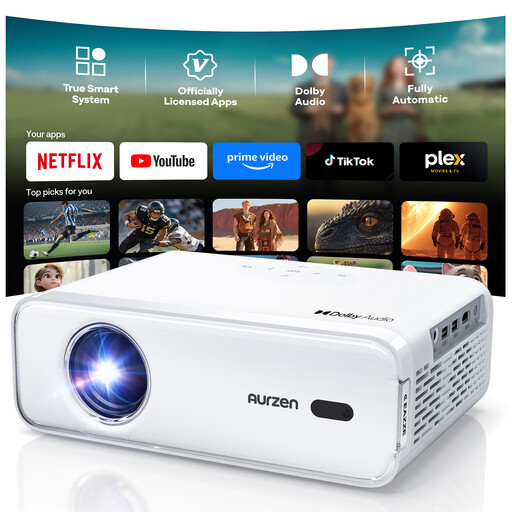 No image available
An option for a home cinema setup with a Full HD specification and automatic setup features; the product name doesn’t state a brightness figure for use in a room with window light.
Features listed include 4K support, Full HD 1080P, autofocus and keystone correction.
 No image available
Worth comparing with projectors that list resolution and colour gamut specifications; these figures alone don’t prove colour accuracy in a room with window light.
Product specifications: RGB laser, 800 ANSI lumens, 110% BT.2020, 1080P FHD, 2H Battery Life, HDMI 2.1 and USB-C. Autofocus and keystone adjustment are also listed.
 No image available
The product name specifies ultra-short-throw projection. Before choosing, check that the actual projection type works with your throw distance, image width and screen.
Features listed include 4K/1080P, WiFi 6, Bluetooth 5.4 and automatic keystone correction. Check the listing to see which resolution is native.
 No image available
An option for setups where the adjustment features mentioned in the product name are useful; digital adjustments don’t replace checking the throw distance.
Features listed include an image size of 50–200 inches, 50%–100% digital zoom, 180° rotation, WiFi 6 and Bluetooth.
 No image available
Worth comparing with other portable projectors; the stated brightness alone doesn’t tell you how much contrast the image will have in daylight.
Features listed include native 1080P, 700 ANSI lumens, 4K support, HDR10 and a stand that rotates through 280°. Autofocus and keystone correction are also listed.
Not reliably. Perceived brightness also depends on image size and ambient light; light falling on the screen can reduce contrast. So decide on the screen area and possible shading first.
No. The screen must be specifically suited to the steep angle of light from an ultra-short-throw projector. Also take the direction of the room light and the seating positions into account.
Compare colour and white brightness, actual image resolution and colour gamut coverage separately. Manufacturer specifications for brightness or colour gamut alone don’t prove colour accuracy or contrast in a room with window light.
Measure your desired image width and the available distance for the projector, then check both against the throw ratio of the specific model. Follow its installation and maintenance guidance. For example, the Epson EH-TW7100 uses a lamp, while the Epson EH-LS800W has a laser light source.
For electrical and electronic devices offered for sale, the German Federal Network Agency lists requirements including correct CE marking, clear device identification and the required manufacturer details. A German instruction manual must be supplied for non-commercial users. Check these points for the specific device, as a brand name alone doesn’t confirm them.