First, choose a reliable way to play your local film files, then check the brightness, image size, projection distance and sound at the venue. For large images or rooms with some ambient light, a bright auditorium projector connected to a player via HDMI may be a better fit. A portable projector is more flexible to position, but needs particular consideration when there is ambient light. A USB port alone does not prove that a projector can play video files.
Who is this guide for?
Clubs with a mix of film files
When you’re bringing together older and newer anniversary clips, a playback method that’s been tested in advance matters more than having a USB port alone. BenQ Germany lists a USB Type-A port with 1.5 A for the TH575; XGIMI Support recommends using an external source for local media.
Clubs with a brightly lit event hall
If you’re showing films to several rows of seats with some room lighting left on, assess the intended screen size and lighting alongside the projector. Epson Germany lists brightness figures for its auditorium models that can help you narrow down your options, but they’re no substitute for testing the projector at the venue.
Clubs using different screening venues
For events at different venues, transport, available space for positioning, projection distance and the sound system all affect set-up. Check these conditions for each room rather than relying on streaming features alone.
What should you look for when buying?
Start by choosing how you’ll play your files, then check that the image size and lighting conditions suit the venue.
| What you need |
What to check before buying |
Who needs this? |
| Playing local films |
Check which video and audio formats are supported, or plan to connect a suitable laptop or media player via HDMI. |
If our anniversary clips are in different file formats, we want to test them all before the celebration. Around 29% of consumers put reliable file playback first. |
| Image visibility with the hall lights on |
Consider the basis used for the brightness figure, the lighting during the screening and the intended screen size together. |
With some ambient light, the image should still be visible from the back rows. Around 29% of consumers therefore prioritise visibility in their intended lighting conditions. |
| Image size in your chosen location |
Check that your desired image width and projection distance are compatible with the throw ratio of the specific model. |
If the projector has to stay in a fixed position in the hall, the screen should reach the desired width from there. Around 24% of consumers focus on finding a suitable position for the projector. |
| Sound and set-up |
Check the audio output, available sound system, power supply and sound quality from the seats. |
If you want to provide clear sound at the venue with minimal fuss, include the existing sound system in your trial run. Around 18% of consumers prioritise sound and a straightforward set-up. |
Common pitfalls
-
Assuming a USB port means the projector can play video files
The BenQ TH575’s specifications describe its USB Type-A port as providing 1.5 A of power. This does not confirm that it can play film files directly.
Check which media formats the specific model supports and test your original files. If needed, include a laptop or media player and an HDMI cable in your plans.
An additional player and its cables take up space and need to be included in your set-up plans.
-
Comparing lumen figures from different measurement methods directly
Brightness figures may refer to different measurements. A higher number alone doesn’t show which device will produce a brighter image under the same conditions. BenQ Germany explains the differences between measurement methods.
Only compare figures measured on the same basis, and take the screen size and ambient light in the hall into account.
-
Choosing an image size without measuring the room
The throw ratio relates the projection distance to the image width. If the available distance isn’t right for the image size you want, you’ll need to adjust the projector’s position or the image size.
Before choosing a model, measure the possible distance between the lens and the screen, then check it against the model’s throw ratio.
-
Assuming club films are automatically free to screen
Under Section 15 of the German Copyright Act (UrhG), whether a screening is public depends on the intended audience. Section 52(3) of the UrhG requires the rights holder’s consent for public screenings of a film. Third-party music in a film may involve additional rights; GEMA highlights the need to obtain the necessary permissions for music in film productions.
Before the event, clarify which films will be shown, who the audience will be and what rights you have to use the images and music.
Projector brands to consider for club screenings
Epson
Epson offers Full HD models for group screenings and regular use.
- Epson Germany lists 4,100 lumens for the EB-FH54 and up to 4,600 lumens for the EB-L260F. Epson also gives the EB-L260F’s laser light source a lifespan of up to 20,000 hours.
- These are manufacturer figures, not measurements taken in a club hall. They also don’t prove that local film files can be played directly via USB.
BenQ
According to BenQ Germany, the TH575 offers Full HD, two HDMI inputs and an audio output for a connected player.
- BenQ lists 3,800 ANSI lumens and a throw ratio of 1.49–1.64 for the TH575.
- The USB Type-A port is specified as providing 1.5 A; this doesn’t confirm that the projector has a built-in video file player. Factor the lamp technology into your maintenance plans.
Optoma
According to the European manufacturer’s data sheet, the HZ40HDR is a Full HD laser projector with HDMI inputs for connected players.
- Optoma lists 4,000 lumens and a laser light source for this model.
- This doesn’t confirm that it will suit the lighting in your hall or play local files directly from USB. If needed, plan to use a laptop or media player as the source.
soundcore Nebula
The Mars 3 Air is a portable Full HD projector designed for flexible set-ups.
- The manufacturer lists 400 ANSI lumens; its portable design may be useful when screening in different venues.
- For large images in a room with some ambient light, check whether the stated brightness is suitable for the room and screen size. The product information doesn’t confirm that it will play your specific club files.
Joybuy projectors for film screenings
The following Joybuy projectors may suit local film screenings, with HDMI or USB flash drive compatibility, as well as options for portable set-ups. Test the playback method with your original files and the conditions at the venue.
 No image available
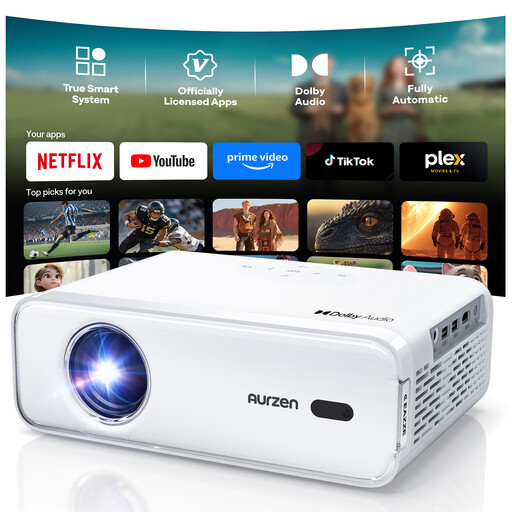
Aurzen Smart Home Cinema Projector
An option if you’d like to use a player connected via HDMI for your film screening.
The product title lists native 1080p resolution, autofocus and keystone correction.
View at Joybuy
 No image available
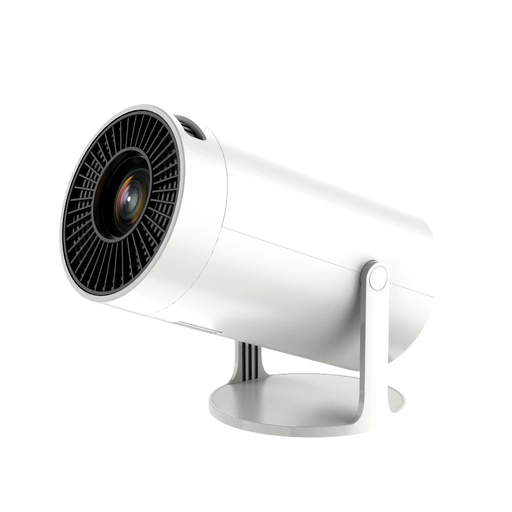
Portable Full HD projector with Wi-Fi and Bluetooth
Its portable design may be useful if you screen films at different venues; test your planned playback method before the event.
The product title lists Full HD, Wi-Fi and Bluetooth.
View at Joybuy
 No image available
Projector with built-in apps and Play Store
Worth considering if you’re thinking of using a USB flash drive or a player connected via HDMI; test your actual film files and sound in advance.
The product title lists HDMI and USB flash drive compatibility, digital zoom and automatic image correction.
View at Joybuy
 No image available
XBJ TYYK8QBS portable projector
The 360° mount may be useful for a flexible set-up; check the image position and screen before your film night.
The product title lists native 1080p resolution, a 360° mount and built-in stereo speakers.
View at Joybuy
 No image available
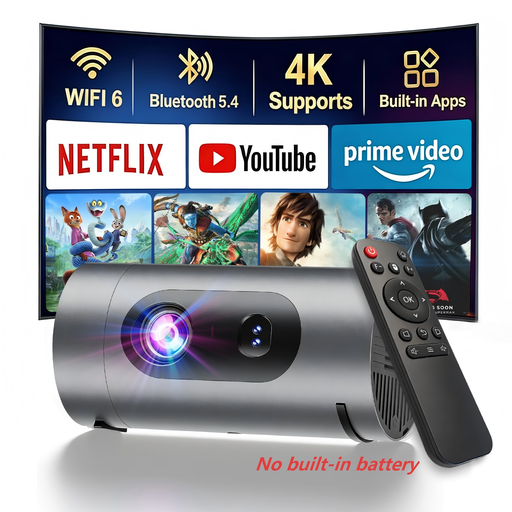
XBJ 1080P compact mini projector
A useful option for portable screenings if you can include a separate power bank in your set-up.
The product title lists 1080p and power bank operation. According to the product information, a separate power bank is required and is not included.
View at Joybuy
Frequently asked questions
Is a USB port enough to play our film files?
No. A USB port alone doesn’t confirm that the projector can play video. BenQ Germany describes the BenQ TH575’s USB Type-A port as providing power; check which formats your chosen model supports and test your original files. Alternatively, you can connect a suitable player via HDMI.
How can we check that the projector will fill the screen from its planned position?
Measure the image width you want and the available distance between the projector and screen. The throw ratio is the projection distance divided by the image width; check the result against the range specified for the particular model.
What should we test before the screening?
Test the picture and sound at the venue using your original files, planned connections and sound system. Also check the power supply and remote control. If you have a lamp projector, include the model’s stated lamp life in your maintenance plans.
Who can help if the projector develops a fault after purchase?
Your statutory rights against the seller are separate from any additional manufacturer’s warranty. The terms that apply depend, among other things, on the purchase contract and who bought the projector. The Verbraucherzentrale explains the difference between statutory rights and a guarantee.
Can we show our anniversary films at the club without checking the rights?
You can’t determine this solely from the club’s purpose or the fact that entry is free. Whether a screening is public depends on the intended audience; Section 52(3) of the UrhG requires the rights holder’s consent for public screenings of a film. According to GEMA, you also need to check the necessary rights if a film you’ve produced yourself contains third-party music. So check the films, audience and existing usage rights for your specific event.


