Viewers sitting to the side
If you sit away from the centre of the screen, what matters is how the screen material looks from the furthest seat. Stewart Filmscreen and ProjectorCentral explain how viewing angle can affect perceived brightness.


For side seats, the first thing to consider is the viewing angle of the specific screen material: Stewart Filmscreen and ProjectorCentral explain that image brightness can fall as you view the screen from further to the side. Lens shift aligns the image when the projector is positioned off-centre, but it does not change the screen’s viewing angle. Then check the image size, room lighting and source connection to make sure they suit your space and footage.
If you sit away from the centre of the screen, what matters is how the screen material looks from the furthest seat. Stewart Filmscreen and ProjectorCentral explain how viewing angle can affect perceived brightness.
If you want to follow steps and movements in recorded footage, check how your own video files play back and which motion modes the model offers.
If your seating, projection distance or room lighting is fixed, the image size, lighting conditions and, where necessary, horizontal image alignment all need to work together. BenQ Germany recommends planning screen size and viewing distance together.
First, check the view from the furthest seats, then consider image size, room lighting and the source connection. Only if the projector itself also needs to sit to the side should you consider its horizontal adjustment range.
| Buying consideration | What to check | Who is it particularly important to? |
|---|---|---|
| Viewing from the side | Check the screen material and viewing angle together; assess the view from the furthest seat. | If I sit to the side, I want the image to remain clear right out to the edge; around 31% of consumers prioritise the view from side seats. |
| Fast dance movements | Check the frame rate and connection for your existing source; assess a typical recording using the available motion modes. | I want to follow the movements in my footage, even during fast steps; around 25% of consumers put motion handling first. |
| Image size and room lighting | Measure the projection distance and planned image width; consider the lighting conditions and screen compatibility. | If my room cannot be fully darkened, I need an appropriate image size and a screen surface suited to the projection; around 19% of consumers prioritise room lighting and image size. |
| Projector positioned to the side | Only if needed: measure the horizontal offset and compare it with the model’s specified horizontal lens shift range. | If the projector itself has to sit to the side, I want to know whether the image can be realigned; around 13% of consumers name positioning as their main concern. |
| Video source compatibility | Compare your playback device, connection and supported signals with the specifications for the specific model. | For my existing files, it matters whether the playback device and connection are compatible; around 12% of consumers prioritise source compatibility. |
Lens shift can align the projected image when the projector is positioned off-centre, but it does not widen the screen’s viewing area.
First, check the view from the furthest seat. Consider horizontal lens shift as well only if the projector itself also needs to sit to the side.
Depending on the material, greater light gain can mean a smaller usable viewing area.
Compare the gain and half-gain angle of the specific material with the full seating area.
Depending on the room, you may also need to adjust the blackout conditions or projector brightness.
A screen designed for ambient light is not automatically suitable for every type of projection or for side seats. Epson describes the ELPSC35 as being for specific ultra-short-throw projectors.
Check the projection type, the models explicitly approved for use and the side viewing area together.
An unsuitable screen may need to be replaced.
The direction of lens shift matters: vertical adjustment will not correct a horizontal offset.
Compare the offset you need only with the confirmed horizontal adjustment range of the specific model.
You may need an alternative position or mounting arrangement for the projector.
Worth considering when planning a projector and an explicitly compatible screen together.
The W4100i is a specific example of a projector for which optical and digital alignment features can be checked separately.
The HORIZON-20 series is an example of models where flexible positioning can be considered.
The VisionMaster Max range shows why the direction of lens shift matters when positioning a projector to the side.
The IRIS Ultra Max is a model-specific example of motion processing specified by the manufacturer.
The Joybuy products below are projectors with source or alignment options mentioned in their product names. For side seats, you’ll still need to check whether the screen is suitable separately.
 No image available
May be worth considering for flexible alignment and the multiple source options listed in the product name; visibility from side seats still depends on the screen.
Features listed include automatic image correction, 50–100% digital zoom and 180° rotation.
The product name lists HDMI, TV stick, USB stick, iOS, Android and laptop as compatible source options.
 No image available
May be worth considering for Full HD playback and adjustable positioning; assess playback using a typical dance recording.
The product name lists 1080p, 4K Netflix, JBL sound, Wi-Fi and Bluetooth, plus a built-in 160° stand.
Other listed features include autofocus, keystone correction and 250 ISO lumens.
 No image available
May be worth considering for Full HD recordings and flexible positioning; check the image size and room lighting for the space you plan to use it in.
Features listed include an RGB triple laser, 1,600 ISO lumens, a foldable design and autofocus.
The product name also lists a dynamic contrast ratio of 10,000:1 and Harman Kardon.
 No image available
May be worth considering for flexible projection and Full HD playback; a rotating mount says nothing about the screen’s viewing angle.
The product name lists native 1080p resolution, 4K decoding, Wi-Fi 6 + 5G and Bluetooth 5.4.
Other listed features include a 360° rotating mount, automatic keystone correction, obstacle detection and built-in stereo speakers.
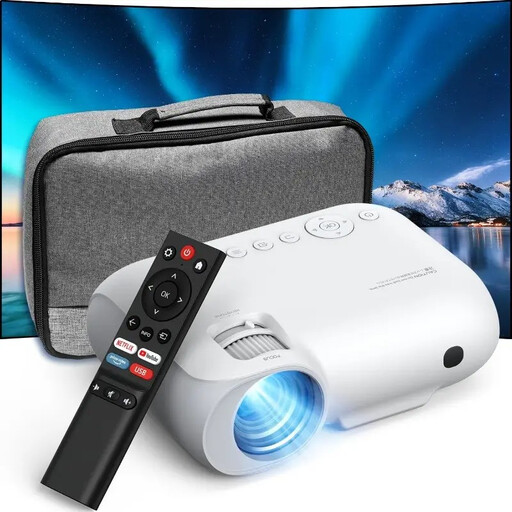 No image available
May be worth considering for Full HD recordings and use with Wi-Fi or Bluetooth; before buying, check that your playback setup is compatible with the specifications for this model.
The product name lists native 1080p resolution, Wi-Fi and Bluetooth. If you need 4K playback, check the supported input signals separately.
No. According to BenQ Germany, lens shift aligns the projection to suit the projector’s position; it does not change the screen’s viewing angle. For your seat, what matters most is how the specific screen material looks when viewed from the edge.
Measure the distance from the planned projector position to the screen and decide how wide you want the image to be. BenQ Germany recommends considering viewing distance and screen size together. If the projector needs to sit to the side, also check the horizontal offset and the horizontal adjustment range of the specific model; a vertical lens shift specification is not enough.
Watching recorded dance footage alone does not mean you need especially low gaming input lag. First, check the source connection and how a typical recording looks; input lag figures for specific input signals do not automatically tell you how your videos will look.
Check whether your setup needs a suitable screen, mount or external audio. For online purchases by consumers in Germany, a 14-day right to cancel usually applies; the Verbraucherzentrale highlights exceptions and the importance of checking the specific cancellation information.
EU consumer information lists electrical and electronic equipment as a product group that must carry a CE marking. According to the German Environment Agency, end-of-life electrical equipment must not go in household waste; it can be taken to local collection points, among other options.