What to look for when buying
First check the screen and seating position, then the projector’s location and the image size you can achieve. Lens shift and keystone correction don’t do the same job as choosing a screen with a suitable viewing angle.
| Consideration |
What to check before buying |
Who it matters to most |
| Visibility from a side seat |
Check the furthest seat, the screen material and its stated viewing angle; if possible, view the image under the lighting conditions you expect to use. |
When I’m watching from the side of the sofa, I want to make out maps and subtitles from the furthest seat too. Around 28% of consumers say visibility from a side seat is their top priority. |
| Projector positioned to one side |
Compare the throw distance and image width with the model’s throw ratio; check horizontal lens shift and keystone correction separately. BenQ describes throw ratio as the distance in relation to the image width. |
If the room layout means the projector has to sit to one side, I need a suitable way to align the image. Around 22% of consumers say positioning the projector to one side is their main concern. |
| Legibility of graphics and subtitles |
Check the resolution, image size and focus right to the edges; make sure the connections are compatible with your source device. |
When looking at scientific graphics, I want to be able to read fine labels from the seat I plan to use. Around 22% of consumers say seeing this level of detail is their top priority. |
| Picture in ambient light |
Check whether you can darken the room and whether the screen material, viewing angle and projector type work well together. Elite Screens gives the CineGrey 3D a total viewing angle of 90°. |
If I can’t darken the room enough, I need to consider ambient light and side seating together. Around 17% of consumers say ambient light is their most important buying consideration. |
| Set-up and ongoing maintenance |
Check how often you’ll move the projector, its automatic alignment features, light source type and the maintenance information for the specific model. Epson’s stated 5,000 hours for the EH-TW7000 applies in Eco mode. |
If I’m likely to move the projector often, I want it to be easy to set up again; with a lamp model, I’ll also take note of the conditions attached to its lifespan figure. Around 11% of consumers say ease of use is their main concern. |
Joybuy products
The following Joybuy products include projectors for flexible positioning and watching documentaries. Automatic image correction doesn’t replace checking whether a projector can work from a side position at the image size you want.
 No image available
XGIMI MoGo 4 Full HD 1080p, Match Night EU Edition
Suitable if you want a projector with a battery and adjustable stand that you can position flexibly.
Full HD 1080p; 450 ISO lumens; built-in battery; adjustable stand; automatic focus and keystone correction.
The title also mentions Google TV and an EA SPORTS FC 26 Game Code; check before buying that this version suits your needs.
View at Joybuy
 No image available
XGIMI Aura 2 4K Ultra Short Distance Laser Projector
Could be a good fit if there’s limited space between the projector and the screen.
4K; ultra-short-throw projector; laser light source; 2,300 ISO lumens; Dolby Vision and IMAX Enhanced.
View at Joybuy
 No image available
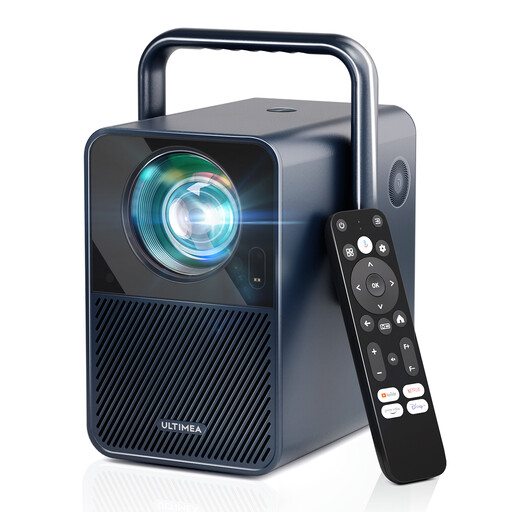
ULTIMEA Poseidon E40 Native 1080P Projector
Could suit you if native 1080p resolution and image correction are important for your set-up.
Native 1080p (1920 × 1080); 1,000 ANSI lumens; 4K decoding; autofocus and 6D keystone correction; Android TV 11.0.
View at Joybuy
 No image available
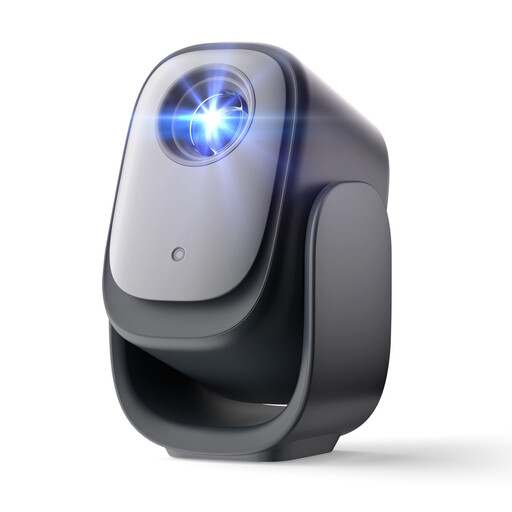
Dangbei N2 Mini Projector, 1080p Full HD
An option if you’re looking for a portable model with automatic focus and image correction.
1080p Full HD; Wi-Fi and Bluetooth; autofocus and automatic keystone correction; obstacle avoidance.
View at Joybuy
 No image available
Magcubic HY350Max Native 1080P Smart Projector
Could be worth considering for flexible positioning if you want automatic focus and image adjustment.
Native 1080p; 900 ANSI lumens; Android 14; 180° rotation; autofocus and automatic keystone correction.
View at Joybuy
Frequently asked questions
Does lens shift help if I’m sitting to one side?
Not directly: lens shift moves the image to suit the projector’s position, while the screen material is also an important factor when considering the view from a side seat. If the projector is positioned to one side, look specifically for a suitable horizontal solution; vertical lens shift alone doesn’t confirm that this is possible.
How can I check that the throw distance works with the image size I want?
Measure the distance from the planned projector position to the screen and decide on the image width you want. Throw ratio describes the distance in relation to the image width; compare the value you calculate with the range for the specific model.
What should I check about connections and maintenance?
Check that the connections are compatible with your source device and look at the maintenance information for the specific model. Epson lists two HDMI connections and a lamp life of 5,000 hours for the EH-TW7000, specifically in Eco mode; this figure doesn’t apply to other models or operating modes.
What guarantee applies when I buy in the EU?
The European Union’s official consumer portal explains that goods bought in the EU come with a legal guarantee of at least two years from the date you receive them. This is separate from any additional voluntary manufacturer’s guarantee.
What should I check about a projector’s CE marking?
As part of its market surveillance, the German Federal Network Agency checks, among other things, that the CE marking is correct, that the product can be identified, that manufacturer details are provided and that there is a German-language instruction manual with the required safety warnings. The Agency states that the CE marking is not a mark of origin.


