What should you look for when buying?
Start by measuring the viewing distance and the available projection distance. Then check that the image size, room lighting and playback setup suit your lessons.
| Buying priority |
What to check |
Especially important if |
| Readable subtitles and text on slides |
Check the image height, the furthest viewing position and the native resolution, and test the projector with typical lesson materials. |
If you want to read words and subtitles clearly from the back, readability from your seat matters more than a maximum screen size advertised by the manufacturer. Around 36% of consumers put readable text first. |
| Picture in ambient light |
Compare brightness figures that use the same measurement, and consider the planned image size and lighting where you’ll use the projector. |
If you can’t completely darken the room during lessons, text should still be clear in the usual lighting. Around 29% of consumers prioritise use in ambient light. |
| Image size with a short projection distance |
Measure the distance between the lens and the screen, along with the desired image width, then compare both with the exact model’s throw ratio. |
If the projector needs to sit close to the screen, you’ll need optics suited to that short distance. Around 21% of consumers prioritise limited setup space. |
| Playback and running costs |
Check the playback device’s connection, audio output, any apps you need, and the light source and its warranty terms. |
If you play lessons regularly, check in advance how to transmit picture and sound from your own device, and what maintenance the light source requires. Around 14% of consumers prioritise straightforward playback and manageable running costs. |
ANSI lumens, LED lumens and light-source lumens are different measurements and can’t be directly compared. BenQ Germany explains the distinction, so compare figures that use the same measurement and assess them alongside image size and ambient light. A high brightness figure alone doesn’t tell you whether fine subtitles will be easy to read from your seat.
Joybuy projectors for language lessons
The following Joybuy projectors list different specifications for Full HD, connectivity and setup. For the specific device, also check whether it meets the relevant EU conformity requirements and, where applicable, carries the CE marking. CE is a manufacturer’s declaration, not an independent quality mark.
 No image available
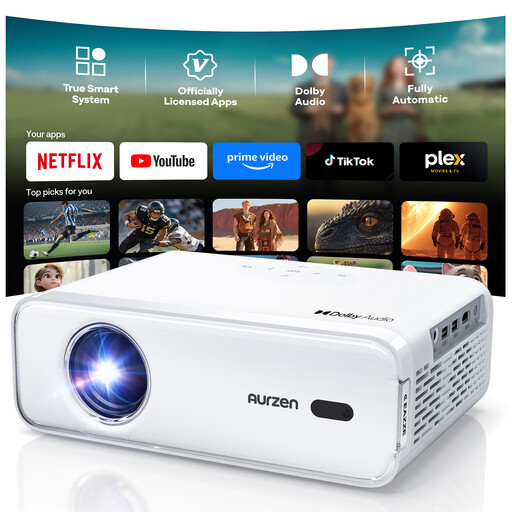
Aurzen Smart Projector, Full HD 1080P
The stated native Full HD resolution is worth considering for lessons with text, but test subtitles from the furthest seat too. HDMI, built-in streaming apps, autofocus and automatic keystone correction are also listed.
View at Joybuy
 No image available
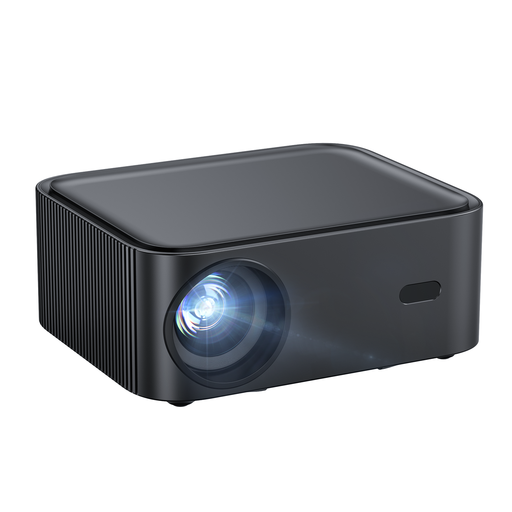
Happrun H11, Full HD 1080P
The stated Full HD resolution is worth checking for small text, but it doesn’t guarantee readability from the back row. The product name lists 1.000 ANSI lumens, Wi-Fi 6, Bluetooth, autofocus, keystone correction and Dolby Audio. Netflix is also mentioned. Check whether your learning platform is available.
View at Joybuy
 No image available
Projector with built-in apps and Play Store
If your preferred learning platform is available as an app, the built-in apps may be useful for playback. Check app compatibility before buying. The product title also lists HDMI compatibility, an image size of 50–200 inches, digital zoom of 50–100% and 180° rotation.
View at Joybuy
 No image available
XBJ TYYK8QBS, portable projector with native 1080P resolution
The native 1080P specification is relevant for lessons with text; check that it’s readable from the furthest seat too. The product title also lists HDMI, Wi-Fi 6 and 5G, BT5.4, and a 360° rotating mount. The 4K specification refers to decoding, not native resolution.
View at Joybuy
 No image available
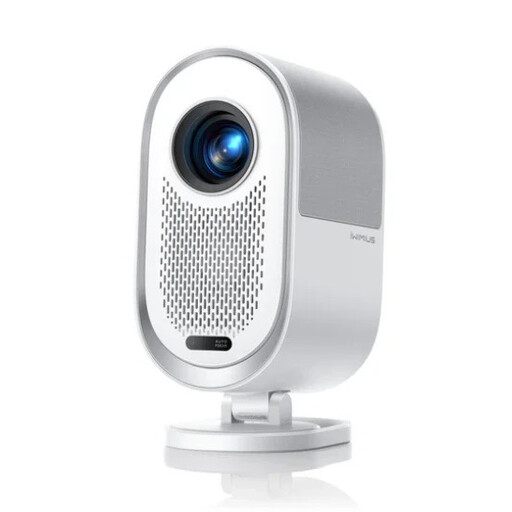
iWimius K11, Full HD 1080P
The stated Full HD resolution is worth testing for small text. For setup, the product description lists a throw ratio of 1,25:1; check that it suits the available distance and desired image width. The product title also lists 800 ANSI lumens, HDMI ARC, Wi-Fi 6, autofocus, automatic keystone correction and built-in 20-W speakers.
View at Joybuy
Frequently asked questions
Are a long viewing distance and a long projection distance the same thing?
No. Viewing distance affects how easy text is to read; the distance between the projector and the screen, together with the optics, determines the image width you can achieve. For detail-rich content, Epson Germany recommends a viewing distance of up to four times the image height as a guide.
How can I check the setup before mounting the projector?
Measure the available distance from the lens to the screen and the image width you want. Check both against the specific model’s throw ratio, then test a typical lesson from the furthest seat.
What should I know about lamp life and warranties?
Check the light source and its warranty terms separately from those for the rest of the device. For the MH560, BenQ lists different lamp life figures for different operating modes, along with separate warranty terms for the light source. This is separate from your statutory rights against the seller.
Is CE an independent quality mark for picture performance?
No. For devices covered by the relevant EU rules, the manufacturer uses the CE marking to declare that the product meets the applicable requirements. The European Commission and Your Europe explain that the marking doesn’t certify whether subtitles are readable or whether a projector is suitable for a particular classroom.
Can I cancel an online projector purchase in Germany?
For online purchases made by consumers, there is generally a 14-day cancellation period from the day you receive the goods. You must notify the other party to the contract that you wish to cancel. Any exceptions and the terms of the specific contract should also be checked. The Verbraucherzentrale explains consumers’ cancellation rights.


