Shared flat with a small communal room
If you have limited distance and space to set it up, compare the throw ratio, possible picture size and placement before choosing.


For nature documentary nights in a shared flat with limited space, the right choice mainly depends on the room lighting, the picture size you want and the distance from the wall. A compact projector is easier to move, while a brighter model or one with short-throw capability may suit different room layouts. Also check fan noise, audio connections and how you’ll stream from the spot where you plan to sit.
If you have limited distance and space to set it up, compare the throw ratio, possible picture size and placement before choosing.
If you move the projector between rooms or put it away after a night of watching a series, assess flexible placement and battery power separately from picture brightness.
For clear dialogue and easy access to your favourite series, check how loud the projector is from your seat, which audio connections it has and whether your chosen streaming method works.
Start by checking the room lighting, picture width and available distance. Then you can compare sound, streaming and portability to find the right fit.
| Buying criterion | What to check | Who is it important to? |
|---|---|---|
| Picture in ambient light | Brightness rating and how it was measured, as well as whether you can darken the room. | If you want bright wildlife footage to remain visible even with some ambient light, judge the picture from your own seat. Around 27 % of consumers put picture brightness first. |
| Picture size and placement | Available distance from the wall, clear picture width and throw ratio; optical zoom or short-throw technology if needed. | If you have limited room depth or wall space in the communal room, measure the distance in advance. Around 27 % of consumers prioritise finding a suitable spot for the projector. |
| Sound and operating noise | Noise ratings for the picture mode you plan to use, audio outputs and the projector’s position in relation to your seats. | For shared series nights, dialogue should be easy to follow without disturbing your flatmates with loud audio. Around 20 % of consumers focus above all on considerate, clear sound. |
| Streaming access | Whether your chosen app is available, or whether an external streaming device and HDMI connection are compatible. | If you want to start a particular nature documentary without any hassle, check the app and connection method for the service you use. Around 13 % of consumers prioritise streaming access. |
| Moving and storage | Stand, power supply and battery life for the usual length of an episode; consider mains and battery power separately. | If you regularly move the projector between rooms in your shared flat, easy setup and movement are important. Around 13 % of consumers prioritise a flexible location. |
ISO lumens, ANSI lumens and white and colour brightness ratings are not necessarily directly comparable. A single figure from the manufacturer also doesn’t tell you how the picture will look on your wall with the room lighting you have.
Compare the measurement methods and take into account how much you can darken the room and the picture size you want. An independent test is only useful if its testing conditions are clear.
For the Aurzen BOOM mini, the manufacturer specifies a native resolution of 1920 × 1080 pixels and support for 4K content. These refer to different things.
Check the native resolution of the specific model variant and distinguish it from the input signals it supports.
For the XGIMI MoGo 4 Laser, the manufacturer quotes up to 2.5 hours of battery life; COMPUTER BILD describes the picture as noticeably darker when running on battery.
Consider mains and battery use separately. For longer series nights, you should also plan to sit near a power socket.
An HDMI input or built-in smart system doesn’t automatically mean the app you want is available on the model, or that an external streaming device can play protected content over the connection.
Check that the app is available on the specific device. For an external streaming device, the Netflix Help Centre lists HDCP as a requirement for Netflix playback; check what’s needed across your entire HDMI setup.
Compact smart projectors for flexible placement; the models mentioned differ in features including their design and specifications.
The GV50 is an option for flexible placement; the TK705STi is designed for setups where a short projection distance is important.
The range includes both a projector for a permanent setup and a portable smart model.
According to the manufacturer, the BOOM mini combines Full HD projection, Google TV and built-in speakers; it runs from the mains rather than having a built-in battery.
This selection includes portable models for flexible shared-flat nights, as well as projectors described in their product details as suitable for short projection distances. Before buying, check that the placement, picture width you want and streaming setup will work in your room.
 No image available
This portable projector could be a good choice if you want to move it between rooms. The product name lists a 5,000-mAh battery, up to 1.5 hours of battery life, ToF autofocus, Wi-Fi, Bluetooth and USB-C; the 4K claim refers to supported content.
If you need Google Cast, check for another way to stream: the product details state that Google Cast is not supported.
 No image available
This portable Full HD projector suits flexible setups if you want built-in streaming and audio. The product name lists 450 ISO lumens, Google TV, Harman Kardon audio and a battery with 2.5 hours of life; this variant also includes an EA SPORTS FC 26 Game Code.
 No image available
This bundle could be a good choice if you want to use a portable projector with a separate screen. The product name lists Full HD 1080p, Google TV, 250 ISO lumens, JBL audio and a built-in battery; it also includes a screen with stand.
 No image available
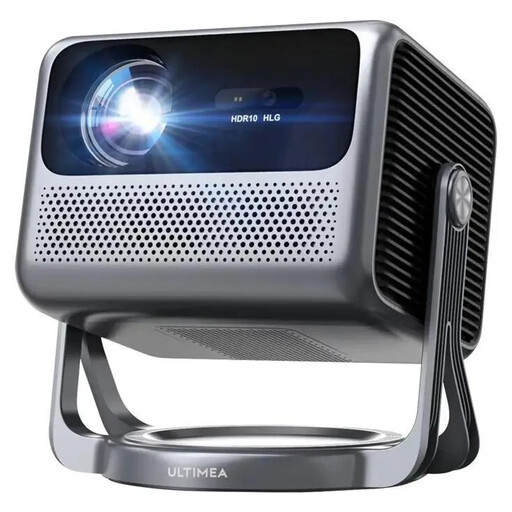
This Android TV model could suit a permanent setup if you’re looking for streaming features and built-in audio. The product name lists 600 ANSI lumens, 1080p Full HD, HDR10+HLG and Dolby Audio; make sure the picture width you want works with the distance from the wall.
 No image available
According to its product name, this projector is designed for short projection distances, so it could be worth considering if you have limited room depth. The title lists Wi-Fi 6 and Bluetooth 5.4; the 4K/1080P claim on its own doesn’t confirm native 4K resolution. Check the wall distance you’ll need for your setup.
Measure the possible distance between the lens and the wall, along with the clear picture width, then compare both with the throw ratio of the specific model. For example, BenQ gives the TK705STi a ratio of 0.8; this figure applies to that model and isn’t true of all short-throw projectors.
No. Check that the app and subscription cover the series you want to watch. For Netflix on an external streaming device, the Netflix Help Centre lists an HDCP-compatible connection as a requirement; this doesn’t tell you whether other services are available.
Position the projector securely and follow the instructions in its manual, keeping the designated ventilation openings clear. The Federal Office for Radiation Protection advises against looking into the direct or reflected beam of laser devices and against tampering with the laser source.
Your statutory rights against the seller are separate from any voluntary guarantee. For an online consumer contract, you’ll generally also have a 14-day right to cancel, although exceptions and the terms of the specific contract should be taken into account. The Verbraucherzentrale explains the differences.
For products within its remit, the Federal Network Agency lists checks including correct CE marking, manufacturer details, a German instruction manual and a declaration of conformity. This doesn’t mean that any particular device listed here has been checked.