If you can darken the shared room and have a fixed place for the projector, first check how dark scenes look at your preferred image size, whether the projection distance works and how noisy the projector is in the mode you plan to use. If you’ll be moving it between rooms regularly, a portable model is more practical. However, a battery-powered projector can be noticeably dimmer when running on battery: COMPUTER BILD reported this for the XGIMI MoGo 4 Laser. Also check whether your specific streaming app is available or whether you’ll need a compatible streaming device.
Who is a projector in a shared house right for?
Fans of dark space scenes
If you mainly watch in the evenings, check whether nebulae, star fields and other dark scenes remain visible at your preferred image size. Light on the screen and the overall picture are more informative than a lumen figure in isolation. ProjectorCentral explains how ambient light affects contrast and black levels.
Those who move between rooms
If you set up the projector in your own room and the shared room at different times, size, projection distance and easy positioning all matter. BenQ Deutschland highlights room size and projection distance as factors to consider, while XGIMI Deutschland describes the MoGo 4 as having a rotating stand.
Considerate communal viewers
If other housemates are in the room or need peace and quiet nearby, the fan noise and audio playback should suit your shared routine. BenQ Deutschland points out that projectors need a cooling system to dissipate heat.
What should you look for when buying?
First, check how dark scenes look in your usual lighting conditions. Then make sure the space for the projector, its noise level and access to the programmes you want all suit life in your shared house.
| Consideration |
What to check before buying |
Who it matters most to |
| Dark picture content |
Compare brightness figures only when they use the same measurement method. Check dark scenes at your planned image size and in your usual lighting. |
If I want to make out nebulae and star fields clearly, I look at how dark the room is and how the image looks where I plan to set up the projector. Around 33% of consumers put dark picture content first. |
| Distance and setup space |
Measure the projection distance and available space; check that the image width you want works with the model’s throw ratio. |
If space is tight or I move the projector between rooms in the shared house, the image size needs to work with the distances available. Around 27% of consumers prioritise placement and projection distance. |
| Fan noise and audio |
Check the noise rating in the operating mode you plan to use and find out which audio outputs are available. |
If I’m watching with housemates, I want to hear quiet moments without disturbing others with the audio. Around 20% of consumers prioritise sound and consideration for others. |
| Access to programmes |
Check whether the specific streaming app is available on the model, or whether it has the connections you need for your existing laptop or streaming device. |
If I want to start watching astronomy programmes easily, the built-in app access or my existing streaming device needs to work. Around 20% of consumers put streaming connectivity first. |
Avoid common buying mistakes
-
Assuming the highest advertised lumen figure means the best space scenes
Brightness figures may be based on different measurement methods. Room lighting also affects contrast and the black levels you can see on the screen.
Compare figures only when the measurement method is stated, and check a dark scene at your planned image size and in your usual lighting.
-
Choosing a battery-powered model based on maximum battery life alone
Battery life and picture brightness depend on the operating mode. COMPUTER BILD reported a noticeably dimmer picture when the XGIMI MoGo 4 Laser was running on battery; this finding applies to that model.
Compare battery life and picture quality in the same mode you expect to use in your shared house.
If there’s no socket where you plan to set up the projector, you may need an additional compatible power supply, depending on the model.
-
Assuming smart TV features give you access to every programme you want
Apps and HDMI connections vary by model; having an operating system alone doesn’t confirm that your specific app is available.
Check whether the app you want is available on the model, or plan to connect a compatible streaming device to an available input.
Key brands at a glance
XGIMI
Portable smart projectors for different setups; the MoGo 4 is one documented example.
- XGIMI Deutschland lists 1080p, 450 ISO lumens, Google TV, a battery and a rotating stand for the MoGo 4.
- COMPUTER BILD’s findings on the MoGo 4 Laser when running on battery relate to that different model and can’t be treated as measurements for the MoGo 4.
Epson
Mains-powered home cinema projectors; the CO-FH02 is a Full HD example for a fixed setup.
- Epson lists 3,000 lumens of white and colour brightness, HDMI and an included Android TV stick for the CO-FH02.
- These manufacturer specifications don’t confirm that every streaming app is available or that the picture will look the same in every shared-house room.
BenQ
Home cinema and portable projectors; the TH585P is an example of a mains-powered Full HD model.
- According to BenQ’s data sheet, the TH585P has 3,500 ANSI lumens and two HDMI inputs.
- The stated throw ratio of 1.5–1.65 needs to suit your distance and preferred image width. The data sheet lists fan noise of 35 dB in Normal mode and 29 dB in Eco mode.
Aurzen
Compact smart projectors with a mains connection; the BOOM mini is one example for streaming from different socket locations.
- Aurzen lists native 1920 × 1080 pixels, Google TV and HDMI for the BOOM mini.
- According to the manufacturer, the model runs on mains power; check that your chosen apps are available and that the sound is suitable for a shared room.
Nebula
Very compact battery-powered projectors; the Capsule 3 Laser is an example of a portable setup for use in the dark.
- Anker lists 300 ANSI lumens, native 1920 × 1080 pixels and up to 2.5 hours of battery life in Eco mode for the Capsule 3 Laser.
- The battery life figure applies to Eco mode. COMPUTER BILD rates this model’s picture as good in the dark.
Projectors for flexible shared-house setups
This selection includes projectors for flexible setups and streaming directly from the projector. Battery availability and the apps on offer vary by model.
 No image available
XGIMI MoGo 4, Match Night EU Edition with EA SPORTS FC 26 game code
This portable model could suit you if you move between different spots in your shared house, provided its battery performance and apps meet your needs.
The product name lists Full HD 1080p, 450 ISO lumens, Google TV, Harman Kardon audio and 2.5 hours of battery life.
Joybuy
 No image available
XGIMI Elfin Flip Laser, 1080P, 1600 ISO lumens
This portable model could work for different setups; check first that its smart features support the programmes you want to watch.
The product name lists 1080P, 1600 ISO lumens, autofocus and a foldable design.
Joybuy
 No image available
XGODY Gimbal N6 Pro, white and gold
If you want to stream programmes directly through apps, check that the built-in system and listed services meet your needs.
The product name lists native 1080P, 700 ANSI lumens, WhaleOS 3.0, Netflix apps, autofocus and automatic keystone correction. 4K is listed as a supported signal format, not as the native resolution.
Joybuy
 No image available
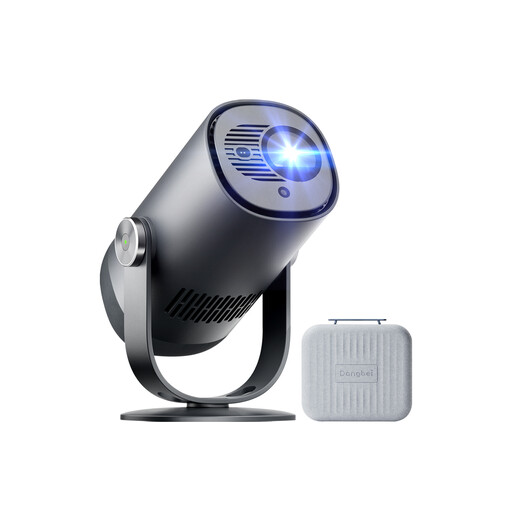
Dangbei Freedo, 1080P, Google TV and 2.5-hour battery
This portable model is an option if you want to combine streaming with battery power; check that the listed services meet your needs.
The product name lists 450 ISO lumens, Google TV with licensed Netflix, 2.5 hours of battery life, Dolby Audio, Wi-Fi, Bluetooth and HDR10.
Joybuy
 No image available
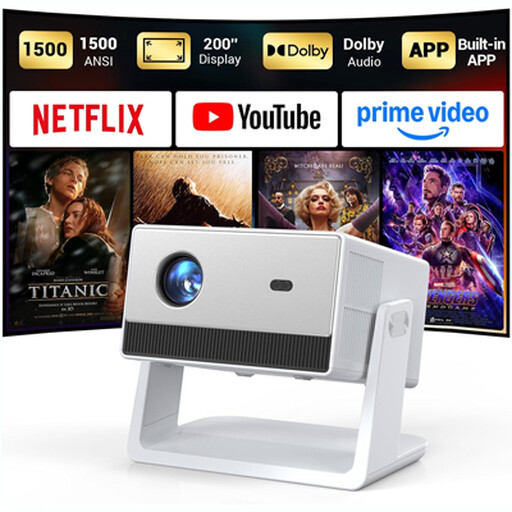
Funflix Smart Projector, native 1080P resolution
If you want to stream without a separate device, check the built-in apps and whether you can power the model where you plan to set it up.
The product name lists native 1080P, autofocus, Wi-Fi, Bluetooth and built-in apps with licensed Netflix.
Joybuy
Frequently asked questions
How can I check whether the picture will be big enough in my room?
Measure the possible distance between the lens and the screen, then decide how wide you want the picture to be. Check that both work with the throw ratio of the specific model; automatic keystone correction doesn’t change this optical ratio.
What should I bear in mind when setting up and cleaning the projector?
Don’t cover the ventilation openings, and follow the spacing and care instructions in the manual for your specific device. BenQ explains that the cooling system needs to dissipate heat; this doesn’t mean there’s one minimum clearance that applies to every brand.
What are my rights when buying online in Germany?
For a standard distance purchase from a business seller, you generally have a 14-day right to cancel from the date of delivery; exceptions and possible return costs should be taken into account. You also have statutory rights against the seller if goods are faulty, for at least two years. The European Union’s Your Europe service distinguishes these rights from a voluntary manufacturer’s guarantee.
How can I check that a projector meets the relevant product requirements?
Look for a correctly affixed CE mark, identifiable manufacturer details and German operating and safety instructions. The German Federal Network Agency lists these as points to check during market surveillance; according to EUR-Lex, the manufacturer uses the CE mark to declare that the relevant EU requirements have been met. The mark isn’t an independent quality test.


