What should you look for when buying?
For quiz shows in a small living room, first work out where the projector can go and what image size you need. Then consider readability in your usual lighting, followed by the signal path, audio and any ongoing costs.
| Consideration |
What should you look for? |
Who is this most relevant to? |
| Image size at a short distance |
Measure the distance from the lens to the wall and the available projection width. Compare both measurements with the throw distance specified for the exact model. |
If I have limited space, I want to know whether I can achieve the image width I want from the position available. Around 36% of consumers put achieving the right image size at a short distance first. |
| Readability with ambient light |
Check the native resolution and brightness in relation to your planned image size and the room’s lighting. |
If I don’t want to darken the living room completely, the questions and scores should remain visible in the lighting I usually have. Around 29% of consumers put readability with ambient light first. |
| TV signal and audio |
Check which device will provide the programme, whether the connection is compatible and how the audio will be played. If you plan to use apps, check the specific service. |
If I want to start a quiz show without an unnecessarily complicated setup, I need a suitable signal path and clear audio. Around 21% of consumers prioritise the source device and audio. |
| Running costs and servicing |
Compare power consumption in the mode you plan to use and, for lamp models, check replacement lamp availability and servicing terms. |
If I plan to use the projector regularly, I want to factor in power consumption and potential replacement parts. Around 14% of consumers put running costs and servicing first. |
Joybuy products
The Joybuy models below offer different positioning and source options for watching quiz shows in a small living room. In particular, check that the throw distance, image size and planned signal and audio connections will all work together.
 No image available
XBJ Portable Projector, Native 1080P, 700 ANSI Lumens, 280° Rotatable Stand
If you want to position the projector flexibly in your living room, the product title specifies a stand that rotates by 280°.
Native 1080P resolution; 700 ANSI lumens; auto focus and keystone correction.
View at Joybuy
 No image available
XGIMI Aura 2 4K Ultra Short Distance Laser Projector, 2300 ISO Lumens, 60W Harman Kardon Speakers
If the projector needs to sit close to the projection surface, this model is explicitly described in the product title as an ultra-short-throw projector.
4K; 2300 ISO lumens; built-in 60 W Harman Kardon speakers.
View at Joybuy
 No image available
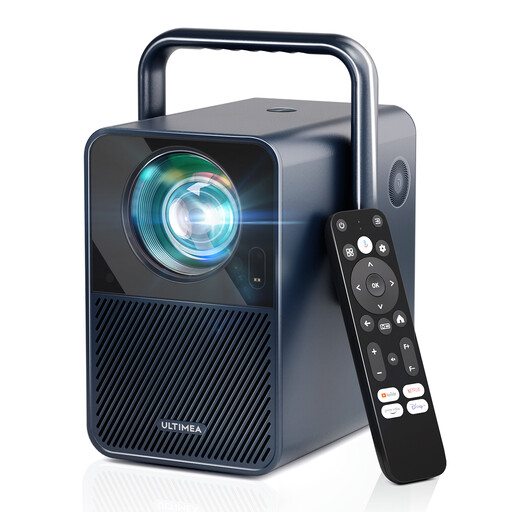
ULTIMEA Poseidon E40 Native 1080P Projector, 1000 ANSI Lumens, Android TV 11.0 & Netflix
If you want to start a quiz show using the built-in streaming features, the product description lists Android TV 11.0 and Netflix.
Native 1080P resolution; 1000 ANSI lumens; autofocus and 6D keystone correction.
View at Joybuy
 No image available
Magcubic HY350Max, Native 1080P, 900 ANSI, 180° Rotation
If you need flexible positioning in a space with limited throw distance, the product description specifies a 1:1 throw ratio and projection from 1.35 m.
Native 1080P resolution; 900 ANSI lumens; auto keystone correction and autofocus.
View at Joybuy
 No image available
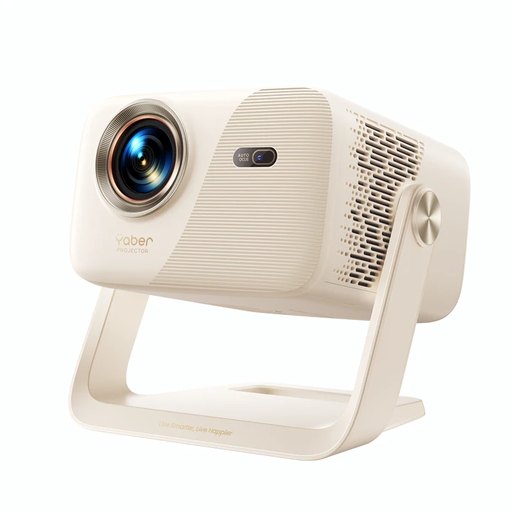
Yaber L2, 520 ISO Lumens, Native 1080P, Google TV, Dual 5W Speakers
If you want to start a quiz show using the built-in Google TV features and position the projector flexibly, the product description also specifies a 360° gimbal.
Native 1080P resolution; 520 ISO lumens; two built-in 5 W speakers; HDMI.
View at Joybuy
Frequently asked questions
How can I check whether the quiz questions will fit on my wall?
Measure the available projection width and the distance from the potential lens position to the wall. Compare both with the table for the exact model. Epson lists room dimensions, distance and image content as factors when choosing an image size.
Do I need an additional source device to watch a TV programme?
It depends on how you receive the programme. Plan the signal path for your specific receiver and check that its output is compatible with the projector. An HDMI input alone doesn’t mean the projector has a built-in TV receiver.
What should I consider when positioning and maintaining the projector?
Choose the image size and projector position according to the specifications for the exact model, rather than trying to compensate digitally for an unsuitable distance. For a lamp model such as the Epson EH-TW6150, you should also check the stated lamp life and whether a replacement is available.
What are my rights in Germany if the projector I bought online doesn’t fit or is faulty?
Many online purchases generally come with a 14-day right to cancel, which must be explained to you. If a newly purchased product is faulty, you can generally exercise your statutory rights against the seller within two years. The Verbraucherzentrale highlights exceptions and the importance of individual circumstances.
What should I look for when it comes to product safety?
Electrical projectors must meet the relevant EU product safety requirements. Where CE marking is required for a specific device, it must be present. The Bundesnetzagentur also lists identifiable manufacturer details, German instructions with any required warnings, and a declaration of conformity as checks to make. A CE mark alone does not prove that the specific product on offer complies.


