Group screening of local files
If you want to watch different recordings together, check whether the specific model plays your files directly from USB storage or whether you’ll need a playback device with a compatible video output.


First, decide whether you want to play your specific theatre recordings directly from USB storage or use a compatible laptop or media player. A USB port alone doesn’t confirm that a projector can play your files with sound. Then choose the brightness, image size and setup to suit your rehearsal space. Manufacturer specifications don’t guarantee how the picture will look in your conditions.
If you want to watch different recordings together, check whether the specific model plays your files directly from USB storage or whether you’ll need a playback device with a compatible video output.
If you can’t always darken the room, the brightness, image size you want and available projection distance all need to work together.
If you move between rooms, weigh up the easier transport of a battery-powered projector against its runtime and brightness in the conditions you’ll be using it.
First check that your test files will play. Then consider how clearly the picture will show in the room, followed by setup, runtime and sound for the whole screening.
| Priority | What to look for when buying | Who it matters most to |
|---|---|---|
| Playing local files | Test a typical video and audio file on the exact model, or check the HDMI connection, playback device and cables. | If I want to watch recordings together without interruptions, file compatibility matters. Around 33% of consumers say file playback is their top priority. |
| Room lighting and image size | Measure the projection distance and the image area you want. Check visibility in the lighting conditions you’ll actually have during rehearsals. | If the room can’t be completely darkened, the picture needs to be clear from the intended seating positions. Around 27% of consumers prioritise room lighting and setup. |
| Portability and runtime | Compare the recording’s duration with the runtime in your chosen operating mode, and plan to use mains power if needed. | If I move the projector between rehearsal venues, easy setup matters, but the screening shouldn’t end early. Around 20% of consumers say portability is their main priority. |
| Clear sound | Test a dialogue-heavy scene from your seat and check how sound will get from the playback device to the projector or external speakers. | If the group needs to assess dialogue and comments together, clear sound in the room matters. Around 20% of consumers put speech intelligibility first. |
Documented playback from USB storage applies to specific models. And a USB-C port on a playback device doesn’t guarantee that it can output video.
Check the features of the exact model and test a typical file with sound. Alternatively, plan to use a compatible playback device.
Playback through another device also requires a suitable device and compatible cables.
Image size, distance and the amount of ambient light all affect how clearly the group can see the picture from the intended seats.
Measure the available distance and test the picture in the lighting conditions you’ll actually have during rehearsals.
Depending on where you set it up, you may also need a suitable projection screen or stand.
Manufacturer figures may apply to a particular operating mode, such as Eco mode.
Compare the runtime in your chosen mode with the recording’s duration, and test a longer playback session in advance.
If the battery won’t last for the whole screening, you’ll need a suitable power supply at the venue.
The EB-L260F is worth considering for lit rehearsal spaces and playback through an HDMI-connected device.
The GV50 is a portable option for moving between rooms that can be darkened sufficiently.
The models take different approaches: LG describes USB film playback for the PH550G, while the CineBeam Q PU600U is presented as a compact 4K UHD projector.
The Capsule 3 Laser is a compact, battery-powered option when portability and a shorter screening matter more than projecting in a lit room.
For models with a USB-C video input, check that your playback device supports video output.
Based on their product specifications, the projectors below may suit a mobile setup or playback using the listed connection options. For local theatre recordings, check that your specific files are compatible before relying on direct USB playback.
 No image available
The product specifications list a battery and screen mirroring for wireless playback from compatible Android and Apple devices.
Native resolution: 720P. Battery capacity: 10400mAh. Stated wireless playback: up to 2 hours. Check that screen mirroring works with your specific device.
 No image available
According to its product specifications, this compact projector is designed for portable use and screen mirroring.
Battery: 5000mAh. Stated video playback: up to 1.5 hours. ToF autofocus and USB-C are also listed. The product description says Google Cast isn’t supported and that mirroring with Google Pixel and Motorola smartphones, as well as Chromebooks, isn’t possible.
 No image available
According to the product specifications, this bundle includes a projector and a freestanding 70-inch screen for mobile group screenings.
Resolution: 1080P. Stated brightness: 250 ISO lumens. An HDMI input and JBL speakers are listed. The detailed specifications state up to 1.2 hours of video playback in Eco mode; check that against the length of your recording.
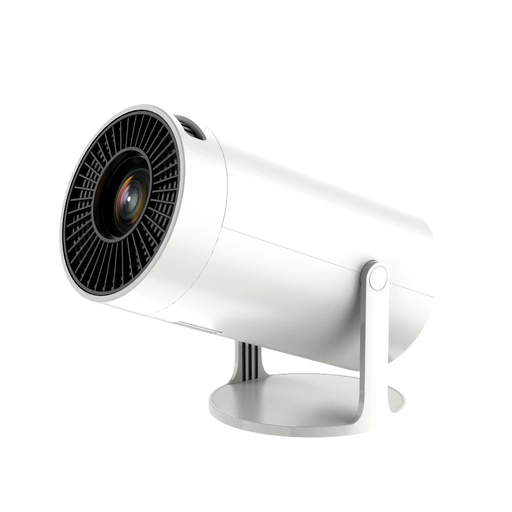 No image available
The product specifications list a built-in speaker for indoor playback, but it’s still worth testing dialogue from the seats you plan to use.
Resolution: 1080P Full HD. Wi-Fi and Bluetooth connectivity, along with a built-in speaker, are listed.
 No image available
HDMI devices and USB flash drives are listed as sources. This doesn’t confirm that your video and audio files will play directly from a USB flash drive; check which formats are supported.
Stated image size: 50–200 inches. A 50–100% digital zoom and 180° rotation are also listed.
No. The port alone doesn’t confirm that your file is supported. Check the formats supported by the exact model and test a typical file with sound. For example, LG specifically describes USB film playback for the PH550G, not for all projectors from the brand.
Only if the playback device and video input are compatible. ViewSonic says DisplayPort Alternate Mode is required for video output over USB-C; the connector shape alone isn’t enough.
Set up the projector where you plan to use it and check the image size, room lighting and a dialogue-heavy recording from the intended seats. If you’re using a battery-powered projector, also check that the recording finishes within the available runtime with your chosen settings.
Check whether you’ll need a playback device, suitable cables, a sound system or a projection screen. Epson provides model-specific manuals and warranty information on the manufacturer’s support site.
There’s no blanket answer. Under the German Copyright Act, the position depends, among other things, on whether the screening is public; for public screenings of a film work, Section 52(3) requires the consent of the rights holder. If images of people are distributed or shown publicly, Section 22 of the German Act on Copyright in Works of Visual Arts and Photography generally makes the consent of the people depicted relevant. Statutory exceptions and the rights to the specific recordings, musical works and images need to be checked on a case-by-case basis. The authoritative versions are the legal texts on the Federal Ministry of Justice’s “Laws on the Internet” website.