What should you look for when buying?
For training demonstrations in Germany, your choice mainly depends on whether you want to play files directly from the projector, how bright the room is and how often you’ll move the device.
| Priority |
What to check |
Who is this especially important for? |
| Playing local files |
A media reader, not just a USB port; supported file and storage formats |
If I want to present without a laptop, I need a clearly documented media reader and compatible formats. Around 36% of consumers say direct file playback is their top priority. |
| Seeing details in ambient light |
Ambient light and image size; native resolution and the measurement standard used for the brightness rating |
If a group needs to read labels and follow steps while the room lights are on, I need to consider both image size and lighting conditions. Around 29% of consumers put visibility in ambient light first. |
| Flexible positioning |
Projection distance for the desired image size; power supply and cable routing |
If I often take the projector to different rooms, portability and suitable positioning at each venue matter to me. Around 21% of consumers prioritise flexible positioning. |
| Planning ongoing costs |
Light source and operating mode behind the stated lifespan; compatible replacement parts |
If I need to budget for ongoing costs and maintenance, I want to know which light source the projector uses and the conditions behind any lifespan figure. Around 14% of consumers say ongoing costs are their top priority. |
Joybuy products for mobile presentations
This selection from Joybuy is aimed at mobile presentations with local content played via laptop mirroring or an external HDMI device. Before you buy, check which playback method is intended for your files and the specific model.
 Image unavailable
Aurzen Tri-Fold DLP mini projector, 5000mAh battery
For local files on a laptop, the product description mentions screen mirroring without a network connection. This is different from using a built-in USB media reader.
The description states that the battery supports up to 1.5 hours of video playback. It also lists Google Pixel, Motorola and Chromebook mirroring as unsupported.
View at Joybuy
 Image unavailable
ETOE Dolphin 2, 1080p FHD, 800 ANSI lumens
For local files played via an external device, the product title lists HDMI 2.1 as a connection.
The title lists 1080p FHD, 800 ANSI lumens and a built-in battery with up to two hours of runtime.
View at Joybuy
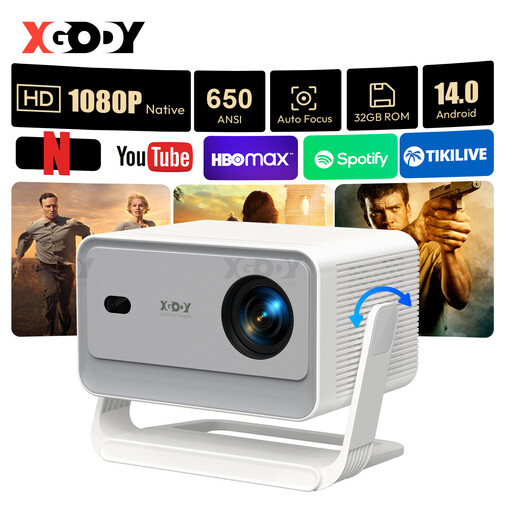 Image unavailable
XGODY Gimbal A6 Pro, native 1080p, 650 ANSI lumens
For local files played from a laptop or another external device, the product description lists HDMI compatibility.
The title lists native 1080p resolution and a gimbal stand adjustable by up to 135°.
View at Joybuy
 Image unavailable
XGODY Gimbal N6 Pro, native 1080p, 700 ANSI lumens
For local files played via an external device, the product description lists HDMI as the connection method.
The title lists native 1080p resolution, automatic focus and keystone correction.
View at Joybuy
 Image unavailable
Magcubic HY350Max, native 1080p, 900 ANSI lumens
For local files played from a laptop or another external device, the product title lists HDMI compatibility.
The title lists native 1080p resolution and 180° rotation.
View at Joybuy
Frequently asked questions
Is a USB-A port enough to play videos from a USB stick?
No. A USB-A port alone doesn’t confirm that the projector can play videos. ViewSonic documents a USB reader on the M2e, while the manufacturer describes the PA700W’s USB-A port as a power and service connection. Check the media functions and supported formats for your specific model.
How can I prepare a presentation without internet access?
Test a copy of the actual file on the projector you plan to use, including its sound and playback controls. For the BenQ EH600’s USB reader function, BenQ says to select BenQ Launcher as the source. USB support alone doesn’t guarantee that every video codec will work.
What should I check about lamps and servicing costs?
Check the light source in your specific model, the operating mode that applies to any stated lifespan, and which replacement parts are compatible. Epson gives the EB-W49 a lamp life of up to 17,000 hours in Eco mode and lists it as a compatible main unit for the ELPLP97 replacement lamp.
Can I simply show other people’s videos during training?
No. Storing a video locally doesn’t automatically give you the right to show it. Section 60a of the German Copyright Act (UrhG) covers certain uses to illustrate teaching at educational institutions, including vocational training institutions, for non-commercial purposes and subject to other limits and exceptions. Whether a specific workplace presentation and its material are covered, or require permission or a licence, depends on the circumstances. The relevant reference is the text of section 60a of the German Copyright Act on Laws on the Internet, published by the German Federal Ministry of Justice and the Federal Office of Justice.


