
Lieferung heute & morgen

Qualitätsgarantie

Willkommens-Angebote freischalten: KOSTENLOSE Lieferung | Bis zu 80 % RABATT | Kostenlose 30-Tage-JoyPlus-Testphase
App herunterladen
The PlayStation 5's internal storage notoriously fills up fast, especially when installing modern AAA titles. A PS5 2TB SSD expansion is, therefore, a logical next step for many users. However, the storage market is confusing and full of pitfalls that can lead to costly mistakes. This guide will help you understand the technical requirements and make an informed decision for your PlayStation 5 storage expansion or PC upgrade.
Before you make a purchase, you should be aware of the common pitfalls that often lead to disappointment and unnecessary expense.
To avoid these mistakes, focus on the following three technical specifications. They form the basis for a future-proof and high-performance storage solution.
For the internal storage expansion of the PS5 and for modern PCs, an SSD in the M.2 2280 SSD form factor is required. This designation describes the physical dimensions of the board (22mm wide, 80mm long). However, the interface is crucial: it must be an NVMe SSD that supports the PCIe Gen4 protocol. Older SATA SSDs or PCIe Gen3 models are unsuitable for this purpose as they do not meet the speed requirements.
This is the most critical performance metric for a Gaming SSD. It indicates how quickly the console or PC can load large blocks of data, such as game files and level data. Sony specifies a minimum sequential read speed of 5,500 MB/s for the PS5. Models that fall below this value are not compatible. For optimal performance and future-proofing, it is advisable to choose a model that significantly exceeds this value.
As mentioned earlier, a heatsink is essential for operation in the PlayStation 5. Some SSDs are sold with a pre-installed heatsink, while for others, a separate heatsink must be purchased and mounted. Ensure that the total height of the SSD, including the heatsink, does not exceed the dimensions specified by Sony (maximum 11.25 mm) so that it fits into the console's expansion slot.
Based on the criteria above, we have identified several products suitable for specific user groups and use cases.
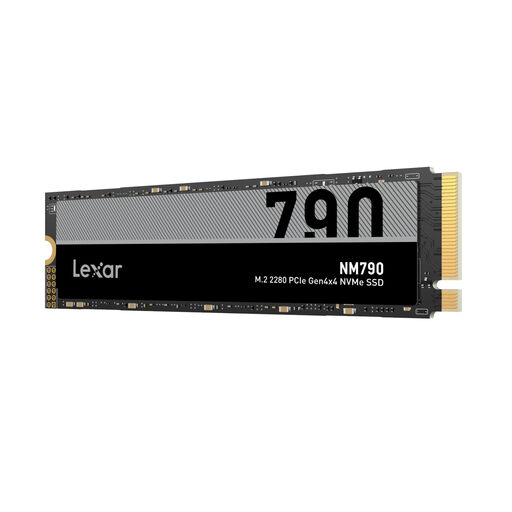
Why This Fits Their Persona: This model is ideal for PS5 owners and PC gamers looking for a high-performance, high-capacity storage expansion. With 2TB, it offers enough space for an extensive game library without constantly needing to uninstall titles.
As an NVMe SSD Gen4, it fully meets the PS5's compatibility requirements. Its read speed of up to 7,400 MB/s significantly exceeds Sony's minimum requirement, ensuring lightning-fast load times.
Offers an excellent balance of high performance (up to 7,400 MB/s read, 6,500 MB/s write) and large capacity. It's also a superb choice for upgrading a laptop SSD in compatible devices.
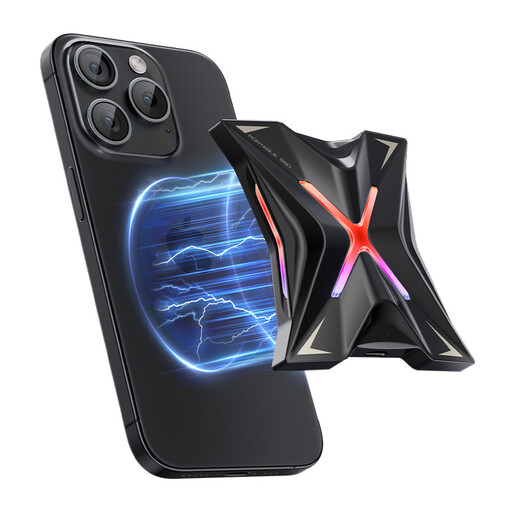
Why This Fits Their Persona: Perfect for content creators, video editors, or users who frequently transfer large files between devices (e.g., laptop, camera, iPhone 15). It delivers high speed in a portable format.
This external solution bypasses the complexity of an internal installation. It prevents the mistake of buying an internal SSD for an external use case and offers instant plug-and-play functionality.
It leverages the USB 3.2 Gen 2x2 interface for transfer rates of up to 2,060 MB/s. The magnetic design is especially practical for users of the iPhone 12-15 series for direct ProRes video recording.
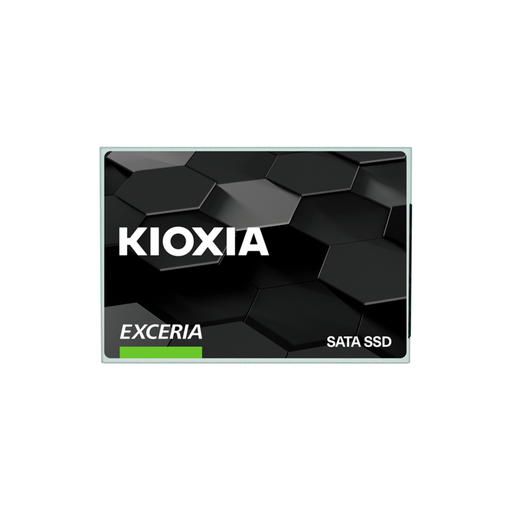
Why This Fits Their Persona: An excellent choice for users looking to upgrade an older desktop PC or laptop from a traditional hard disk drive (HDD). It provides a tangible performance boost for the entire system.
This 2.5-inch internal SSD for PC prevents the purchase of an incompatible M.2 SSD for systems that only have a SATA port. It's the right technology for a wide range of legacy devices.
Offers excellent value for money for system modernization. Boot times, file transfers, and overall system responsiveness are significantly accelerated compared to an HDD.
We have compiled a complete, real-time updated list of products that fully meet these strict selection criteria.
Yes, Sony explicitly requires the use of a heatsink. The PS5's expansion slot is tight and has limited airflow, which would quickly lead to overheating and performance throttling without one. You can either buy an SSD with a pre-installed heatsink or purchase and install a separate one yourself.
Yes, many modern laptops have an M.2 NVMe slot and can be upgraded with such an SSD. Be sure to check your laptop's specifications before purchasing. Key factors include the supported form factor (usually M.2 2280), the supported PCIe generation (Gen3 or Gen4), and the physical space available inside the chassis. Upgrading a laptop SSD can significantly boost the device's performance.
The PCIe generation determines the maximum theoretical transfer speed of the interface. PCIe Gen4 offers twice the bandwidth of PCIe Gen3. For the PlayStation 5, a Gen4 SSD is mandatory to achieve the loading times required by the console. In a PC upgrade, demanding applications like video editing and loading large game files particularly benefit from the higher speed of a Gen4 SSD, provided the motherboard also supports this standard.