Which console is right for you?

Game-focused adventurers

If you have particular quests and open-world games in mind, first check which platform they’re available on and which version you need. PlayStation lists Horizon Forbidden West for PS5, Microsoft says Avowed is optimised for Xbox Series X|S, and Nintendo offers a Switch 2 Edition of The Legend of Zelda: Tears of the Kingdom.

TV-focused players

If you’ll mainly be playing on a large TV, compare its resolution and refresh rate with the output modes available in the specific game. Console specifications don’t automatically describe how every title will look.

Flexible game buyers

If you’re weighing up discs against downloads, or want to carry on playing when you’re out and about, check whether the specific console version has a disc drive and what play modes it supports. Nintendo says Switch 2 can be used both on a TV and in handheld mode.

What to consider when buying

PS5 with disc drive

A good fit if: You want to play PS5 adventures and use compatible game discs.

Worth noting: The game and its display mode still matter; the stand for the disc version reviewed here is sold separately.

PS5 Pro

A good fit if: You have a suitable TV and want to use supported Pro enhancements.

Worth noting: The version reviewed here has no disc drive; the drive and stand are sold separately.

Xbox Series X with disc drive

A good fit if: Your chosen Xbox games, compatible older titles or discs are important to you.

Worth noting: Series X is also available as a digital-only version; the actual frame rate depends on the game.

Xbox Series S

A good fit if: You want to play Xbox adventures digitally and the 1440p focus matches your expectations.

Worth noting: The version reviewed here doesn’t support discs and has a 512 GB SSD.

Nintendo Switch 2

A good fit if: You want to play compatible adventures both on your TV and in handheld mode.

Worth noting: Nintendo specifies a maximum of 60 fps for 4K output in TV mode; some older Switch games may not be fully compatible.

Buying criteria What to check before buying Who it matters most to
Games you want and the version you need Check the German-language game page for the supported console, edition and any upgrade pack required. If a particular adventure is the deciding factor, you’ll want to know which platform and version you need before buying a console. Around 33% of consumers put their chosen game first.
How games look on your TV Compare your TV’s resolution and refresh rate with the modes available in the specific game. If how games look on your big TV is especially important to you, compare the output modes actually supported rather than relying on the console’s maximum specifications. Around 27% of consumers prioritise picture quality on TV.
TV and handheld play Check whether you want to play on the go and whether the game you want is available for Switch 2. If you want to carry on with your quests without a TV, handheld play could be a key factor in your choice. Around 20% of consumers prioritise being able to switch between TV and handheld play.
Discs, downloads and storage Check the exact disc-drive version, the games you already own and whether you’ll need extra storage. If you want to keep using discs or prefer to buy games digitally, check the specific console version and how much storage you’ll need. Around 20% of consumers place the greatest importance on how they buy their games.

Avoiding common buying mistakes

  • Assuming every Series X or PS5 Pro has a disc drive just from its name

    The PS5 Pro reviewed here doesn’t come with a disc drive. Xbox Series X is also available as a digital-only version without a drive, which means you can’t use your existing game discs with it.

    Before buying, check the full model and version description, as well as what’s included in the box.

    A disc drive for the PS5 Pro reviewed here is sold separately.

  • Expecting every Switch 2 game to run at both 4K and 120 fps

    Nintendo specifies a maximum of 60 fps for 4K TV output; up to 120 fps is specified for the lower resolutions of 1080p or 1440p.

    Check separately which game modes your chosen title supports, and which resolutions and refresh rates your TV can handle.

  • Planning to use older microSD cards to expand Switch 2 game storage

    Nintendo specifies microSD Express only for expanding game storage.

    Check whether the built-in storage is enough for your games. If you need more, make sure you choose a compatible microSD Express card.

    You may need a compatible microSD Express card to expand your storage.

Key brands at a glance

Sony PlayStation

PS5 with a disc drive for compatible disc games; PS5 Pro for supported Pro enhancements on a suitable TV.

  • PlayStation lists Horizon Forbidden West for PS5 and identifies the version as optimised for PS5 Pro.
  • Sony describes enhancements for supported games, not every title. The disc drive and stand are sold separately for the PS5 Pro reviewed here.

Microsoft Xbox

Series X for TV play and, depending on the version, disc games; Series S for digital gaming with a 1440p focus.

  • Microsoft lists 4K gaming and backward compatibility for Series X, and says Avowed is optimised for Series X|S.
  • The maximum frame rate isn’t a measure of performance for every game. Check which Series X version you’re buying; the Series S reviewed here has a 512 GB SSD.

Nintendo

Switch 2 for compatible adventures you want to play both on your TV and in handheld mode.

  • Nintendo describes play in both TV and handheld modes, and offers a Switch 2 Edition of Tears of the Kingdom.
  • Nintendo specifies a maximum of 60 fps for 4K output in TV mode. Some older Switch games may be incompatible.

Joybuy products for open-world adventures

The Joybuy console options below are suited to open-world adventures on your TV; Switch 2 also offers handheld play.
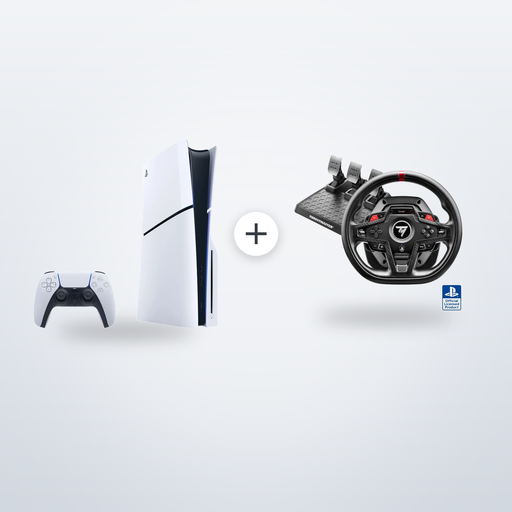
PlayStation 5 Slim Disc Edition, 1 TB, with Thrustmaster T248R Racing Wheel

PlayStation 5 Slim Disc Edition, 1 TB, with Thrustmaster T248R Racing Wheel, Black, PS5/PS4/PC

The Disc Edition is worth considering if you want to play compatible PS5 adventures and use discs; Horizon Forbidden West is available for PS5.

According to the product name, the bundle includes a Thrustmaster T248R Racing Wheel.

View at Joybuy
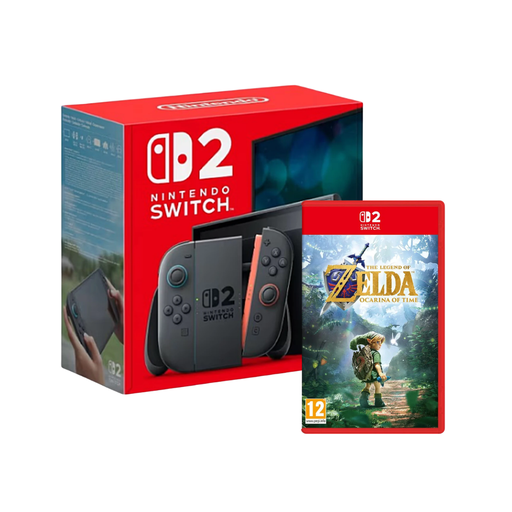
Nintendo Switch 2 with The Legend of Zelda: Ocarina of Time

Nintendo Switch 2 with The Legend of Zelda: Ocarina of Time

This bundle is a good fit if you want to use the console both on your TV and in handheld mode.

Nintendo specifies a maximum of 60 fps for 4K output in TV mode on Switch 2; up to 120 fps is specified for lower resolutions.

View at Joybuy

Nintendo Switch 2 console, EU

Nintendo Switch 2 console, EU

This hybrid console is worth considering if you want to play adventures on your TV and on the go; Nintendo describes both TV and handheld play.

Nintendo specifies a maximum of 60 fps for 4K output in TV mode; lower resolutions are required for up to 120 fps. Some older Switch games may be incompatible.

View at Joybuy
PlayStation 5 Slim Digital Edition, 825 GB

PlayStation 5 Slim Digital Edition, 825 GB

This digital PS5 option is a good fit if you want to play compatible PS5 adventures on your TV and buy games digitally. Horizon Forbidden West is available for PS5.

The Digital Edition has no disc drive, according to the product description.

View at Joybuy
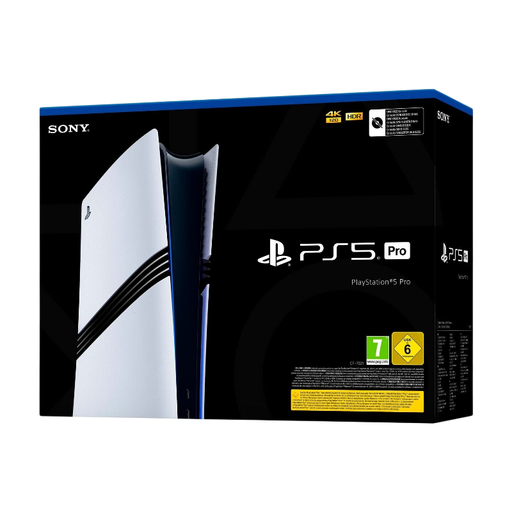
Sony PlayStation 5 Pro, 2 TB

Sony PlayStation 5 Pro, 2 TB

The PS5 Pro is worth considering if you have a suitable TV and want to use supported Pro enhancements. Horizon Forbidden West is identified as optimised for PS5 Pro.

According to the product description, the enhanced features are available for games optimised for PS5 Pro; the Pro version reviewed here doesn’t come with a disc drive.

View at Joybuy

Frequently asked questions

Are “4K” or “120 fps” enough to know what I’ll get in my quest game?

No. Check the output modes for the specific game and compare them with your TV. For Switch 2, Nintendo specifies a maximum of 60 fps for 4K output; up to 120 fps is specified for 1080p or 1440p. Other manufacturers’ specifications aren’t a guarantee for every title either.

How do I connect a Switch 2 to my big TV for Zelda?

Use the included dock to play on your TV. Both the TV and the game need to support the relevant feature for 4K and HDR. For the Switch 2 Edition of Tears of the Kingdom, HDR in TV mode requires an HDR-compatible screen.

Can I use my existing memory card for games on Switch 2?

For storage expansion, Nintendo specifies microSD Express cards up to 2 TB and says a system update via the internet is required. According to Nintendo, other microSD cards can only be used to copy screenshots and videos from Switch.

Do I always need a subscription to play a quest game?

No, it depends on the game and how you want to play. The PlayStation game page reviewed here describes Horizon Forbidden West as playable offline; Sony says a separate PlayStation Plus subscription is required for online multiplayer on PlayStation. Check the access requirements for the game and service you want to use.

Who should I contact if my console develops a fault after I buy it in Germany?

For faulty new goods, your statutory consumer rights are generally against the seller; the Verbraucherzentrale says these rights last for two years from the date the goods are handed over or received. A manufacturer’s warranty is separate and is subject to its own terms and conditions.