Puzzle group with spectators
You discuss the solutions together, but not everyone needs their own controls at the same time. First, check whether the game provides separate player slots.


First, check whether your chosen game lets several people play at the same time or whether everyone simply discusses each move together: extra gamepads don’t create extra player slots. For simultaneous play, the platform, supported controls and number of active players all matter. Then consider seating distance, power and how many controllers you’ll need.
You discuss the solutions together, but not everyone needs their own controls at the same time. First, check whether the game provides separate player slots.
Two or more people want to play at the same time. The key factors are the game mode, the number of active players and controller support on your platform.
Players are in different locations and want to use their own controllers in a suitable local multiplayer game on Steam.
First decide on the game mode and the number of active controls you need. Then consider seating distance, connection and power.
| What you need | What to check | Who it matters most to |
|---|---|---|
| Game and platform compatibility | Check that the game version and platform support the co-op mode you want. | If I want to play a particular puzzle game, I check whether that exact version supports the mode and controller I need. Around 30% of consumers put compatibility first. |
| Separate controls | Check the number of players and supported controls, and count any controllers you already own. | If several of us want to play at the same time, I count only the active players and check how many separate controls the game allows. Around 30% of consumers prioritise the number of simultaneous players. |
| Connection at your seat | Check the distance to your seat and cable routing. For wireless models, check the stated connection type. | If we’re sitting some distance from the screen, I need a connection that reaches my seat without a cable crossing the way. Around 20% of consumers put a suitable connection at their seat first. |
| Power and accessories | Check the power requirements and what’s included with each additional controller you need. | If we’re using several controllers, I want to know in advance how they’re charged and what accessories are included. Around 20% of consumers prioritise power and the extra effort involved. |
Joining in with guesses doesn’t require as many separate controls as local co-op.
First decide on the game mode and how many people will actually be playing.
Joy-Con can be connected separately, but whether they provide the controls needed for two people in a particular game depends on how that game works.
Check whether the game supports individual Joy-Con and whether they’re compatible with your console generation.
8BitDo lists different platform and connection details for the Ultimate 2C Wireless and Ultimate 2C Bluetooth.
Check the full model name, platform and any firmware requirements.
Depending on the number of active players and the connection you choose, you may need extra controllers, charging accessories, batteries or connection accessories.
Count the devices you already own and check what’s included, along with power and connection requirements, before buying.
Joy-Con for Switch and Joy-Con 2, as well as the Pro Controller for Switch 2, are worth considering when the relevant console game supports local co-op controls.
Xbox Wireless Controllers are an option for Xbox consoles and supported Windows PCs with full-size gamepads.
The Ultimate 2C models are listed for different platforms and connection types, depending on the version.
The Enhanced Wired Controller is a wired option for the Xbox and Windows platforms listed by the manufacturer.
DualSense and DualSense Edge are PlayStation controllers. For a shared puzzle session, what matters is whether the specific game supports the platform you’re using.
This selection includes Joy-Con 2 for Switch 2, as well as gamepads whose product titles name PC or console platforms. For electronic devices sold in Germany, the Federal Network Agency lists requirements including CE marking, device identification and German-language instructions for non-commercial users. Check the details on the specific product listing.
 No image available
Designed for two active players on a compatible Switch 2. Whether each Joy-Con works as a complete set of controls on its own depends on the game.
2-pack containing one left and one right Joy-Con 2; the colour option is Blue/Light Yellow.
 No image available
Could be an option for a PC gaming session if you’re looking for a wireless gamepad. Check separately whether it’s supported by the game you want to play.
The product title lists Bluetooth, a TMR joystick, dual-mode triggers and platforms including PC, Switch, Android and iOS. Check that the platform and connection are compatible with your device.
 No image available
The wired version could suit a compatible Xbox or PC gaming session, provided the connection reaches your seat.
The product title lists a USB gamepad for PC, Xbox Series S and Xbox Series X. Plan the cable routing around your shared seating area.
 No image available
Could be worth considering for gaming on PS4 or PC, if the listed platform compatibility suits your device and game.
The product title lists Bluetooth and compatibility with PS4, PS4 Slim, PS4 Pro and PC. Check that the game you want to play supports it.
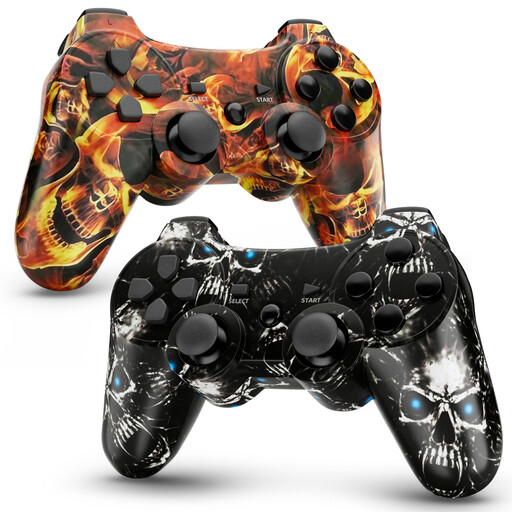 No image available
A two-pack could suit two active players on a compatible platform. Game and controller support are still the deciding factors.
The product title lists Bluetooth, 450 mAh, dual vibration and 6-axis motion control. According to the product details, a one-time USB cable activation is required for initial pairing.
No, not if they’re just joining in with guesses and don’t need to make their own inputs. For active players, it depends on how many separate controls the specific game supports.
Microsoft lists a suitable USB data cable, Bluetooth or Xbox Wireless as connection options. You may need an adapter for Xbox Wireless. Also check that the game you want to play supports the controller.
Nintendo lists the Switch 2 console or a separately sold Joy-Con 2 charging grip for charging. Before a longer session, check how many controllers you can charge at once.
No. According to the German consumer advice centre, statutory consumer rights apply against the seller, while a guarantee is an additional voluntary promise with its own terms. If a product is faulty, the first step is to ask the seller to put things right.
Electrical and electronic devices covered by the rules must meet conformity and labelling requirements. The Federal Network Agency lists requirements including correct CE marking, clear device identification and German-language instructions for non-commercial users. The CE mark is a manufacturer’s declaration, not an independent test certificate.