Start by choosing based on the puzzle games you actually want to play. Then decide whether you’d prefer a dedicated handheld screen or to use a TV. Handhelds have a screen built in, while the PS5 and Xbox Series S need an external display. Adjustable brightness and easy-to-read text are important, but a high-contrast display doesn’t automatically make playing in complete darkness comfortable.
Which gaming setup is right for you?
Evening handheld puzzlers
If you want to play without a TV, adjustable brightness and clear, easy-to-read clues on the built-in screen matter. Nintendo lists a 7-inch OLED display for the Switch OLED; the Switch 2 has a 7.9-inch LCD screen, while the Steam Deck OLED is a handheld PC with an OLED display. (Nintendo Germany; Valve)
Puzzle fans with specific games in mind
If you have particular puzzle games or an existing games library in mind, first check the platform, the right version of the game and the controls. According to Valve, some Steam games may need adjustments to work with their compatibility rating. (Nintendo Germany; Valve)
TV puzzlers
If you want to play on a larger screen or one you share with others, check for TV output and your TV’s settings. The Switch Lite doesn’t support TV play; the PS5 and Xbox Series S need an external display. (Nintendo Germany; Sony Interactive Entertainment; Microsoft Xbox)
What should you look for when choosing?
First decide whether you want to play on the device itself or on a TV. Then check that your chosen puzzle games are available on the platform, and factor in any ongoing costs.
| Buying consideration |
What to check before buying |
Who is this especially important for? |
| Built-in screen and readability |
Check the display type and size, brightness controls in the mode you’ll use, and how text appears in the game you want to play. |
If I’m puzzling in the evening without a TV, I want to be able to read clues clearly on the device and adjust the brightness. Around 36% of consumers put an easy-to-adjust built-in screen and readability first. |
| Puzzle games you want to play |
Check the specific game, platform version, controls and, where relevant, its Steam Deck compatibility rating. |
If I want to play specific games or keep using my existing library, the right version needs to be available and playable on my chosen platform. Around 29% of consumers prioritise their specific games or library. |
| TV and playing together |
Check for TV mode or external video output, as well as your TV’s picture and brightness settings. |
If I want to play on a TV I already own or with other people, I need suitable TV output and a clear picture on that screen. Around 21% of consumers prioritise TV use or sharing their gaming experience. |
| Ongoing costs |
Check the games you want, any subscription requirements and the right storage standard for the exact model. |
If I want to keep spending on games, subscriptions or extra storage under control, I need to know in advance what my chosen games and console model require. Around 14% of consumers say ongoing costs are their main concern. |
Buying and usage pitfalls
-
Assuming OLED makes playing in complete darkness comfortable
A high-contrast display is no substitute for suitable brightness settings or comfortable room lighting. In TV mode, the TV determines how the picture looks.
Adjust the brightness on the screen you’re actually using, and make sure the room lighting is suited to the screen brightness. The American Optometric Association recommends matching room lighting to screen brightness.
-
Assuming every older Switch game will work unchanged on Switch 2
Nintendo notes that some older Switch games may not be compatible with Switch 2, or may not work fully.
Before buying, check each game you want to play and any upgrade requirements individually.
Paid upgrades may be available for some games.
-
Choosing a digital console when you own game discs
The PS5 Digital Edition and Xbox Series S don’t have a disc drive. That means you can’t simply use your disc collection as you would with a console that has a drive.
Before buying, sort the games you want by disc and download versions. If you’re considering adding a PS5 disc drive, you’ll also need to check the console’s model group.
A compatible PS5 disc drive may be available separately; Xbox Support doesn’t list an equivalent option for the Xbox Series S.
-
Planning for storage and online requirements without checking the model
The Switch OLED and Switch 2 use different standards for storage expansion. Some online games also have specific membership requirements.
Check how much storage your games need, which card standard is compatible and the requirements for each online game you want to play. Nintendo states that TETRIS 99 requires a paid Nintendo Switch Online membership.
Brands to consider
Nintendo
Worth considering for puzzle games on Switch consoles, with handheld or TV play depending on the model.
- Nintendo lists PICROSS S9 as a Switch game with touch and button controls.
- The Switch Lite doesn’t support TV play. With Switch 2, check the compatibility of older Switch games individually.
Valve
The Steam Deck OLED is a handheld PC for buyers whose chosen puzzle games are available on Steam.
- Valve has a game-by-game compatibility rating system for Steam Deck.
- Games rated “Playable” may need adjustments; the rating doesn’t apply to all Steam games as a whole.
Sony PlayStation
The PS5 Digital Edition is a living-room option if you have a suitable TV or monitor and the games you want are available for PlayStation.
- Sony lists puzzle games for PS4 and PS5.
- The Digital Edition doesn’t have a disc drive. HDR also depends on the screen you’re using and its settings.
Microsoft Xbox
The Xbox Series S is a living-room digital console for games available on Xbox.
- Microsoft lists Series S versions with 512 GB and 1 TB of internal storage.
- The console doesn’t have a disc drive. Check that the puzzle games you want are available before buying.
Joybuy products for puzzle games
The devices below include portable handheld consoles and a Switch OLED model for playing puzzle games on the built-in screen or, if you prefer, on a TV.
 No image available
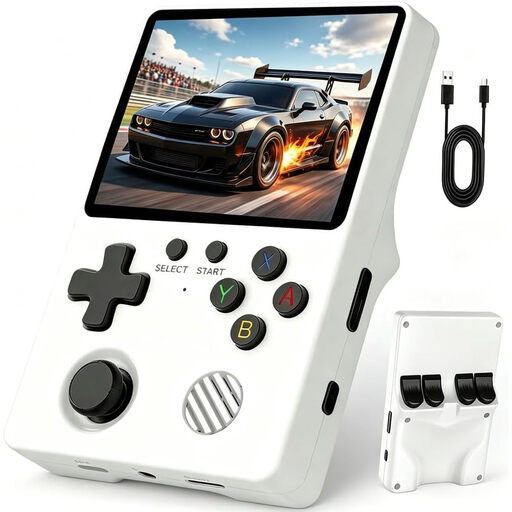
Retro handheld console, 3.5-inch IPS
A portable option if you want to play without a TV. Before buying, check that the included games and controls suit the puzzles you enjoy.
Features listed in the product name: 3.5-inch IPS screen, Linux system and over 20,000 games.
View at Joybuy
 No image available
Retro handheld console, 3.2-inch, grey
The product information lists puzzle games among the pre-installed genres. Check that the included titles match the puzzle games you actually want to play.
Features listed in the product name: 300 pre-installed games, 3.2-inch HD display and rechargeable battery.
View at Joybuy
 No image available
Nintendo Switch – OLED Model (White)
A good fit if you want to play puzzle games on the device itself and switch to TV mode when you like. Nintendo lists PICROSS S9 as a Switch game with touch and button controls.
7-inch OLED screen and 64 GB of internal storage. A compatible microSD card is required to expand storage; in TV mode, your TV becomes the screen you play on.
View at Joybuy
Frequently asked questions
Do I need to make the room completely dark for evening puzzle games?
No. The American Optometric Association recommends matching room lighting to screen brightness. This is guidance on screen use, not proof that a particular console prevents eye discomfort.
How do I change the brightness on Switch 2?
In handheld or tabletop mode, you can change the brightness using Quick Settings by holding down the HOME Button, or by going to “System Settings > Screen Brightness”. This won’t adjust the brightness of a connected TV.
Do older Switch games work on Switch 2?
Not every game is guaranteed to work fully or without changes. Nintendo warns that there may be limitations, so check the compatibility and any upgrade options for each game you want to keep playing.
Do I need an online subscription for every puzzle game?
No, there’s no general subscription requirement. However, Nintendo says TETRIS 99 requires a paid Nintendo Switch Online membership. Check the requirements for each game you want to play.
Can I use my game discs with a PS5 Digital Edition?
No, the PS5 Digital Edition doesn’t have a disc drive. Sony lists a separately available drive for certain model groups, so check your console’s exact model group before buying one.


