What should you look for when buying?
First check that your puzzle games are available, then consider the space you have and how you want to play. Screen readability and any accessories you need can help narrow down your options further.
| What matters to you |
What to look for when buying |
Who is this important to? |
| Game availability |
Check the titles you want, the platform version and the game mode; for Steam Deck or Switch 2, also check each game’s compatibility status. |
If I want to play particular puzzle games, I’ll first check that they run on the device and are easy to control. Around 36% of consumers would make availability of the specific games they want their top buying priority. |
| Space and how you play |
Allow room for the device, your hands or controllers and, if needed, a monitor, dock and cables. |
If you want to take up as little desk space as possible and play without an extra screen, a handheld could be worth considering. Around 29% of consumers would put the space needed for the device and setup first. |
| Readability and controls |
Check how text appears in the games you want to play and which input options they support; for Steam Deck games, check the notes on display and input. |
If small text or unfamiliar controls could make puzzles harder, it’s worth checking the specific game rather than looking at screen size alone. Around 21% of consumers would give readability and input the greatest importance. |
| Accessories and storage |
Factor in only the games and accessories you need; for Switch 2, check the standard required for storage expansion. |
If I want to know what else I’ll need for my setup, I’ll check the accessories and storage options for the specific model. Around 14% of consumers would make the cost of games and required accessories their top buying priority. |
Handhelds for puzzle games at Joybuy
This selection includes handhelds for playing directly on the device, including Windows handhelds, Nintendo Switch Lite and compact devices with pre-installed games. For each model, check that it supports the puzzle games you want to play and their controls.
 No image available
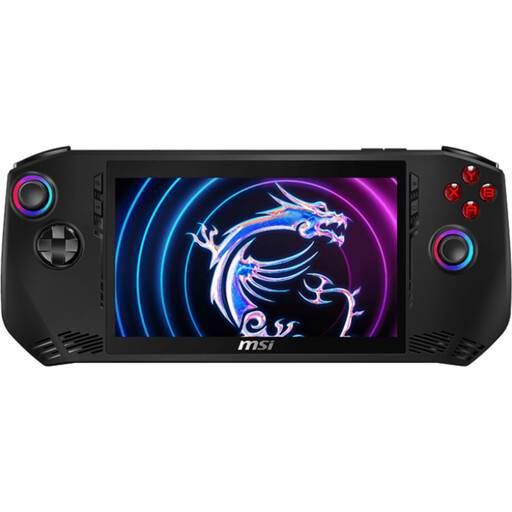
MSI Claw A1M-059 handheld gaming PC
Could suit you if you want to play PC games directly on a handheld; check the compatibility of each title you care about.
Intel Core Ultra 7 155H, 16 GB LPDDR5, 1 TB PCIe SSD, 7-inch FHD touchscreen and Windows 11 Home, according to the product details; listed weight: 675 g.
View at Joybuy
 No image available
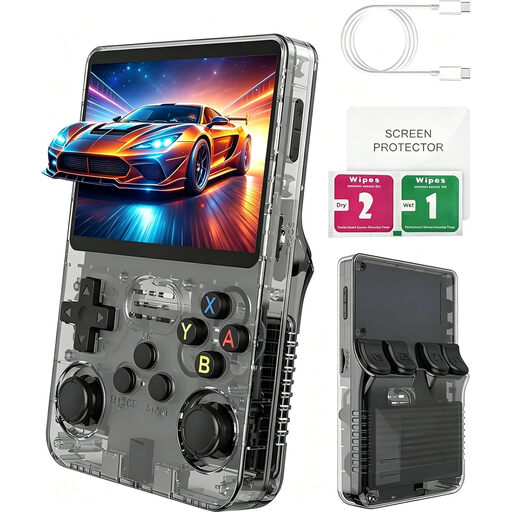
Handheld console with 100+ games, 3 inches
The product description lists puzzle games among the pre-installed genres; check that the games included are the ones you’re looking for.
3-inch IPS screen with a resolution of 640 × 480 pixels; Linux system according to the product name.
View at Joybuy
 No image available
Retro handheld with 300 pre-installed games, Grey
The product description lists puzzle games as one of the included genres. Check that the selection includes the puzzles you want to play.
3.2-inch screen, ABXY buttons and directional pad; rechargeable battery according to the product details.
View at Joybuy
 No image available
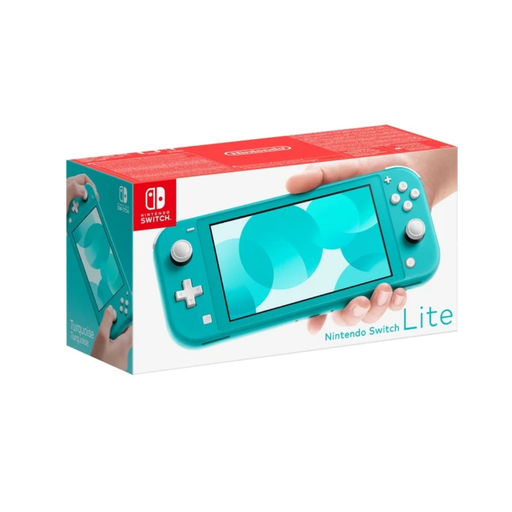
Nintendo Switch Lite, Turquoise
Suitable for playing directly on the device, as long as the Switch games you want to play work in handheld mode.
5.5-inch screen and 32 GB storage, according to the product details. No TV output; check whether any games require separate Joy-Con controllers.
View at Joybuy
 No image available
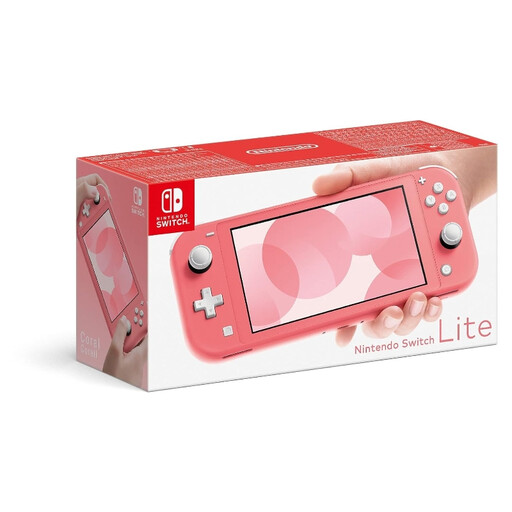
Nintendo Switch Lite, Coral
For handheld gaming without an extra monitor; check the right game mode for each Switch game you want to play.
5.5-inch screen and built-in controls, according to the product details. No TV output; separate controllers may be needed for certain Joy-Con features.
View at Joybuy
Frequently asked questions
Can I use a Switch Lite for every Switch puzzle game and with a monitor?
No. Nintendo says Switch software is compatible if it can be played in handheld mode; the Switch Lite doesn’t support TV output. For the game you have in mind, also check whether any features require separate Joy-Con controllers.
How do I set up a Switch 2 on a small desk?
For tabletop mode, unfold the stand and place the console on a flat surface; detach the Joy-Con 2 controllers to play. According to Nintendo, TV mode requires a Switch 2 dock, not the dock from the original Switch.
What do the Steam Deck compatibility ratings mean?
In Valve’s assessment, ‘Verified’ means a game works well straight away. ‘Playable’ games may need some manual adjustments; ‘Unsupported’ and ‘Unknown’ don’t guarantee that a particular puzzle game will work.
What costs and consumer rights should I be aware of after buying?
Check in advance whether you’ll also need games, storage or an external screen. When you buy goods from a trader in the EU, you’re entitled to a legal guarantee of at least two years from receipt; this is separate from any additional manufacturer’s warranty offered.
What should I know in Germany if I’m buying puzzle games for a child?
In Germany, games on physical media must carry age-rating labels; choose a rating appropriate for the child’s age group. An age rating doesn’t indicate whether a game is educationally suitable. For digital games, also look out for information about purchasing and communication features; optional parental controls are available for Nintendo Switch and Switch 2.


