What to consider when choosing
First, check the course environment and the exact laptop configuration. Then decide how much to prioritise screen space, upgrade options and portability for the way you study.
| Buying priority |
What to check |
Who it matters most to |
| Compatibility with course software |
Check the operating system, processor architecture and required packages against your course requirements. Microsoft Visual Studio Code lists Python 3, VS Code and the extension as separate components. |
If I need to use specific tools locally, I check first that they’re supported on the device. Around 31% of consumers give software compatibility top priority. |
| Good value and suitable specifications |
Compare the model number, the RAM and SSD actually fitted, and what’s included in the box, rather than relying on the product range name alone. |
If I want to complete my coursework without paying for features I don’t need, I compare the exact configuration. Around 25% of consumers put a good balance of price and useful features first. |
| Display and input |
Check the screen size, resolution, keyboard layout and monitor ports you need on the specific configuration. |
If I want to work through code and study materials clearly at my desk, having the right amount of screen space matters to me. Around 19% of consumers prioritise the display and input most. |
| Portability |
Compare the size and weight of the exact configuration. Treat the manufacturer’s battery life figures as relevant only to the usage scenario they describe. |
If I often take my laptop between my room and other places to study, I look for a size and weight that suit the way I travel. Around 13% of consumers put portability first. |
| Upgrade options and long-term use |
Check whether the RAM is soldered or replaceable, which ports are available and the terms of any optional warranty. |
If I might want to upgrade later or connect devices I already own, I check the upgrade options and ports before buying. Around 12% of consumers prioritise long-term usability and after-sales terms. |
Joybuy products for Python and studying
This selection includes Windows laptops with 15- and 16-inch displays, as well as a compact 13-inch MacBook with macOS. Before buying, check that the course software and keyboard layout meet your needs.
 Image unavailable
Lenovo ThinkBook 16 G9 AHP 21UT
This configuration is suited to students who want to work on a larger display.
16-inch WUXGA IPS display with 1920 × 1200 pixels, 32 GB DDR5 RAM, 1 TB SSD and Windows 11 Pro.
The product description lists an AMD Ryzen 5 220 and a weight of 1.7 kg.
View at Joybuy
 Image unavailable
Apple 13-Inch MacBook Neo, A18 Pro
This compact configuration may suit you if you want a lighter laptop and macOS works with your course tools.
13-inch display, 8 GB RAM, 256 GB SSD and macOS; the listed weight is 1.23 kg.
The product title specifies an English QWERTY keyboard.
View at Joybuy
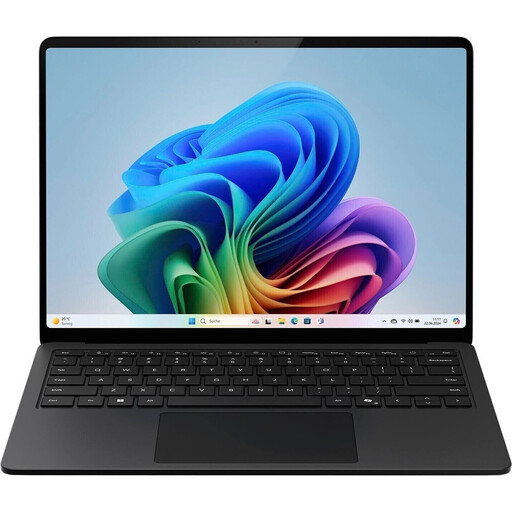 Image unavailable
Microsoft Surface Laptop for Business, 7th Edition, 15-inch
This configuration offers a larger touchscreen workspace for students who mainly work at a desk.
15-inch touchscreen with 2496 × 1664 pixels, 16 GB RAM, 512 GB SSD and Windows 11 Pro.
The listed weight is approximately 1.66 kg.
View at Joybuy
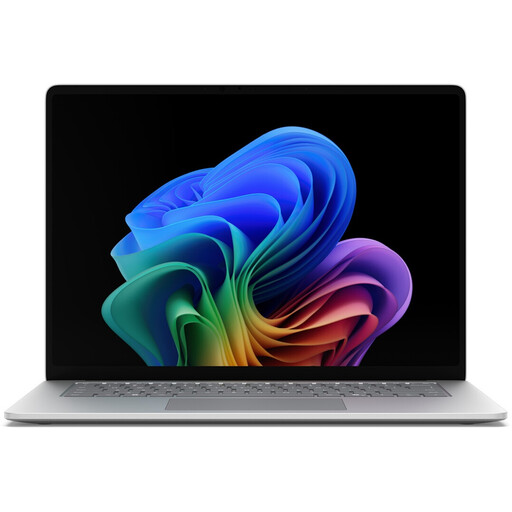 Image unavailable
Microsoft Surface for Business, 8th Edition, 15-inch
This configuration may suit students looking for a large touchscreen and Windows 11 Pro in a specific specification.
15-inch touchscreen with 3270 × 2180 pixels and 120 Hz, 16 GB RAM, 512 GB SSD and Windows 11 Pro.
The description lists an Intel Core Ultra 5 335, Intel Graphics, Wi-Fi 7, Bluetooth and a German configuration.
View at Joybuy
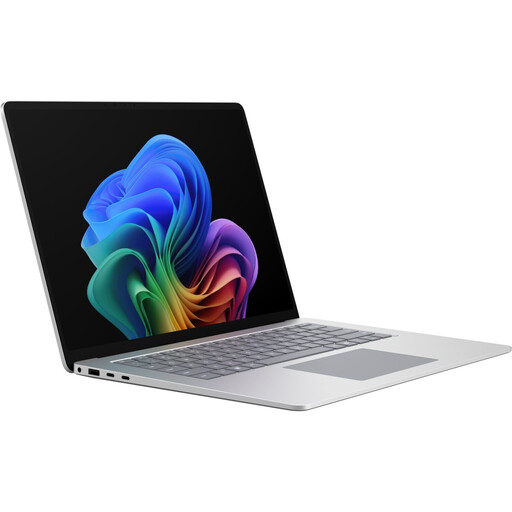 Image unavailable
Microsoft Surface Laptop 8 for Business, 15-inch
This configuration is suited to students who want to work through study materials and code on a larger display.
15-inch 3:2 touchscreen, 16 GB RAM, 512 GB SSD and Windows 11 Pro.
The product description lists an Intel Core Ultra X7 368H; the listed weight is 1.67 kg.
View at Joybuy
Frequently asked questions
Do I need a dedicated graphics card to learn Python?
Microsoft Visual Studio Code’s introductory guide to Python doesn’t list a dedicated graphics card as a requirement for getting started. If your course requires additional programmes or projects, check their individual requirements rather than assuming that Python itself determines how much performance you need.
Is the Python extension in VS Code all I need?
No. For the local learning setup described, you install Python 3 as a separate interpreter, along with VS Code and the Python extension. You then select the interpreter in the editor. For this macOS setup, the VS Code tutorial recommends not using the system Python installation.
Can I use a Windows on Arm laptop for my Python course?
It can work if the programmes, packages and drivers you need are compatible with the device. Microsoft describes how Windows 11 on Arm emulates x86 and x64 applications, but also notes that dependencies can cause problems; kernel drivers need native Arm64 versions.
What are my rights when buying a laptop online in Germany?
For a qualifying distance purchase from a business seller, you generally have a 14-day cancellation period; exceptions and the exact start of the period should be taken into account. The European Union’s Your Europe website explains this right. If the laptop is faulty, statutory rights against the seller are separate from any additional voluntary warranty.
Who should I contact if my laptop is faulty?
The seller is generally responsible for your statutory rights. Any additional manufacturer’s warranty has its own terms and doesn’t replace your statutory rights; the Verbraucherzentrale clearly distinguishes between these claims.


