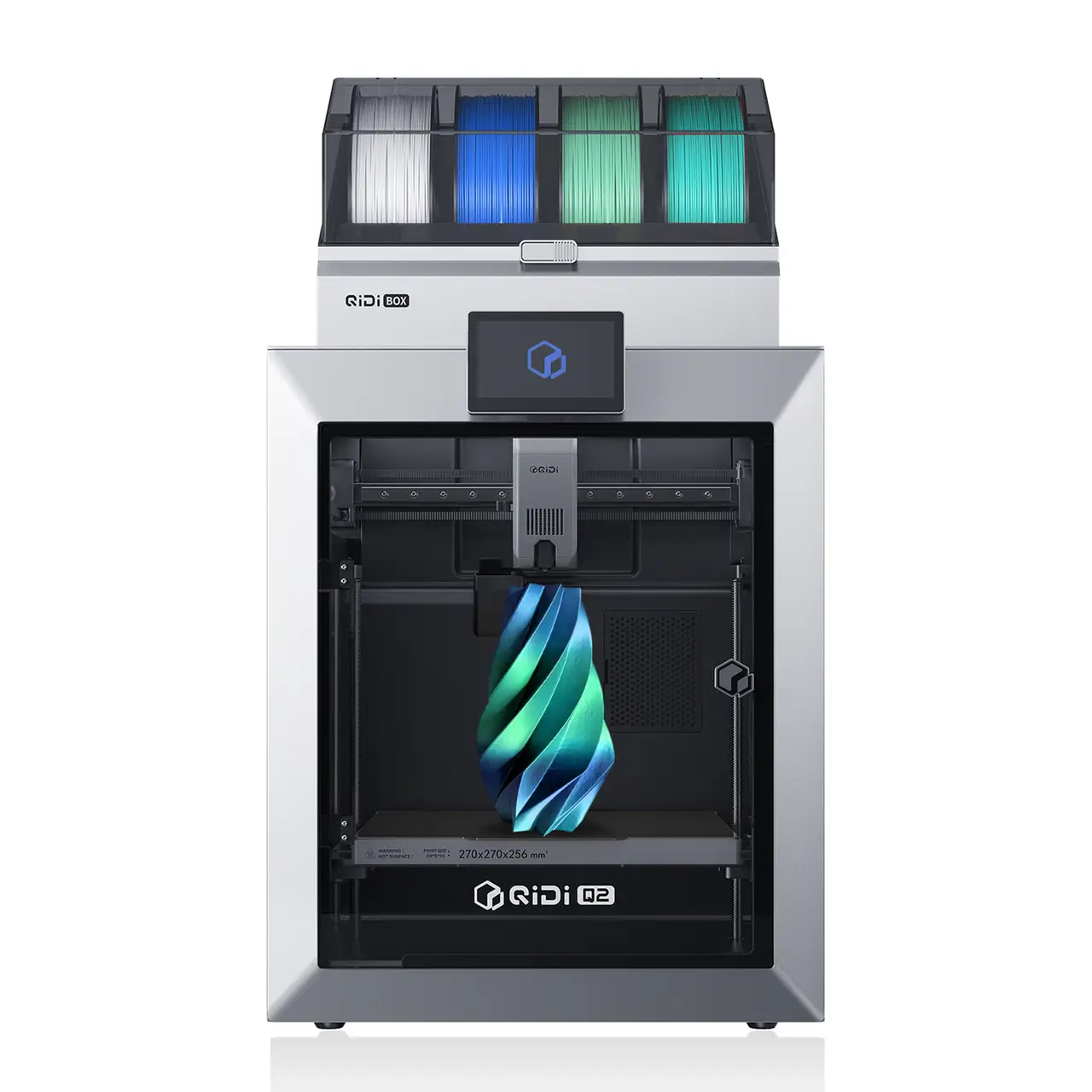
The QIDI Q2 3D Printer with QIDI BOX is an enclosed desktop FDM printer for makers who want to explore everything from everyday prints to multi-colour projects. Its 270 × 270 × 256 mm build volume, heated chamber and 370°C all-metal hotend support a range of materials, while automatic bed levelling, print monitoring and power-loss recovery help simplify printing. The included QIDI BOX enables up to 16-colour, multimaterial printing and can dry filament as you print, making this a versatile choice for hobbyists, home workshops and creative prototyping.
How to Choose the Right 3D Printer
Start with what you plan to print, how much space you have and how involved you want the setup to be. Comparing print technology, build volume and material compatibility will help you choose a 3D printer that suits your projects and experience level.
Key Features to Consider
Check these practical criteria before comparing individual models:
- Print technology and ease of use: For general-purpose printing, an FDM 3D printer uses filament and is often a practical starting point; resin printers can capture finer detail but require careful handling and cleaning. Look for features such as automatic bed levelling, clear setup instructions and a straightforward slicer workflow if you are new to 3D printing.
- Build volume and printer dimensions: Match the usable build volume to the largest parts you expect to make, allowing for the print bed and any supports. Check the printer’s overall dimensions too, and leave room for ventilation, maintenance and access to the spool or resin vat.
- Materials, temperature and enclosure: Confirm that the hotend and heated bed support the filament types you intend to use, such as PLA, PETG or ABS, and check whether an enclosure is recommended for your materials. Also consider print speed, spare-part availability, operating noise and the manufacturer’s guidance on ventilation and safe use.
From First Layer to Full Colour: Make More with QIDI Q2
A Confident Start and a Carefully Controlled Print Space
Get from setup to making in around 15 minutes, then let the integrated nozzle levelling sensor and automatic bed levelling help prepare each print. The enclosed design creates a dedicated printing space, with a heated chamber reaching 65°C to support work with a range of materials. Together, these features make it easy to move from a project idea to a ready-to-print setup, while the Q2’s considered design helps bring consistency to everyday making and more ambitious creative projects.
Fast, Versatile Printing with Smart Monitoring
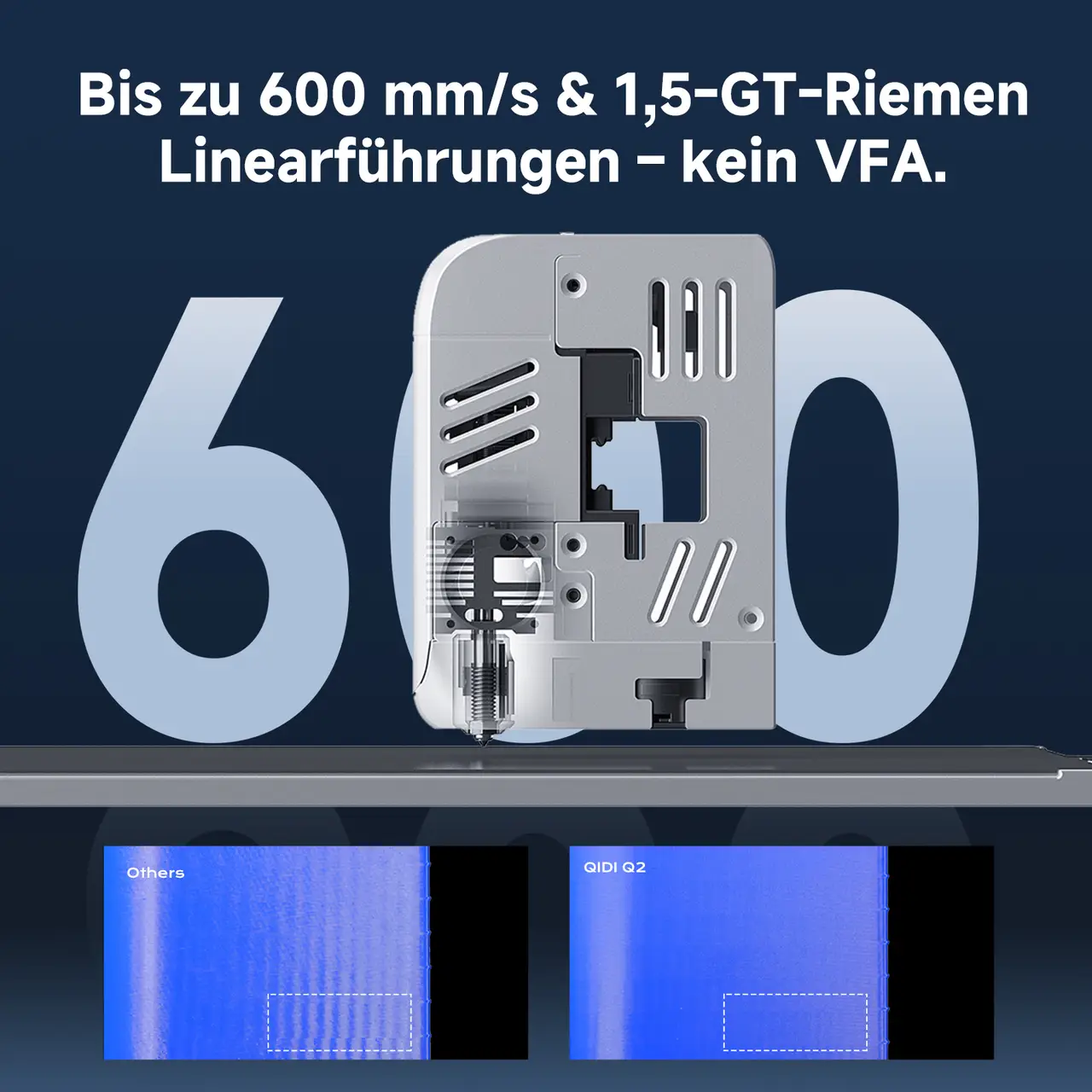
Bring ideas to life at speeds of up to 600 mm/s, with a 370°C all-metal hotend ready for a range of printing materials. The Q2 combines this high-temperature capability with helpful print-monitoring features: an AI camera keeps an eye on progress, while filament runout and tangle detection support a smoother printing workflow. Power-loss recovery adds further reassurance as a print progresses, making the Q2 a capable desktop companion for everything from practical parts to detailed creative builds.
Explore Multicolour Creativity, Filament Care and Cleaner Air
The included QIDI BOX opens the door to up to 16-colour, multimaterial printing, giving designs extra scope for colour and material combinations. It can also dry filament while printing, bringing filament care into the creative workflow. Inside the printer, a three-stage air filtration system combines a G3 pre-filter, H12 HEPA filter and activated-carbon filter. For makers who enjoy tailoring their setup, the open-source platform offers customisation options to suit different projects and ways of working.
QIDI Q2 3D Printer: Who It Suits
Makers Creating Multicolour Prints
When your project calls for several colours or materials in
one print, use the QIDI BOX to switch between them and dry
filament while printing. You can create more varied pieces
with less hands-on filament handling.
Makers Exploring Different Materials
When you want to try different printing materials for a
project, the heated chamber and all-metal hotend support a
broad range of options. You get more flexibility to match your
material choice to the job.
Regular Users Who Want Fewer Print Interruptions
When you run prints that need monitoring or could be
disrupted, use the AI camera to check progress while runout
and tangle detection flag feed problems. Power-loss recovery
helps you pick up after an interruption, so routine issues are
less likely to derail your work.
First-Time Desktop 3D Printer Users
If you’re new to desktop FDM printing and want a
straightforward setup, automatic bed levelling and the
integrated levelling sensor reduce the manual adjustment
involved in getting started. You can spend less time setting
up and more time learning to make your first models.
Frequently Asked Questions
How big a print can the QIDI Q2 make?
The QIDI Q2 has a build volume of 270 × 270 × 256 mm, giving you room for sizeable single prints or several smaller parts in one job. Automatic bed levelling helps prepare the print surface, while the integrated levelling sensor supports a consistent first layer.
Can the QIDI Q2 print in multiple colours, and does it dry filament?
Yes, the included QIDI BOX supports up to 16-colour, multimaterial printing and can dry filament while printing. This lets you create prints with multiple colours or materials in one job, while helping keep the filament dry during use.
Is the QIDI Q2 safe to use around children?
Keep children away from the QIDI Q2 while it is printing, as its all-metal hotend can reach 370°C and its heated chamber reaches 65°C. The enclosed design and three-stage air filtration, with a G3 pre-filter, H12 HEPA filter and activated-carbon filter, support more considered desktop use.
Don't just buy, Joybuy
Discover more of your favourite brands on Joybuy with great offers.