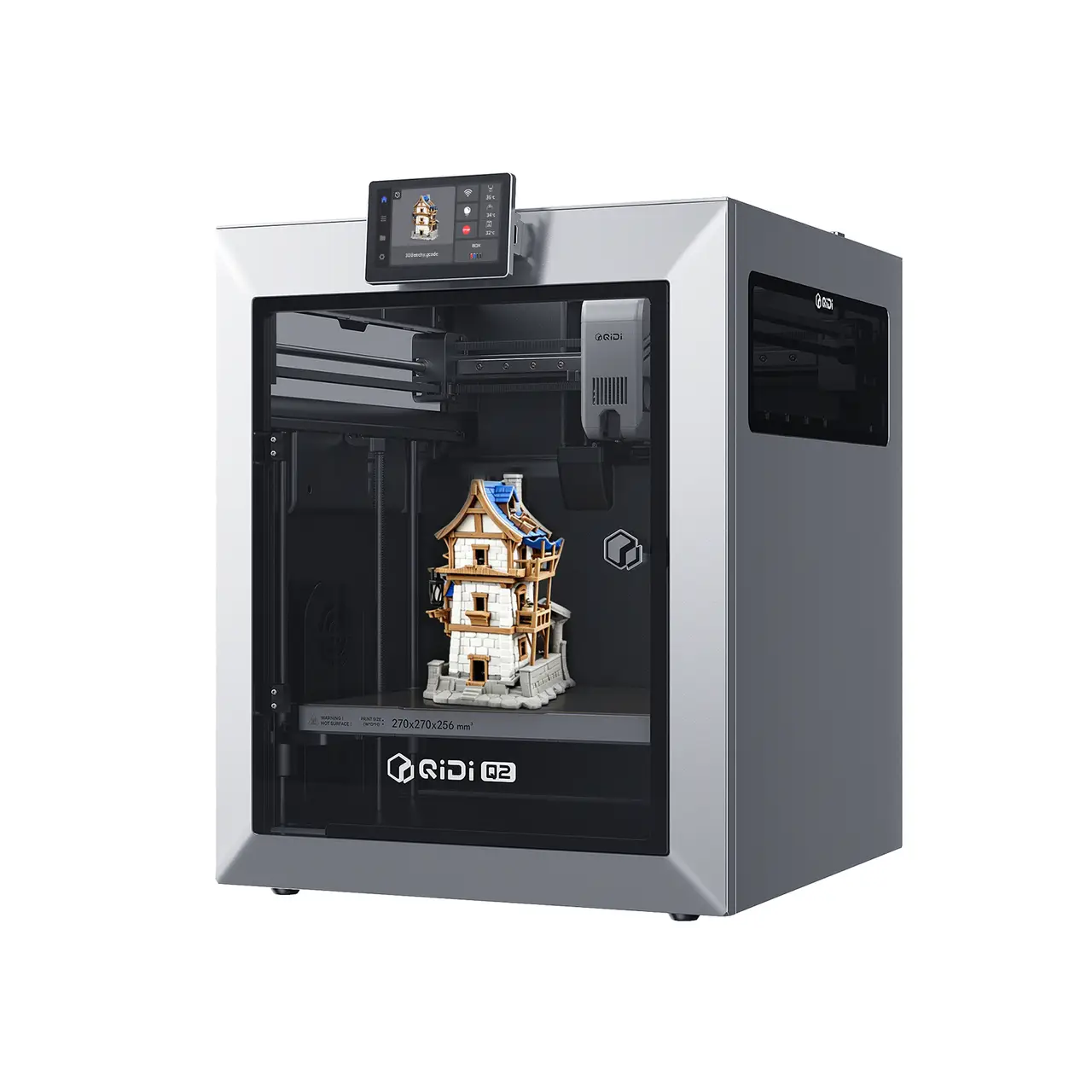
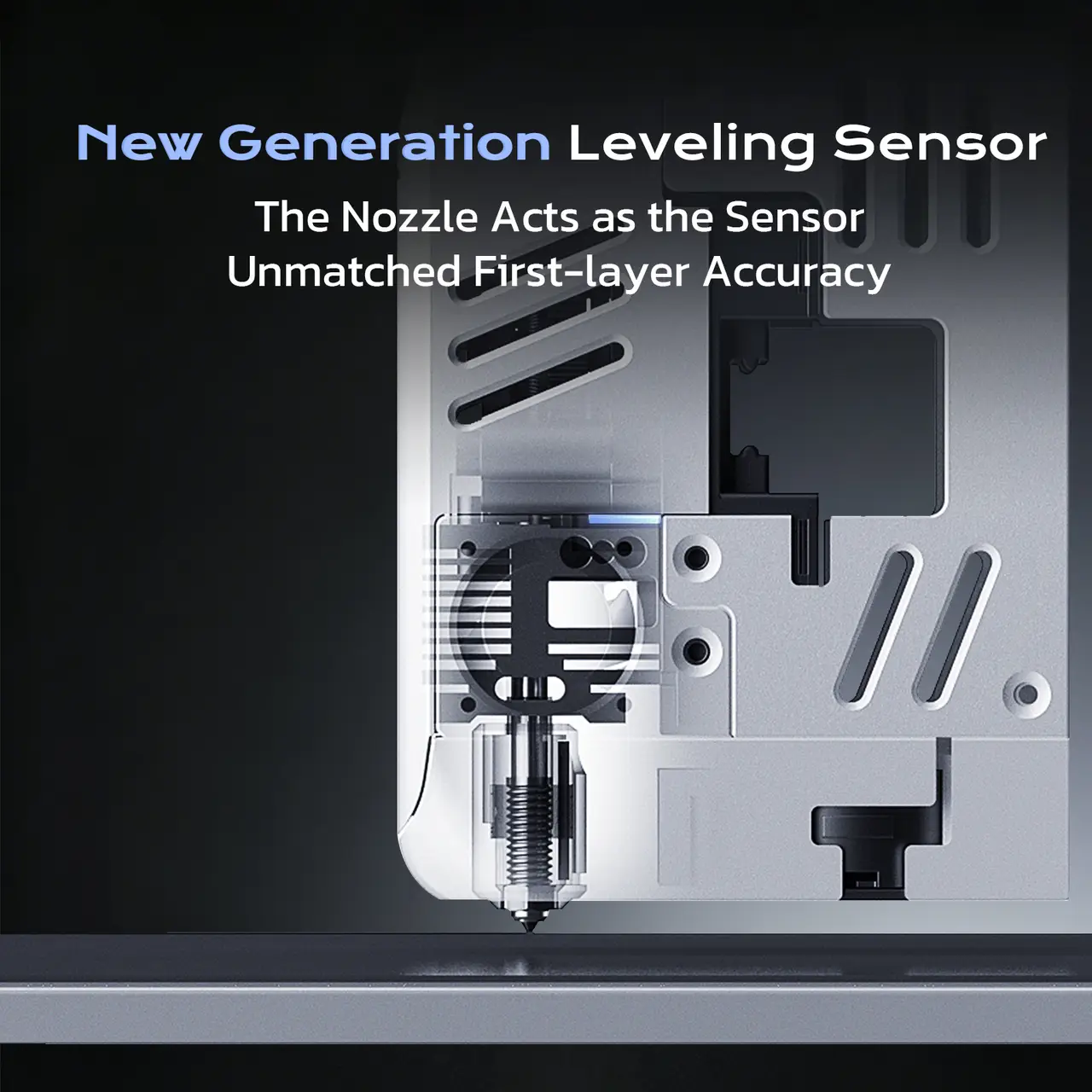
The QIDI Q2 JB is a desktop FDM 3D printer with a 270 × 270 × 256 mm build volume and a heated chamber for versatile projects. Automatic levelling and a nozzle sensor help create consistent first layers, while the 370°C all-metal hotend supports materials from PLA to carbon-fibre composites. Filament detection, AI camera monitoring, power-loss recovery and three-stage air filtration add practical support during printing. It suits hobbyists, educators and engineers making prototypes, teaching materials or custom parts, with an open-source platform for customisation and an optional QIDI BOX for multi-colour printing.
How to Choose the Right 3D Printer
Choosing a 3D printer depends on what you plan to make, how much space you have and how much setup you are comfortable with. Compare the printer’s working area, compatible materials and ease of use before deciding.
Key Features to Consider
These practical criteria can help you match a printer to your projects and workspace.
- Print technology and materials: Decide between filament-based FDM printing, which suits many everyday parts and prototypes, and resin printing, which can capture fine detail but usually involves additional handling and cleaning. Check which 3D printing materials the printer supports and whether they suit your intended use.
- Build volume and print quality: Compare the build volume with the dimensions of the objects you expect to make; a larger working area can accommodate bigger prints, but also takes up more space. Check the stated layer height and recommended print speeds, as settings and model design can affect the final finish.
- Setup, safety and ongoing use: Features such as automatic bed levelling, a heated bed and an enclosed build area can make printing easier or help with particular materials, but check what is actually included. Consider noise, ventilation, maintenance, spare-part availability and slicer software compatibility, especially if the printer will be used at home or in a shared workspace.
Tune Out, Stay Aware: Earphones Ready for Every Day
Adaptive Noise Cancelling and Smart Ambient Modes
The QIDI Q2 JB 3D Printer, 270 √ó 270 √ó 256 mm help you tailor your listening to the moment. Adaptive Noise Cancelling is designed to reduce surrounding distractions when you want to focus on music, while Smart Ambient modes let more of the world around you come through when staying aware matters.
Clearer Calls and Signature Sound
For hands-free conversations, 4-mic technology supports the earphones' calling capability, making it easier to take calls while travelling. When it is time to listen, Pure Bass Sound brings focused audio depth to all your content.
Up to 24 Hours of Battery and IP54 Protection
With up to 24 hours of total battery life, these earphones are built to support long listening routines. An IP54 water and dust resistance rating adds reassurance for gym sessions and everyday journeys.
QIDI Q2 JB 3D Printer: Who It Suits
Hobbyists Making Custom Parts and Models
When you want to bring a home project or creative idea to
life, the QIDI Q2 JB’s fast printing and compatibility with
materials from PLA to carbon-fibre composites give you more
ways to make and refine your designs, so you can turn ideas
into finished pieces with less waiting.
Engineers Prototyping Functional Parts
When you’re building and refining functional prototypes, the
heated chamber and all-metal hotend support printing a wider
range of materials, including carbon-fibre composites, so you
can make parts and test designs using materials suited to your
project.
Educators Running Practical 3D Printing Sessions
When you’re teaching a hands-on session, automatic levelling
helps achieve consistent first layers while the camera lets
you monitor prints, making it easier to keep demonstrations on
track and give learners more time to focus on their work.
Makers Creating Multi-Colour Projects
When a project calls for more than one colour or material, the
optional QIDI BOX adds multi-material printing and dries
filament while printing, so you can create more varied pieces
without managing each filament change by hand.
Frequently Asked Questions
What size can I print on the QIDI Q2 3D printer?
The QIDI Q2 has a 270 × 270 × 256 mm build volume, giving you room to print parts up to those dimensions in one job. Automatic levelling and the nozzle-integrated levelling sensor help establish consistent first layers, while the stated 15-minute set-up time helps you get from unpacking to your first project quickly. For larger designs, split the model into sections before printing.
How do I handle the QIDI Q2’s hot nozzle safely?
Keep clear of the QIDI Q2’s nozzle during printing: its all-metal hotend can reach 370°C. Let the hotend cool before handling or cleaning it, and take care when working near it during maintenance. This simple precaution helps you work more safely when tending to the printer or preparing your next print.
Can the QIDI Q2 print in multiple colours?
The QIDI Q2 supports up to 16-colour, multi-material printing when paired with the optional QIDI BOX. Its dry-while-print function keeps filament drying during a job, and the printer’s open-source platform allows customisation. This gives you a route from single-filament prints to more complex colour and material combinations.
Don't just buy, Joybuy
Discover more of your favourite brands on Joybuy with great offers.