Considerate room-sharers
If you click frequently while someone else in the same room needs quiet, buttons specifically described as quiet are an important factor to consider.


If frequent clicking is a concern in your shared bedroom, start with a mouse whose manufacturer specifically describes its buttons as quiet. Then check the fit, scroll wheel and extra features. A gaming mouse may be a better fit if you want customisable controls for your games, but the manufacturer information consulted for the Logitech G502 X does not confirm that it has quiet clicks. Manufacturer claims are no substitute for testing how a mouse sounds in your own room.
If you click frequently while someone else in the same room needs quiet, buttons specifically described as quiet are an important factor to consider.
During longer sessions, it matters whether the mouse suits your hand size and preferred hand.
If you want quick access to frequently used actions, extra controls may matter more than quietness that hasn’t been confirmed.
In a shared bedroom, noise claims are a useful first filter. Next, consider the fit and the gaming controls you actually need, and make sure the connection and ports are compatible with your computer.
| What matters | What to check before buying | Who it matters most to |
|---|---|---|
| Click noise | Check which buttons the quietness claim applies to; if possible, listen to the scroll wheel and side buttons too. | If I click frequently in a shared room, I want to disturb the other person as little as possible. Around 36% of consumers prioritise click noise. |
| Fit | Match the specific version to your hand size and whether you use your left or right hand. | For longer sessions, I want a mouse that suits my hand and grip. Around 29% of consumers prioritise fit. |
| Gaming controls | Check that your frequently used commands are within easy reach and that the wheel modes suit the way you use the mouse. | If I want quicker access to recurring actions, extra controls matter to me. Around 21% of consumers prioritise gaming controls. |
| Connection | Check for USB-A, Bluetooth support and the receiver you need on your computer. | If I want to set up the mouse with my current computer, its connection needs to match the available ports. Around 14% of consumers prioritise connection and set-up. |
According to Germany’s Federal Network Agency, when selling electrical equipment in Germany, retailers must ensure, among other things, that it has the correct CE marking, identification and manufacturer details, and German-language instructions for non-professional users. Check this information on the specific product listing; the product name alone does not confirm that these requirements have been met.
According to Logitech, the G502 X has gaming features and tactile switch feedback. However, the product information consulted does not promise quiet clicks.
If you share a room, check how noisy the buttons you use most often are, as well as the gaming features.
Manufacturer claims about quiet buttons do not confirm measured noise levels in your own room, nor do they automatically apply to the scroll wheel and side buttons.
If possible, test the main, side and wheel buttons as you would normally use them.
The Logitech Signature M650 comes in different sizes and a left-handed version; other mice described here require a USB port.
Before ordering, check the exact version, your preferred hand and the ports available on your computer.
An incompatible port may mean you need an additional adapter.
CHERRY offers a range of quiet office mice, including a simple wired version and a wireless mouse with extra buttons.
The Signature M650 is a productivity mouse available in several sizes and versions for different hands, while the Logitech G502 X is more focused on gaming controls.
According to Razer, the Pro Click V2 combines productivity and gaming features.
The Joybuy models below offer different ways to balance quiet clicks, fit and extra gaming controls.
 No image available
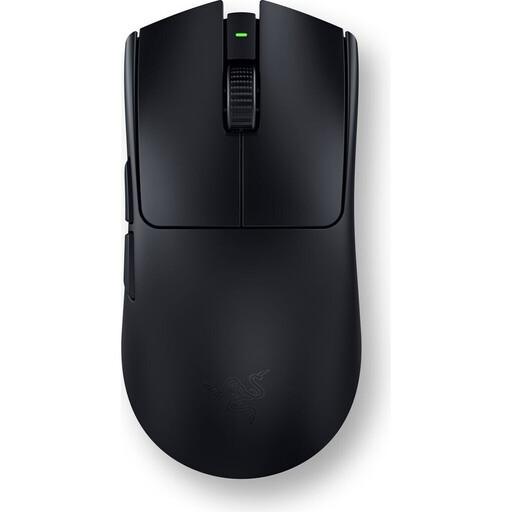
A gaming mouse with programmable buttons may suit consumers who want to use extra gaming controls.
The product description lists a weight of 54 g, six programmable buttons and an optical sensor.
 No image available
The vertical design and advertised quiet clicks may appeal to consumers weighing up fit and quieter clicking.
The product description lists six buttons, including forward and back, four DPI settings and a rechargeable battery.
 No image available
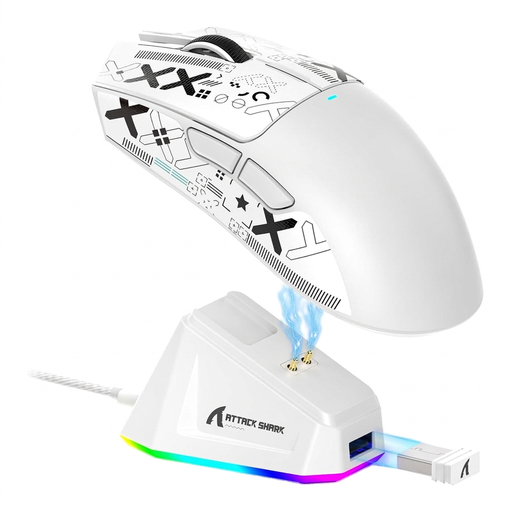
This model may suit consumers looking for programmable buttons and several connection options for gaming.
The title lists a PAW3311 sensor, 22,000 DPI, three connection options and a weight of 62 g; the description lists five programmable buttons.
 No image available
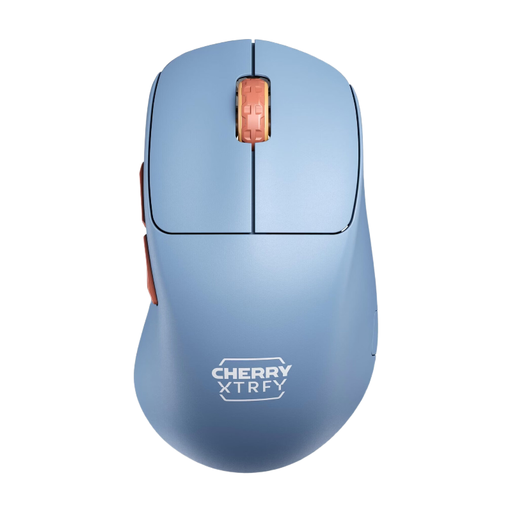
This wireless gaming mouse may suit consumers looking for a right-handed design and a wireless connection.
The product information lists a weight of 53 g, five buttons, a 2.4 GHz connection and battery life of up to 90 hours.
 No image available
The product name describes this as a silent office mouse. It may appeal to consumers looking for a mouse advertised as quiet with a wireless connection.
The product description lists a weight of 55 g, several DPI settings, 2.4 GHz wireless connectivity with a USB receiver, and compatibility with Windows, macOS and Android.
A quiet office mouse may be enough if you mainly point, click and scroll, and only need a few extra commands. If you want quick access to more gaming controls, compare the buttons on the specific model with what you need. This does not mean its suitability for your game has been measured.
First, check whether your computer supports Bluetooth or has a suitable port for the receiver you need. Logitech lists Bluetooth Low Energy and Logi Bolt for the Signature M650; for the STREAM MOUSE COMFORT, CHERRY describes a nano USB receiver.
For a wireless mouse, check the battery type or charging method before buying, as well as the cost of replacements. Germany’s consumer advice centre states that online purchases generally come with a 14-day right to cancel, starting from the conclusion of the contract or receipt of the goods. You must notify the other party to the contract to cancel; this is not the same as a manufacturer’s guarantee.
Germany’s Federal Network Agency says retailers of electrical equipment must provide, among other things, the correct CE marking, identification and manufacturer details, and German-language instructions for non-professional users. Check the information on the specific product listing; the product name alone does not confirm that the requirements have been met.