
Lieferung heute & morgen

Qualitätsgarantie

Willkommens-Angebote freischalten: KOSTENLOSE Lieferung | Bis zu 80 % RABATT | Kostenlose 30-Tage-JoyPlus-Testphase
App herunterladen
As a Joybuy Product Recommendation Officer, I analyse market information to provide you with objective and practical shopping advice. The goal is to help you see through marketing hype and make the right choice for your needs.
A loud clicking sound in a quiet room can be a major distraction—whether in an open-plan office, a library, or your home office. A quiet keyboard and mouse set promises a solution, but not every product advertised as "quiet" actually delivers. Before you make a purchase, it's crucial to understand the most common pitfalls that can lead to disappointment and unnecessary expense.
Many users invest in new peripherals only to find that the anticipated quietness never materialises or that the functionality is unconvincing in daily use. Watch out for these three common problems:
To avoid a bad purchase, you should focus on objective, verifiable features rather than vague marketing promises.
Instead of general terms like "quiet," look for products that specify a particular noise reduction technology. One example is Logitech's SilentTouch keyboard. According to the manufacturer, this technology reduces clicking and typing noises by over 90% compared to standard models. Such quantifiable claims provide a more reliable basis for your decision. The key mechanism (e.g., membrane or scissor switches) also plays a role in the typing feel and volume.
For a stationary workstation, a PC keyboard and mouse set with a USB receiver often provides the most stable solution. The dedicated 2.4 GHz connection is less prone to interference than Bluetooth and typically requires no complicated pairing. Simply plug in the USB receiver, and the devices are ready to use. This ensures lag-free and reliable input, which is crucial for focused work.
For users in English-speaking regions, a wireless QWERTY keyboard with a local layout is essential for efficient work. Also, consider a full-size keyboard with a complete number pad if you frequently work with numbers. Ergonomic features like adjustable tilt legs to change the angle can significantly increase comfort during long work sessions and help prevent fatigue.
Here are some options that are suitable for different user profiles based on their objective features.

Why This Fits Their Persona: This set is designed for users who need a reliable, quiet, and fully functional solution for productive work. The standard full-size layout with a number pad and quiet technology make it ideal for focused tasks in shared workspaces.
The SilentTouch technology offers a verifiable noise reduction of over 90% (according to the manufacturer). The stable 2.4 GHz wireless connection via a USB receiver prevents lag, and the long battery life (up to 36 months for the keyboard) avoids frequent changes.
An all-in-one solution with a keyboard and mouse designed for quietness, stability, and durability. Spill-resistant design and 8 hotkeys for added efficiency.
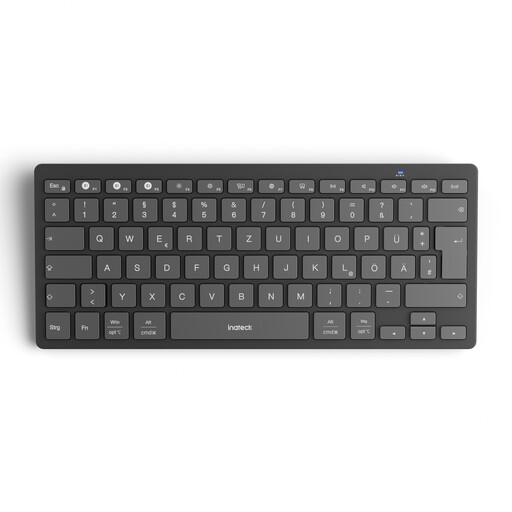
Why This Fits Their Persona: This keyboard is suitable for users who frequently switch between different devices like a PC, tablet, and smartphone. Its slim, lightweight design makes it ideal for mobile use or for workspaces with limited space.
Instead of a potentially unstable wireless connection, this model uses Bluetooth 5.3 and allows seamless switching between up to three paired devices. This solves the problem of cumbersome re-pairing when working with multiple systems.
High compatibility with Windows, iPadOS, Android, and iOS. The ability to connect three devices simultaneously and switch between them at the touch of a button boosts efficiency in a multi-device workflow.
We have compiled a complete, up-to-date list of products that fully meet these strict selection criteria and local regulations.
1. How do I connect a PC keyboard and mouse set with a USB receiver? Setup is usually straightforward. Insert the included batteries into the keyboard and mouse. Then, plug the small USB receiver into a free USB port on your computer. Turn on both devices. In most cases, the connection is established automatically (Plug and Play) without requiring any additional software installation.
2. How long do the batteries in a wireless keyboard and mouse combo really last? The actual battery life heavily depends on the daily usage duration and the specific model. Look for products with concrete specifications in months or years, like the Logitech MK295, which offers up to 36 months of battery life for the keyboard and 18 months for the mouse, according to the manufacturer. Models with an automatic sleep function that powers down during inactivity will have a significantly longer battery life.
3. Does a quiet keyboard work with any operating system? Most sets are designed for broad compatibility, especially with common systems like Windows and ChromeOS. However, it is always wise to check the product description for a list of supported operating systems. Sets that use a USB receiver are often universally compatible, while pure Bluetooth devices may occasionally have specific system requirements.