
Lieferung heute & morgen

Qualitätsgarantie

Willkommens-Angebote freischalten: KOSTENLOSE Lieferung | Bis zu 80 % RABATT | Kostenlose 30-Tage-JoyPlus-Testphase
App herunterladen
A quiet mouse can make a practical difference in an open-plan office, library or when working from home. However, “Silent” does not automatically mean completely noiseless. Some models only reduce the clicking sound of the main buttons, while the scroll wheel or side buttons remain clearly audible. There are also differences in connectivity, design and power supply that are not always immediately apparent from the product image.
This buying guide explains which details are genuinely relevant when choosing a low-noise computer mouse and which models suit different usage scenarios.
Manufacturers use terms such as Silent mouse, “Quiet Click” or “SilentTouch” to describe different technical solutions. These descriptions often apply exclusively to the left and right mouse buttons. The scroll wheel, middle button or additional side buttons may still be audible.
If you work in an especially quiet environment, check whether the product description specifically mentions scrolling or the middle button. For example, the RAPOO N1600 states that the middle mouse click is not silent.
DPI describes the sensitivity of the sensor. A higher value allows fast pointer movements, but is not necessarily required for word processing, spreadsheets or web browsing. For a mouse for office and home working, 1,000 to 1,600 DPI may already be sufficient.
Stable tracking, a suitable surface and precise control are more important. Models with adjustable DPI, on the other hand, are suitable for users who switch between office work, image editing and gaming.
A wireless mouse can connect via a 2.4 GHz USB receiver or Bluetooth. A nano receiver requires a free USB-A port. A Bluetooth mouse leaves that port available, but your laptop, PC, Chromebook or Mac must support Bluetooth.
If you use a mobile device with only a few ports, check the connection technology before buying. A small USB receiver can also be easy to lose. An integrated storage compartment is a practical feature found on some models.
Look for specific wording such as “reduced click noise” and check which buttons are covered. Logitech states that several SilentTouch models reduce click noise by up to 90 per cent compared with conventional mice. This is a manufacturer’s claim and should not be equated with complete silence.
For focused work, a quiet scroll wheel and comfortable actuation force are also important. How loud the mouse seems in practice also depends on the surface and the room’s acoustics.
A wireless mouse with a 2.4 GHz receiver can usually be connected straight away and often does not require additional software. According to the product details, the Logitech M220 SILENT uses a nano receiver and offers a range of up to 10 metres.
Bluetooth is particularly suitable for laptops, tablets and devices with few USB ports. With multi-device models, check how many devices can be saved and whether switching is done using a separate button.
Depending on how they are used, battery-powered models require a replacement AA battery at regular intervals. For the mice featured here, the stated battery life ranges from up to 18 months to up to 36 months. Rechargeable models such as the Logitech MX Master 3S use a USB-C port and do not require disposable batteries, but they do need to be charged regularly.
The shape should also suit your hand:
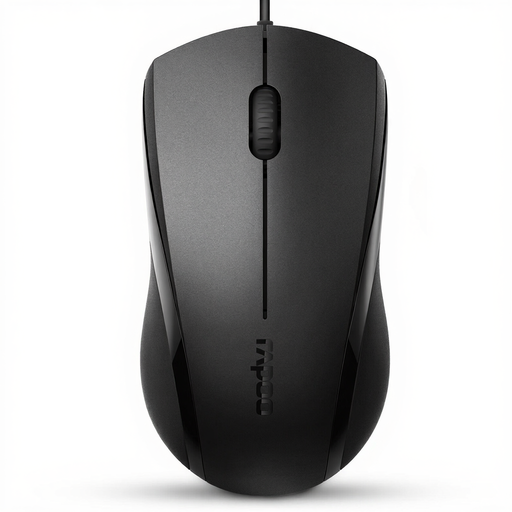
Why this product suits this profile: This wired USB mouse is designed for everyday office work, browsing and use with a laptop or PC. Plug-and-play keeps set-up to a minimum.
The permanently connected USB cable prevents connection dropouts caused by flat batteries or a lost receiver. However, the product details state that the middle mouse click is not silent.
Optical sensor, symmetrical design, USB connection and a stated lifespan of up to 5 million clicks.
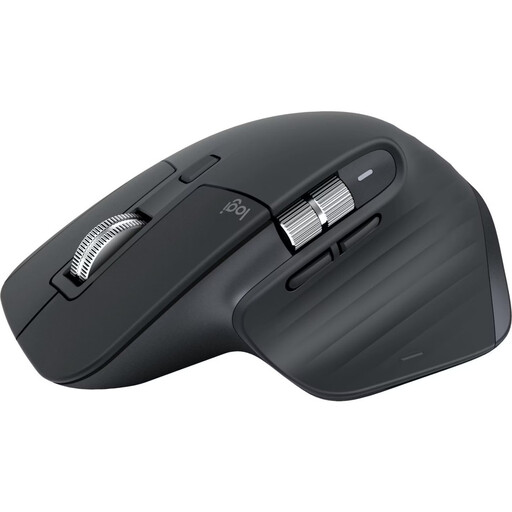
Why this product suits this profile: This ergonomically shaped Bluetooth mouse is designed for right-handed users who need to control several devices, programmable buttons and precise tracking.
Bluetooth reduces reliance on USB-A ports. Before buying, however, you should consider the intended hand, the space required and the broader range of functions.
8,000-DPI sensor, connection to up to three devices, MagSpeed scroll wheel and USB-C battery with up to 70 days’ use according to the product details.
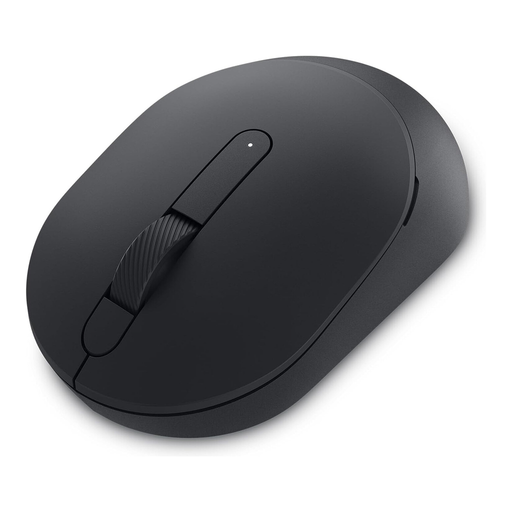
Why this product suits this profile: This mouse combines Bluetooth and 2.4 GHz wireless connectivity, making it suitable for changing workstations, multiple screens and mobile use.
Switching between Bluetooth and the USB receiver provides an alternative if a port is unavailable or a particular device does not support a Bluetooth connection.
Adjustable optical sensor up to 4,020 DPI, three buttons, a weight of 67 grams and up to 36 months of battery life according to the manufacturer.
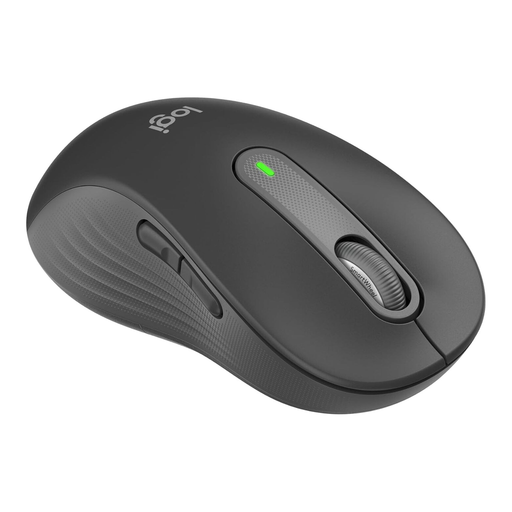
Why this product suits this profile: This wireless mouse is specially designed for large left hands and is aimed at left-handed users looking for a contoured work mouse with quiet clicks.
The clearly specified left-handed design ensures that fit is considered as well as click noise. It is expressly less suitable for small hands.
Bluetooth and Logi-Bolt compatibility, SmartWheel, customisable side buttons and up to 24 months of battery life according to the product details.
We have put together a complete, regularly updated list of products that fully meet these strict selection criteria and the safety regulations applicable in the EU.
Even a carefully selected mouse with quiet clicks can wear out more quickly because of dust, hard surfaces or a damaged cable. Use a clean, non-reflective surface and clean the housing with a dry or slightly damp cloth. Do not allow liquids to enter the device.
For battery-powered models, it is advisable to remove the battery if the mouse will not be used for several months. Damaged or swollen batteries in rechargeable mice should not be used any further. In Germany, electronic devices and batteries must not be disposed of with household waste; take them to suitable collection points instead.
Yes, provided the connection is compatible. A USB mouse requires a free USB port, while a Bluetooth mouse requires Bluetooth support. Check compatibility with Windows, macOS, ChromeOS or Linux in the technical specifications.
This depends on the model, usage and power-saving features. For the mice featured here, the stated battery life ranges from up to 18 to 36 months when using AA batteries. Rechargeable models usually state their battery life in days and require regular USB-C charging.
A low-noise computer mouse may be sufficient for casual games. More demanding gaming also requires consideration of sensor resolution, polling rate, response behaviour, number of buttons and software features. A high DPI figure alone does not determine whether a mouse is suitable for gaming.