
Lieferung heute & morgen

Qualitätsgarantie

Willkommens-Angebote freischalten: KOSTENLOSE Lieferung | Bis zu 80 % RABATT | Kostenlose 30-Tage-JoyPlus-Testphase
App herunterladen
A quiet mouse can be useful in open-plan offices, libraries, lecture halls or when working late in the evening. However, “Silent” does not automatically mean that a computer mouse is the right choice. The key factors are connectivity, design, sensor, power supply and the actual level of noise.
With many models, it is primarily the left and right mouse buttons that have been designed to make less noise. The scroll wheel or middle button may still produce an audible click. For example, the RAPOO N1600 explicitly states that the middle-button click is not silent. If you are looking for a mouse that makes as little noise as possible in a quiet workplace, you should therefore check the information for the buttons and scroll wheel separately.
A wireless quiet mouse requires either Bluetooth or a USB receiver. Bluetooth leaves a USB port free, but requires a compatible device and a reliable connection. A quiet USB mouse, on the other hand, usually works on a plug-and-play basis, although the cable limits freedom of movement.
For laptops with few ports, a quiet Bluetooth mouse may be the better choice. For older desktop PCs or devices without Bluetooth, a 2.4 GHz connection with a nano receiver is often easier to set up.
A small mouse is easy to carry around, but can encourage a permanently tense posture for people with larger hands. Conversely, a large, heavily contoured ergonomic mouse takes up more space and is not suitable for every hand. You should therefore check the length, width, weight and orientation: symmetrical models are often suitable for both left- and right-handed users, while strongly contoured designs are frequently intended for one hand.
Manufacturers use terms such as SilentTouch, “Silent Mouse” or “Quiet Click”. These terms describe a product feature, but are not part of a single prescribed measurement standard. Percentage figures for noise reduction should therefore be viewed as manufacturer information rather than a guarantee of complete silence.
Look out for:
For office work, studying and web browsing, moderate resolutions between 800 and 1600 DPI are often sufficient. A higher DPI figure does not automatically mean more precise operation. It can be helpful with large monitors, multiple screens or certain games, but should match your personal pointer sensitivity.
Optical sensors work reliably on many matt surfaces. Glass or highly reflective desk surfaces can cause problems depending on the sensor technology. Models with a Darkfield sensor are stated in product information to offer a larger usable range of surfaces.
Battery-powered mice usually require an AA battery. Figures such as 18, 24 or 36 months depend on usage intensity, standby function and the surrounding environment. With a mouse offering long battery life, you should also check whether it uses a replaceable battery or a built-in rechargeable battery.
Also check:
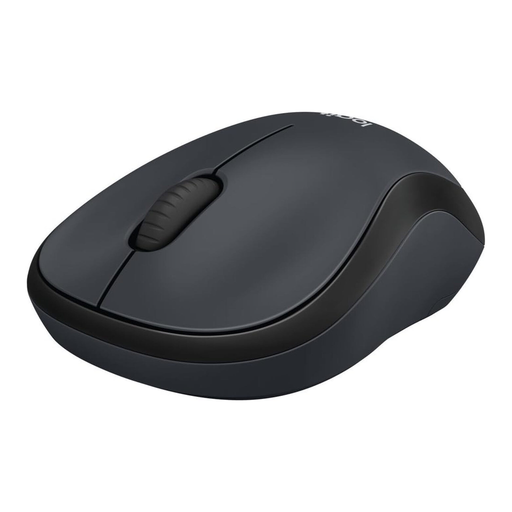
Why this product suits this profile: The M220 combines a simple 2.4 GHz wireless connection with a compact, symmetrical design, making it suitable for the office, studying and mobile use.
The product information mentions SilentTouch, a nano receiver and an automatic standby function. The receiver can be stored in the battery compartment.
2.4 GHz connection with a range of up to 10 metres, optical sensor, ambidextrous design and stated battery life of up to 18 months.
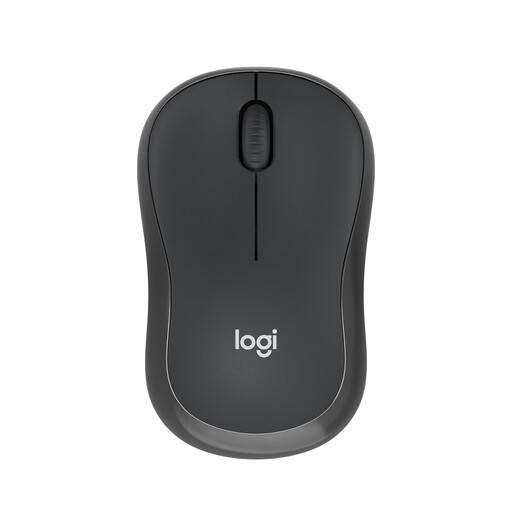
Why this product suits this profile: The mouse connects directly via Bluetooth and, according to the product description, does not require a separate USB dongle. This leaves the laptop port free.
Before buying, check whether the target device supports Bluetooth. If it does, there is no need to carry an additional receiver in your luggage.
Bluetooth connection, symmetrical compact design, automatic sleep function and stated battery life of up to 18 months.
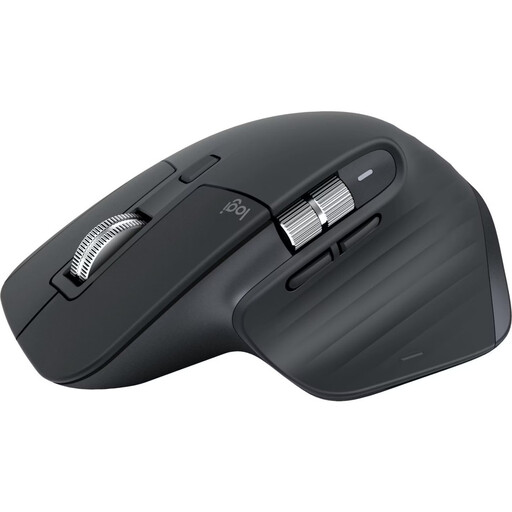
Why this product suits this profile: For extensive documents, multiple devices and long work sessions, this model offers several programmable buttons as well as an ergonomic, right-handed design.
The design is not symmetrical. Buyers with smaller hands or left-handed users should therefore compare the dimensions and orientation with their intended use beforehand.
Bluetooth for up to three devices, 8000-DPI sensor according to the product information, MagSpeed scroll wheel, seven programmable buttons and a USB-C rechargeable battery with up to 70 days of battery life.
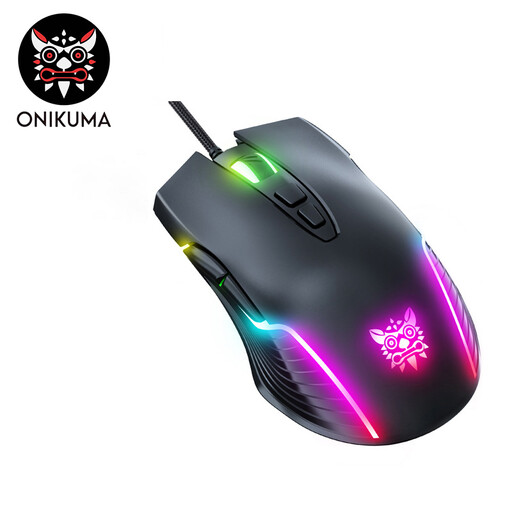
Why this product suits this profile: This wired gaming mouse is aimed at users who prefer additional buttons, adjustable DPI levels and RGB lighting.
The cable eliminates charging or battery concerns. However, you should make sure there is sufficient space on your desk before buying, as the cable affects freedom of movement.
Seven buttons, six selectable DPI levels from 800 to 6400, symmetrical design and plug-and-play USB connection.
We have put together a complete, regularly updated list of products that fully meet these strict selection criteria and the safety regulations applicable in the EU.
No. A quiet mouse usually reduces the noise made by certain buttons. The scroll wheel, middle button and movement across the desk surface may still be audible. You should therefore check product information for each individual control.
Bluetooth is suitable for compatible laptops, tablets and PCs when you do not want to occupy a USB port. A USB receiver is often easier to set up with desktop PCs or older devices. For a mouse for both laptop and PC, dual connectivity with Bluetooth and 2.4 GHz can provide additional flexibility.
Depending on the design, battery-powered models often claim runtimes ranging from several months to several years. Actual battery life depends on usage, standby mode and battery quality. With an integrated rechargeable battery, the charging port, charging time and stated battery life are important points of comparison.