What to look for when buying
Start by considering how important quiet clicks are in a shared room. Then check that the button layout, fit and connection suit the way you actually play.
| What matters |
What to check |
Who should pay particular attention |
| Click noise |
Look for explicitly quiet switches. If possible, try the main buttons, side buttons and scroll wheel in your own surroundings. |
If someone else in the room needs peace and quiet, discreet clicks matter more than impressive gaming specs. Around 36% of consumers put low click noise first. |
| In-game actions |
Make a note of the commands you need, then check which buttons can be reassigned on the specific model and whether they’re easy to reach. |
If I often use cards and menus, I want to be able to assign important commands to easy-to-reach buttons. Around 29% of consumers prioritise extra gaming controls. |
| Fit |
Check the size, shape and handedness of the exact variant, and make sure you can reach the buttons comfortably with your usual grip. |
If I play for longer sessions, the shape and buttons need to suit my hand. Around 21% of consumers put fit first. |
| Connection |
Check your computer’s Bluetooth and USB-A options, as well as what’s included with the specific variant. |
If I switch between devices or need a particular connection, the mouse needs to support it. Around 14% of consumers prioritise connection flexibility. |
Joybuy mice for a shared bedroom
This selection includes gaming mice with extra gaming buttons, as well as office and multi-device mice described as quiet. A Silent label alone doesn’t tell you whether the scroll wheel and side buttons are quiet too.
 No image available
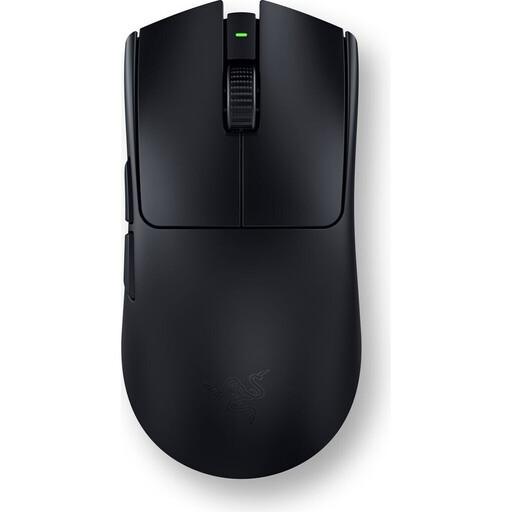
Viper V3 Pro – Black
If you want to assign in-game actions to mouse buttons, the product description lists six customisable buttons.
View at Joybuy
 No image available
HOFOTEK M308 2.4G Silent Office Mouse
If you’re looking for a mouse described as quiet, also check whether the scroll wheel and side buttons are quiet enough for your needs.
The product name specifies a 2.4GHz connection and adjustable DPI settings.
View at Joybuy
 No image available
HOFOTEK M311 2.4G+BT Silent Office Mouse
If you want to switch between devices, the product name lists both Bluetooth and 2.4GHz wireless.
The title also lists a 1xAA battery and adjustable DPI settings; check which connection is right for your device.
View at Joybuy
 No image available
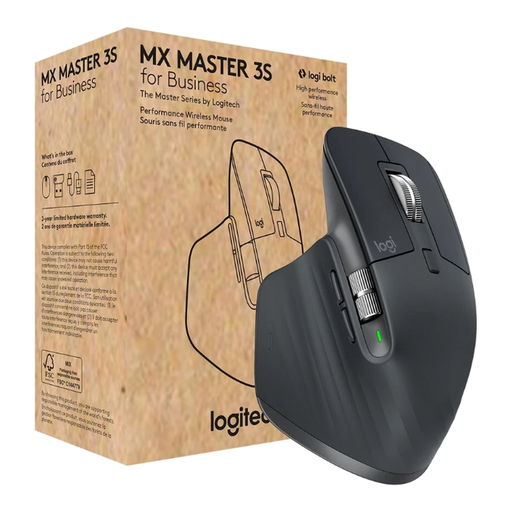
Logitech MX Master 3S for Business
If you’re looking for quiet clicks and extra assignable buttons, check that the features listed in the product name suit the actions you need in your game.
The product name lists Quiet Clicks, seven programmable buttons, Bluetooth and Logi Bolt.
View at Joybuy
 No image available
Logitech MX Master 3S Bluetooth Edition
If you want quiet clicks and extra buttons for gaming, check that these features match the inputs your game requires.
The product name lists Quiet Clicks, seven programmable buttons, a MagSpeed scroll wheel and Bluetooth.
View at Joybuy
Frequently asked questions
Do I need especially high DPI or polling rates for deck-building games?
The product features described here don’t point to any general need for especially high DPI or polling rates. First check that the pointer movement, scroll wheel and button layout suit your game; high gaming specs don’t guarantee quiet clicks or a comfortable fit.
How do I connect a wireless mouse to my computer?
Use whichever connection the specific model supports: Bluetooth on your computer or the appropriate USB receiver. Logitech describes both options for the M650; a compatible Logi Bolt receiver isn’t included with the MX Anywhere 3S described here.
What are my rights if I buy online in Germany and need to return a product or report a fault?
For a distance sale from a business seller, you generally have a 14-day right to cancel from the date of delivery, subject to legal exceptions. Your Europe, the European Union’s consumer portal, also explains the statutory guarantee for faulty goods, which generally lasts for at least two years; this is separate from a voluntary manufacturer’s warranty. Before returning an item, check the information about any return costs.
What should I check when buying a wireless mouse online?
Check the product’s markings and the information provided about the specific product and manufacturer. Germany’s Federal Network Agency describes market surveillance requirements for radio equipment; however, a CE mark alone doesn’t prove that a mouse has a particular click noise level or is suitable for your game.


