First, check whether the specific version of your football game supports the mouse controls you want. Then weigh the clicking noise against the buttons you need. EA confirms that EA SPORTS FC 27 supports mouse and keyboard controls on PC; this does not automatically apply to other games or platforms. If keeping noise down is your priority, consider a mouse explicitly described as quiet. For gaming models, check additional features and click noise separately.
Which mouse is right for you?
Considerate night-time gamer
If you share a bedroom with someone who is sleeping, you may want to prioritise quiet clicks over extra buttons. CHERRY describes the GENTIX SILENT as having specially designed quiet buttons. Check whether its three buttons, with no thumb buttons, are enough for the controls you need in your game.
PC gamer who wants to use a mouse
If you want to play football games using a mouse and keyboard, check the controls available in the specific version and on the platform you use. EA confirms this input combination for EA SPORTS FC 27 on PC.
Gamer with a small desk
If space is tight, choose a connection and cable set-up—or wireless connection—that works for your desk. CORSAIR says the KATAR PRO XT EU is wired; HyperX lists 2.4 GHz wireless and Bluetooth for the Pulsefire Haste 2 Wireless.
What should you look for when buying?
Mouse explicitly described as quiet
Best suited to: When being considerate in a shared bedroom matters more than having extra gaming buttons, and the available buttons are enough for your game controls.
Trade-off: According to the manufacturer, the CHERRY GENTIX SILENT has three buttons and no thumb buttons. This does not prove that every movement or sound is quiet.
Gaming mouse with extra features
Best suited to: When you need extra assignable buttons or wireless options, and your game supports those inputs.
Trade-off: HyperX lists six programmable buttons and audible click feedback for the Pulsefire Haste 2 Wireless. Gaming features do not mean the clicks are quiet.
Wired gaming mouse
Best suited to: When you have a spare port and can route the cable neatly around your desk.
Trade-off: The cable needs to suit your space; a wired connection says nothing about how loud the clicks are.
| Priority |
What to check before buying |
Who is it most relevant to? |
| Click noise |
Check the manufacturer’s information about the buttons and, if possible, listen to the main buttons, scroll wheel and side buttons in your own environment. |
If you play in a room with someone who is sleeping, quiet operation may matter more than extra buttons. Around 36% of the needs described here come from consumers who prioritise quiet clicks. |
| Game controls |
Check the game version, platform, mode and inputs you want to use. EA confirms mouse and keyboard support for EA SPORTS FC 27 on PC. |
If you want to perform actions with a mouse, support in your specific game version matters. Around 29% of the needs described here come from consumers who prioritise control compatibility. |
| Connection and space |
Check for a spare port and consider cable routing, or check the wireless receiver, Bluetooth compatibility and charging method. |
If your desk is short on space, think about how you can set up the cable or wireless connection. Around 21% of the needs described here come from consumers who prioritise connection and space. |
| Hand shape and buttons |
Check the shape and button reach against your hand and the actions you need in your game. |
If you want to reach certain actions comfortably or assign them to extra buttons, consider how well the mouse fits your hand and how many buttons it has. Around 14% of the needs described here come from consumers who prioritise these points. |
Common buying mistakes
-
Assuming gaming features mean quiet clicks
Extra buttons or wireless features don’t tell you how loud the buttons are. HyperX explicitly describes the Pulsefire Haste 2 Wireless as having audible click feedback.
Check noise information and the gaming features you need separately.
-
Buying a mouse without checking the game controls
EA’s confirmation of mouse and keyboard controls applies to EA SPORTS FC 27 on PC. Switching between input devices also depends on the game mode.
Before buying, check the game version, platform, mode and inputs you want to use.
-
Choosing a quiet office mouse based on its clicks alone
According to the manufacturer, the CHERRY GENTIX SILENT has no thumb buttons. If you want to assign in-game actions to those buttons, it may not offer enough controls.
First work out how many buttons you need, then weigh quiet operation against the features on offer.
Useful brands to consider
CHERRY
The GENTIX SILENT is an office mouse explicitly described as quiet. It’s aimed at buyers who value being considerate in a shared room more than having extra gaming buttons.
- CHERRY describes specially designed buttons that click without causing a disturbance.
- The model has three buttons, no thumb buttons and a wired USB-A connection. These are manufacturer claims, not the findings of an independent noise test.
HyperX
The Pulsefire Haste 2 Wireless is worth considering if you need wireless options and extra inputs, and are happy with audible click feedback.
- HyperX lists 2.4 GHz wireless, Bluetooth and six programmable buttons for this model.
- The manufacturer describes tactile and audible click feedback, so this model should not be considered silent.
CORSAIR
The wired KATAR PRO XT EU is a compact gaming option if its shape and cable set-up suit your desk.
- CORSAIR lists a symmetrical shape, wired connection and 18,000 DPI sensor for this EU version.
- These details don’t tell you how loud the clicks are.
Razer
The Viper 8KHz is a wired gaming option with a stated high polling rate. Check separately whether it suits your game and a quiet room.
- Razer lists a polling rate of 8,000 Hz for the Viper 8KHz.
- This figure proves neither an advantage in football games nor quiet clicks.
Cooler Master
The MM720 is a wired gaming alternative if its shape and cable set-up suit the way you use it.
- Cooler Master lists a fixed 1.8 m cable, six buttons and a weight of 49 g for the MM720.
- These details don’t prove that it’s quiet; grip information may vary by version.
Mice at Joybuy
This selection includes wired and wireless gaming mice, as well as simpler PC mice. Check that the button layout and connection work for your game and desk, and assess click noise separately.
 No image available
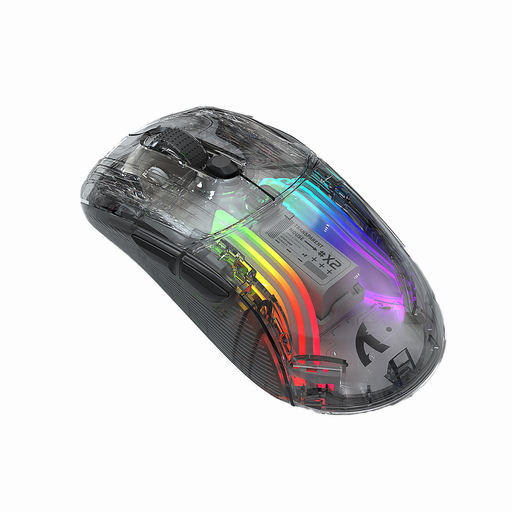
KINSI X2 Wireless Bluetooth Mouse, 3 Modes, Transparent, RGB, 2400 DPI, Rechargeable, Silent
It’s worth considering if you want wireless options for your desk; check how loud the clicks are before using it in a shared bedroom.
The product name lists three connection modes, 2400 DPI, RGB, a rechargeable design and “Silent”.
View at Joybuy
 No image available
NAXSIR 3-in-1 Gaming Mouse, 12.800 DPI, 7 Programmable Macro Keys, RGB, Black
It may suit you if you need extra controls for your game; check the buttons against your game and assess click noise separately.
The product name lists wired, 2.4 GHz and Bluetooth connections, as well as seven programmable macro buttons.
View at Joybuy
 No image available
Logitech G G502 Hero High Performance Gaming Mouse
If you’re considering this gaming model, check before buying that its specific button layout and click noise suit your game and room.
View at Joybuy
 No image available
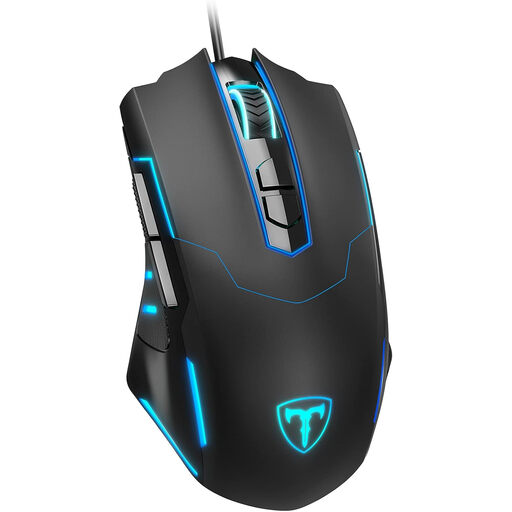
ET Wired Gaming Mouse, 7200 DPI, 7 Programmable Buttons
It’s worth considering if you’re looking for a wired mouse with extra assignable inputs; check that the cable will work with your desk.
The product name lists plug-and-play, adjustable DPI up to 7200 and seven programmable buttons.
View at Joybuy
 No image available
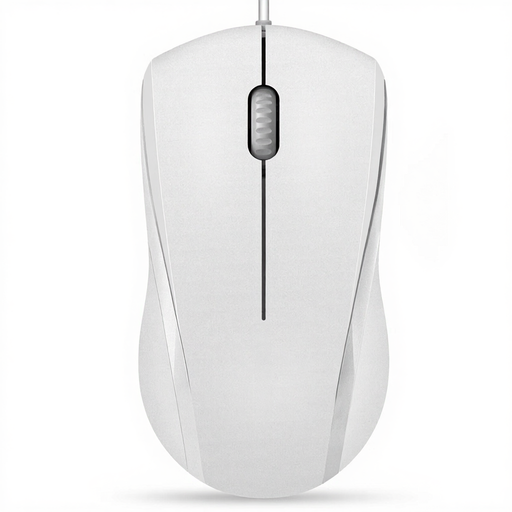
RAPOO N1600 Wired Mouse, 1000 DPI, 3-Button USB, White
It may suit you if a basic wired mouse is all you need; note that the description says the middle button click is not quiet.
The product name lists 1000 DPI, three buttons and a USB connection. The description says one button is quiet, but excludes the middle click.
View at Joybuy
Frequently asked questions
Do I have to use a controller to play EA SPORTS FC 27 on PC?
No. EA confirms that you can use a mouse and keyboard at the same time. The rules for switching between input devices vary by game mode, and this information does not automatically apply to other versions or platforms.
Is a mouse described as quiet automatically suitable for lots of in-game actions?
No. According to the manufacturer, the CHERRY GENTIX SILENT has three buttons and no thumb buttons. Before buying, check that its buttons cover the actions you actually need in your game.
What should I check when using a wireless mouse with my PC?
Check which connection types your device supports. According to the manufacturer, the HyperX Pulsefire Haste 2 Wireless offers 2.4 GHz wireless or Bluetooth and can be charged using its charging cable. This applies to this model, not every wireless mouse.
Who should I contact if the mouse develops a fault after purchase?
If you buy from a business seller in the EU, you generally have a statutory guarantee of at least two years from the date you receive the goods. The seller is responsible for statutory claims; a voluntary manufacturer’s warranty is separate.


