Being considerate at night
You play while someone else is sleeping in the same room, and quiet buttons are more important to you than extra gaming features.


If someone is sleeping in the same room while you play, look first for buttons specifically described as quiet, then check the fit and scroll wheel. The term ‘gaming mouse’ alone tells you nothing about how quiet its clicks are. If extra buttons or a wireless gaming connection matter more, consider models with those features, but assess their noise levels separately.
You play while someone else is sleeping in the same room, and quiet buttons are more important to you than extra gaming features.
You use your mouse for long stretches and pay particular attention to how well it fits your hand and how easy the scroll wheel is to use. CHIP lists ergonomics as an important factor when choosing a gaming mouse.
You want extra controls or a particular type of connection, and check how loud the clicks are separately from the gaming label.
For city-building games in a shared bedroom, noise, fit, controls and connectivity can all make a difference.
A good fit if: being considerate of someone who is sleeping comes first, and the available buttons are enough for your game.
The trade-off: According to the manufacturer, the CHERRY GENTIX SILENT has three buttons and no DPI switch.
A good fit if: you want quiet switches as well as a switchable scroll wheel and a 2.4 GHz receiver. Razer lists these features for the Pro Click Mini.
The trade-off: A compact design doesn’t guarantee a comfortable fit for your hand or a particular noise level in the bedroom.
A good fit if: wireless gaming features and a gaming sensor matter more to you than specifically quiet clicks. Logitech G lists LIGHTSPEED and Bluetooth for the G309.
The trade-off: The G309’s mechanical actuation feedback doesn’t prove that its clicks are quiet.
| What matters | What to check when buying | Who it matters most to |
|---|---|---|
| Click noise | Look for a specific claim that the main buttons are quiet; assess the scroll wheel clicks and side buttons separately. | If I play while someone is sleeping, the noise from the main buttons is my first concern. Around 40% of consumers may prioritise click noise above all else. |
| Fit | Consider your hand size and whether you need a left- or right-handed model. | For long sessions, I want a mouse that fits my hand and feels comfortable to use. Around 30% of consumers may prioritise fit above all else. |
| Scroll wheel and buttons | Check the wheel modes and whether the buttons are within easy reach; make sure the configuration you need works with your game. | If I navigate often or want to assign commands to mouse buttons, I need the right controls. Around 20% of consumers may prioritise navigation and buttons above all else. |
| Connectivity and power | Check that Bluetooth, a USB receiver or a cable will work with your computer’s ports; confirm the power source and whether a receiver is included. | I want a connection that works with my computer and desk setup, without having to improvise when I plug it in. Around 10% of consumers may prioritise the connection type above all else. |
Wireless gaming features and gaming switches don’t prove that a mouse will be quiet in a shared room.
First, check the information about quiet buttons for the specific model, then consider its other features.
A claim about quiet switches doesn’t automatically tell you how loud the scroll wheel or side buttons are.
Check the controls you’ll actually use while gaming.
For the Logitech Signature M650, the manufacturer recommends the M650 for small to medium-sized hands and the M650 L for large hands.
Before buying, check the full model name, the variant and the connection type.
CHERRY describes the wired GENTIX SILENT as having quiet buttons. According to the manufacturer, the STREAM MOUSE COMFORT is a right-handed wireless mouse with quiet buttons.
Logitech describes the Signature M650 as featuring SilentTouch and offers it in different sizes. The Logitech G G309 LIGHTSPEED is designed for different priorities, including wireless gaming.
Razer describes the compact Pro Click Mini as a productivity mouse with quiet switches, a 2.4 GHz receiver and several scroll wheel modes.
This selection ranges from gaming mice with customisable controls to wireless mice and keyboard-and-mouse sets for your desk. With a set, check whether any claim about quiet operation specifically applies to the mouse or just to the keyboard.
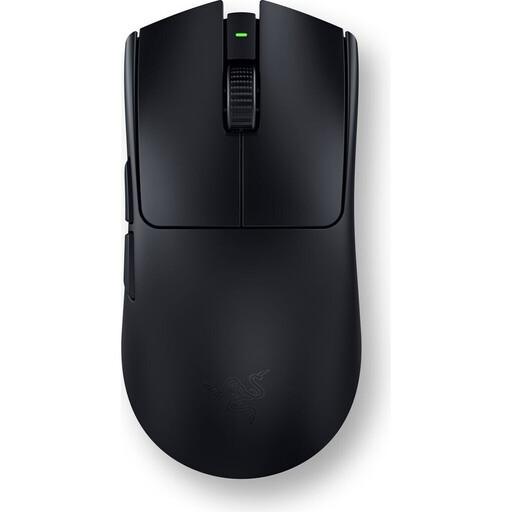 No image available
A gaming mouse for players who want to use customisable commands in city-building games.
 No image available
A gaming mouse for players considering multiple connection options and programmable buttons.
The product title lists five programmable buttons, a weight of 62 g, up to 22,000 DPI, and 2.4 GHz, Bluetooth and USB-C connectivity. Grip tape is also listed.
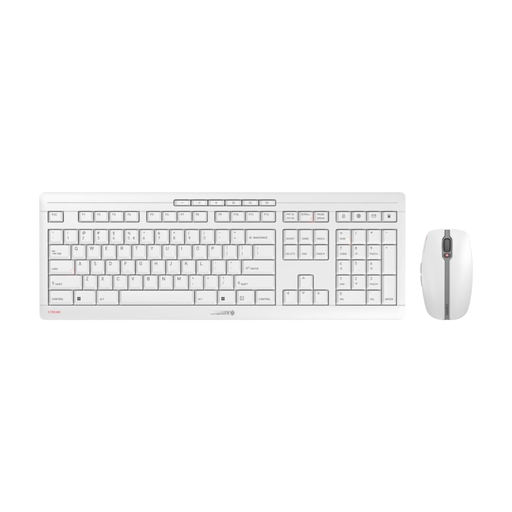 No image available
This set may suit you if you’re looking for a mouse and keyboard together. The claim about quiet scissor keys applies to the keyboard, not necessarily to the mouse.
The product title lists 2.4 GHz wireless connectivity, an EU layout (QWERTY) and a white-grey finish.
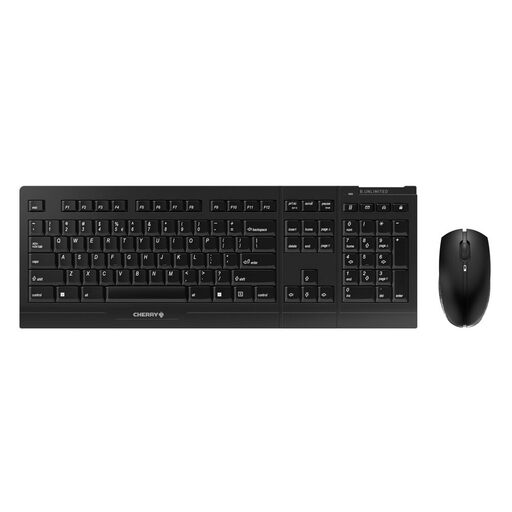 No image available
This set may suit you if you’re looking for a wireless keyboard and mouse for your desk. The claim about quiet scissor-switch keys applies to the keyboard.
The product title lists 2.4 GHz wireless connectivity and an EU layout.
 No image available
An option if you’re considering a wireless mouse described as a Silent Office Mouse; the name alone doesn’t guarantee a particular noise level in a bedroom.
The product title lists 2.4 GHz and Bluetooth connectivity, several DPI settings and operation with one AA battery.
No. Logitech G describes the G309 as having LIGHTFORCE switches with mechanical actuation feedback, while CHERRY and Razer list quiet switches for other specific models. Check the noise level of the model you’re interested in, including its scroll wheel and side buttons.
Check whether you want to use Bluetooth or can connect a USB receiver. According to Logitech, the Signature M650 supports both connection types; the G309 offers LIGHTSPEED and Bluetooth and runs on one AA battery during normal use.
If you buy a faulty product from a trader in the EU, you’re generally entitled to a minimum two-year legal guarantee from the date you receive the goods, according to Your Europe. This is separate from any voluntary manufacturer’s warranty. For online purchases in Germany, the Verbraucherzentrale says you usually have 14 days from receiving your order to cancel. Exceptions and the specific terms of your contract should be taken into account.
As part of its market surveillance, the Bundesnetzagentur checks, among other things, for the CE marking, product identification and correct manufacturer details. According to the Umweltbundesamt, discarded mice are electrical waste and must be collected separately.