What should you look for when buying?
First, check whether the shared computer can use USB-A, Bluetooth or a wireless receiver. Then compare click noise and scrolling. If you’re considering a more sculpted mouse, make sure it suits your hand size and handedness.
The percentages show which purchase consideration consumers prioritise in this usage scenario.
| Consideration |
What to check when buying |
Who is it important to? |
| Quiet buttons |
Check which buttons are described as quiet, and whether the connection and number of buttons suit your needs. |
When I’m working alongside other people, I want clicks to be as unobtrusive as possible. Consumers who prioritise quiet buttons account for around 31 % in this scenario. |
| Precise and fast scrolling |
Check whether the specific model supports both line-by-line and fast scrolling, and how you switch between them. |
When correcting text, I want to move through individual lines with control, but also scroll quickly through long pages. Consumers who prioritise scrolling account for around 25 %. |
| Fit and positioning |
Compare the recommended hand size and left- or right-handed version; make room for your mouse, keyboard and arm support. |
When several people use the same mouse, its size and handedness need to suit each person. Consumers who prioritise fit account for around 25 %. |
| Connecting to multiple computers |
Check Bluetooth availability, the ports available, IT requirements and what’s included with the exact version. |
If I work across different computers, I need a connection that I can actually use with them. Consumers who prioritise switching between connections account for around 19 %. |
Mice for quiet work at a shared desk
This selection includes mice described as suitable for quiet working, including wireless models with scrolling or device-switching features.
 No image available
HOFOTEK M311 2.4G+BT quiet office mouse
Worth considering if you’re looking for a mouse described as quiet, with several connection options for different devices. Check that it connects to your computers.
The product title lists 2.4G+BT, adjustable DPI settings, compatibility with multiple systems, white and grey, and a 1xAA battery.
Joybuy
 No image available
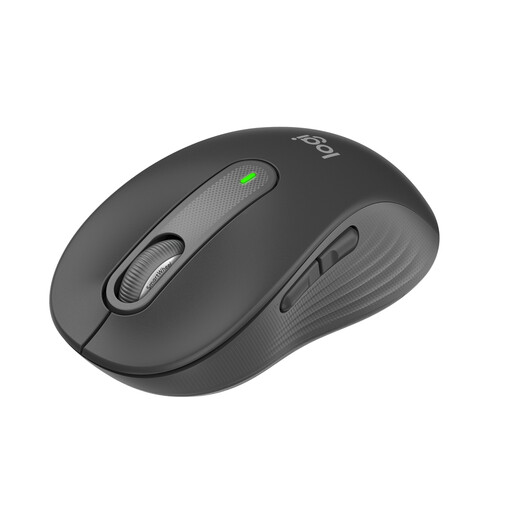
Logitech Signature M650 for small and medium-sized hands
A good fit for quiet work and different scrolling styles, provided it suits your hand size and your computer supports Bluetooth or Logi Bolt.
The product title lists quiet clicks, SmartWheel, Bluetooth and Logi Bolt, as well as a 24-month battery life; the colour is Graphite.
Joybuy
 No image available
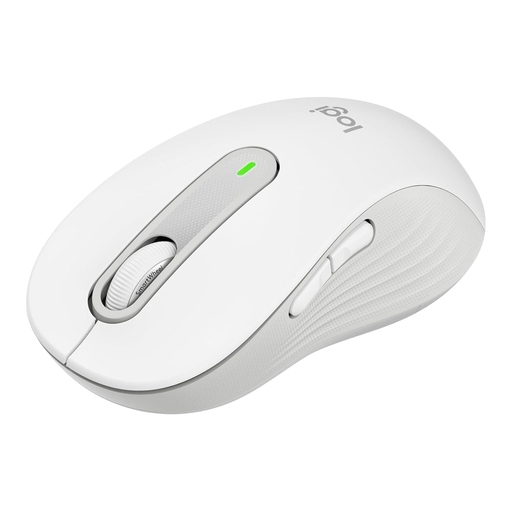
Logitech Signature M650 L
This version is designed for large hands, making it worth comparing if fit is your main priority.
The product title lists SmartWheel, SilentTouch, Bluetooth and a Logi Bolt USB receiver, five buttons, a 24-month battery life and the colour off-white.
Joybuy
 No image available
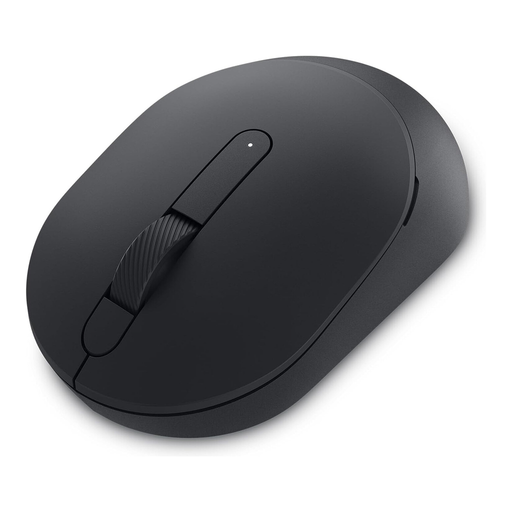
DELL Silent Mouse MS355
Could be worth considering if you’re looking for a mouse described as quiet for use at different workstations. Check that its connection and controls meet the requirements of your computers.
The product name identifies the model as DELL Silent Mouse MS355.
Joybuy
 No image available
Logitech MX Master 3S Bluetooth Edition
Could be a good option for quiet work and long newsletter pages if you want to use the features listed and the shape suits your hand.
The product title lists Bluetooth, Quiet Clicks, MagSpeed, multi-device connectivity, an ergonomic design, an 8K DPI sensor and the colour Graphite.
Joybuy
Frequently asked questions
Do I have to use Bluetooth with a shared computer?
No. Depending on the model, you can use a USB cable, Bluetooth or a wireless receiver. Check the ports and IT requirements of the computer you’ll actually be using. According to CHERRY, the GENTIX Silent needs USB-A, while the Logitech Signature M650 supports Bluetooth or Logi Bolt.
How should I set up my mouse for long sessions of text work?
Make sure there’s enough room to position your mouse and keyboard flexibly and rest your arm. The BAuA identifies hand size and shape as important factors in finding a good fit; if several people share a mouse, each person should be able to adjust the layout to suit them.
What should I bear in mind when using a wireless mouse?
Keep the receiver that came with the model somewhere easy to find, or check whether Bluetooth is allowed. According to the manufacturer, the CHERRY MW 9100 receiver can be stored inside the mouse and its built-in battery can be charged by cable; this does not necessarily apply to other wireless mice.
What are my rights if a mouse bought online doesn’t fit or is faulty?
When you buy as a consumer online, you generally have a 14-day right to cancel; you must notify the seller that you wish to cancel. This is separate from your statutory rights against the seller if the item is faulty. According to consumer information from the European Union, these rights apply for at least two years from the date you receive the goods. Different rules may apply if an employer, rather than a consumer, makes the purchase.
Can I put an old mouse in the general rubbish?
No. The German Federal Ministry for the Environment explains that waste electrical and electronic equipment must be collected separately from general rubbish, and that private consumers can return it free of charge through designated collection schemes. Check which local take-back point is suitable.


