For longer writing sessions at a shared desk, choose a mouse with quiet buttons and a connection that works with the computer you use. Then consider your hand and the space available: a compact mouse is easy to carry, a well-fitting vertical mouse may suit longer sessions, and a trackball stays in place when you have little room to move a mouse around. None of these designs will automatically suit every hand, so check whether the mouse is made for left- or right-handed use and which ports are available.
Who writes at a shared desk?
Considerate typists
If you work at the same desk as other people, you’ll want to keep clicking noises to a minimum when making lots of corrections. Logitech and CHERRY describe the buttons on the models in question as quiet; also check which connections are available on your work computer.
People who write for long periods
If you work on forms, receipts and spreadsheets for extended periods, choose a shape that suits your hand and whether you’re left- or right-handed. The German Social Accident Insurance (DGUV) recommends an individual assessment of input devices and the workplace if you experience discomfort; a product described as ergonomic is no substitute for checking that it fits.
People who move between workstations
If you switch between computers or have little free space on your desk, consider the connection and how the mouse is controlled together. Depending on the model, Logitech, Kensington and HP offer Bluetooth, USB receiver or trackball options.
What should you consider when choosing?
For longer writing sessions at a shared desk, the key considerations are quiet operation, a shape that suits your hand, a compatible connection and enough room to move the mouse.
Compact, quiet Bluetooth mouse
A good fit if: You take your mouse between workstations and are allowed to use Bluetooth on your computer. Logitech describes the M240 Silent as a compact mouse with quiet clicks that doesn’t need a USB receiver.
Keep in mind: Bluetooth must be available and permitted on the computer you’re using; the manufacturer’s noise-reduction claim isn’t a measurement of how it sounds at your desk.
Vertical mouse
A good fit if: The shape of the mouse is a key consideration for you during longer sessions. Logitech says the Lift is designed for small to medium-sized hands and is available in a dedicated left-handed version.
Keep in mind: The right- and left-handed versions aren’t interchangeable, and the shape needs to suit your hand.
Stationary trackball
A good fit if: There’s little room to move a mouse around your desk and you’d like to try controlling one with your thumb. According to Kensington, the Pro Fit Ergo TB450 connects via Bluetooth LE or the included 2.4 GHz receiver.
Keep in mind: It works differently from a conventional mouse; Kensington says the TB450 is designed for medium to large hands.
Quiet mouse with a USB cable or receiver
A good fit if: Bluetooth isn’t an option but a suitable USB port is available. CHERRY describes the STREAM MOUSE COMFORT as having quiet buttons and a nano USB receiver.
Keep in mind: A cable needs room to move, while a receiver needs a free port; the CHERRY mouse mentioned here is designed for right-handed use.
| What matters |
What to check when buying |
Who is this important for? |
| Quiet operation |
Check the information about the main buttons and, if needed, consider the scroll wheel and side buttons too; don’t assume it will have a particular noise level at your desk. |
If I want to disturb others at the desk as little as possible when correcting text, I pay attention to repeated clicks. Consumers who prioritise quiet operation are likely to account for around 36%. |
| Fit for longer use |
Check the hand size, whether it’s a right- or left-handed version, and whether the buttons are easy to reach on the specific model. |
For longer sessions, I want a shape that suits my hand and whether I’m left- or right-handed, rather than relying on the word ‘ergonomic’ alone. Consumers whose main concern is fit are likely to account for around 29%. |
| Connection to the work computer |
Check whether Bluetooth is permitted, whether there’s a free USB port and whether you have the necessary software permissions on the computer you’ll actually use. |
If I’m working on a shared or managed computer, I first check which connections are available and permitted. Consumers who check connection requirements first are likely to account for around 21%. |
| Room to move |
Check the free space available for moving the mouse. If you’re considering a trackball, think about the different way of controlling it and how easy it is to clean. |
If paperwork limits the space I have to move a mouse, I want to know whether there’s still enough room or whether a stationary control would suit me. Consumers whose main concern is space are likely to account for around 14%. |
Avoid common assumptions
-
‘Ergonomic’ doesn’t automatically mean it will fit
The Logitech Lift is available for small to medium-sized hands, while the Kensington TB450 is designed for medium to large hands. Whether a particular version is suitable also depends on whether you’re left- or right-handed.
Before buying, check your hand size and whether the exact model is designed for right- or left-handed use. If you experience discomfort, have your individual workplace setup assessed rather than expecting a particular mouse shape to help.
-
Don’t order a wireless mouse without checking the connection
The Logitech M240 Silent connects via Bluetooth; the CHERRY STREAM MOUSE COMFORT uses a nano USB receiver. A mouse may not work with a shared computer if the connection it needs isn’t available or permitted.
Check that the connection on the exact model works with your computer and is allowed in your workplace. Also make sure there’s a free USB port if you need one.
-
A trackball works differently from a conventional mouse
The Kensington TB450 uses a thumb-operated ball to control the pointer. According to the manufacturer, you can remove the ball for cleaning.
Only choose this design when desk space is limited if you’re comfortable using the thumb control and the stated hand size suits you.
Key brands to consider
Logitech
The models mentioned include a compact Bluetooth mouse and a vertical mouse with a dedicated left-handed version.
- Logitech describes the M240 Silent as having quiet clicks and Bluetooth connectivity without a dongle.
- According to the manufacturer, the Lift is designed for small to medium-sized hands and is available in a left-handed version.
- Bluetooth needs to be available on the computer you’re using, and the vertical mouse should fit your hand.
Kensington
The models considered include the stationary TB450 trackball and a wired Pro Fit Ergo mouse.
- Kensington says the TB450 connects via Bluetooth LE or a 2.4 GHz connection using the receiver supplied.
- According to the manufacturer, the TB450 is designed for medium to large hands and is controlled with a thumb-operated ball.
- Kensington notes that the wired Pro Fit Ergo mouse mentioned here has limited compatibility with Windows computers powered by ARM processors.
CHERRY
The STREAM MOUSE COMFORT is a wireless mouse with a USB receiver, designed for right-handed use.
- CHERRY describes the mouse as having quiet buttons and a USB wireless receiver.
- According to the manufacturer, this particular version isn’t designed for left-handed use.
- The manufacturer’s claims about ergonomics and wireless connectivity aren’t an independent assessment of your particular workplace.
HP
The HP 430 is an option if you want to choose between Bluetooth and a USB-A dongle.
- HP documents both connection types, use with either hand and an AA battery.
- There’s no evidence that the HP 430 has particularly quiet clicks, so it isn’t specifically described as a silent alternative.
Joybuy mice for quiet typing
This selection includes models described as quiet, with Bluetooth, a USB receiver or a cable. Before buying, check which connection and design suit your work computer and your hand.
 No image available
HOFOTEK M311 2.4G+BT Silent Office Mouse, White-Grey
An option if you want quiet operation and can use Bluetooth or a USB receiver with your computer.
Listed in the product name: 2.4G+BT, multi-level adjustable DPI and 1× AA battery.
View on Joybuy
 No image available
Logitech MX Master 3S Bluetooth Edition
For right-handed users who can use Bluetooth and want a mouse with clicks described as quiet.
Listed in the product name: 8K DPI, MagSpeed scroll wheel, Quiet Clicks and Graphite colour.
This shape is designed for right-handed use.
View on Joybuy
 No image available
Philips 3000 Series SPK7378B/00, 2.4 GHz mouse
An option if you can use a USB receiver with your work computer and are looking for a mouse described as quiet.
Listed in the product name: 2.4 GHz, USB receiver, 1600 DPI and Silent Click.
View on Joybuy
 No image available
Logitech Signature M650 L, Graphite
For shoppers looking for a mouse described as quiet, designed for large hands and compatible with their computer’s Bluetooth.
Listed in the product name: Quiet Clicks, Bluetooth and customisable side buttons.
This M650 L version is designed for large hands.
View on Joybuy
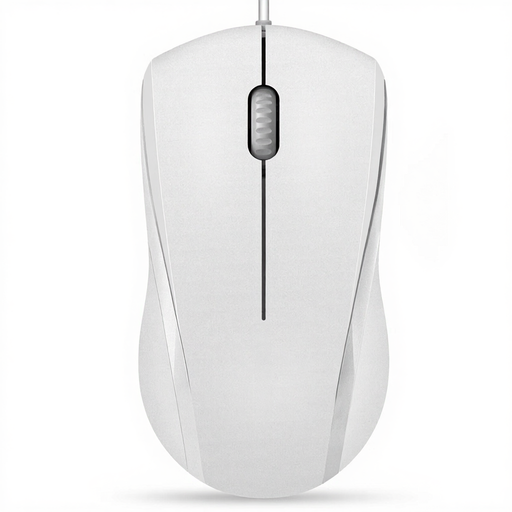 No image available
RAPOO N1600 Wired Mouse, 1000 DPI
A wired option if a USB port is available and you want quiet left and right buttons.
Listed in the product name: 1000 DPI, three buttons and a 5-foot cable; designed for both left- and right-handed use.
The middle button click isn’t quiet.
View on Joybuy
Frequently asked questions
What should I check before connecting a mouse to a shared computer?
Check whether Bluetooth or a free USB-A port is available and whether you’re allowed to install any necessary software. Logitech says the M240 Silent uses Bluetooth without a dongle; HP describes the HP 430 as connecting via Bluetooth or a USB-A dongle. This doesn’t mean your workplace’s IT team has approved either option.
How do you care for a trackball at a shared workstation?
According to the manufacturer, you can remove the Kensington TB450’s ball for cleaning using the eject button. Follow the instructions for the exact model you’ve bought when choosing cleaning products and deciding how to clean it.
What ongoing costs and rights should I consider when buying?
For the wireless Logitech M240 Silent and HP 430, the manufacturer specifies one AA battery for each. The Verbraucherzentrale distinguishes the statutory warranty against the seller from a voluntary manufacturer’s guarantee. Many online purchases are generally covered by a 14-day right to cancel; the conditions depend on the specific purchase.
What should I look out for from a compliance perspective when buying a wireless mouse?
The Bundesnetzagentur lists correct CE marking, product traceability and accurate manufacturer details among the points it checks during market surveillance. This doesn’t confirm that a particular mouse model complies with the relevant requirements.
Can I put an old mouse in the general waste?
No. According to guidance from the German Environment Agency, electrical and electronic waste must be collected separately. Remove any removable batteries before handing the mouse in, then dispose of them separately at a battery collection point.


