Students sharing a room
If you’re comparing timetables while others are sleeping or studying, quiet buttons can be important. Logitech and Rapoo list this feature for certain models, but it doesn’t apply to every mouse from either brand.


For comparing timetables in a student room, a mouse with quiet buttons is an obvious choice if others are studying or sleeping nearby. Logitech and Rapoo both offer specific models with this feature. For longer pages, controllable scrolling and the right connection are also important, while hand size and posture matter during extended use. The Federal Institute for Occupational Safety and Health also highlights the positioning of your mouse and keyboard. A wired mouse may be suitable if you have a free port and want to avoid batteries. Bear in mind that manufacturers’ claims about noise reduction and battery life are not based on standardised comparison tests.
If you’re comparing timetables while others are sleeping or studying, quiet buttons can be important. Logitech and Rapoo list this feature for certain models, but it doesn’t apply to every mouse from either brand.
When switching between long pages, tables and possibly multiple devices, scrolling and the type of connection are often more important than a high sensor resolution. Logitech and HP list scrolling features for certain models.
If you use your mouse for extended periods beyond checking timetables, consider your hand size, mouse position and posture together. The Federal Institute for Occupational Safety and Health highlights the importance of a shape that suits your hand and being able to position your mouse and keyboard flexibly.
First, check whether the click noise and scrolling suit your room and the timetable pages you use. Then consider the connection, how the mouse fits your hand and its power supply.
| What matters | What to check before buying | Who it matters most to |
|---|---|---|
| Quiet clicks | Check whether the specific model has quiet buttons, and treat noise-reduction claims as manufacturer statements. | When I’m comparing timetables late at night in a shared room, I want to disturb others as little as possible with clicks. Around 28% of consumers prioritise quiet clicks. |
| Scrolling control | Check whether the scroll wheel works well for both precise line-by-line scrolling and longer pages. | When looking at long timetable pages, I want to move through them quickly and find individual departure times precisely. Around 22% of consumers prioritise scrolling control. |
| Connection | Check Bluetooth support, available USB ports and the connection method used by the specific model. | When switching between computers, I want to use a connection that works with the ports I have. Around 22% of consumers prioritise connection flexibility. |
| Fit for your hand | Consider your hand size, preferred hand and whether you have room to rest your arm comfortably. | For extended use, I want a mouse whose shape suits my hand and posture. Around 17% of consumers prioritise a good fit for their hand. |
| Power supply | Check whether batteries are included and how the specific model is powered. | If I want to avoid buying extra batteries, I check the power supply and consider a wired mouse if I have a suitable port. Around 11% of consumers prioritise not needing to buy extra batteries. |
Bluetooth and USB receivers are different connection methods. According to CHERRY, the CHERRY MW 2400 needs USB-A, while the Logitech M240 Silent connects directly via Bluetooth.
Before buying, check your computer’s ports and Bluetooth support against the exact model and what’s included in the box.
If you don’t have a suitable USB port, you may need an appropriate adapter to use a receiver.
Logitech distinguishes the M650 L for large hands from the M650 L Left for left-handed users. Confusing the two could mean the shape isn’t right for your preferred hand.
Check the full model name and which hand it’s designed for, rather than just the shortened name “M650 L”.
Logitech quotes 18 months for the M240 Silent, while Rapoo says up to nine months for the M200 Silent. These figures are for different models and aren’t comparison results measured under the same conditions.
Consider the power supply and the possibility of changing the batteries. If you want to avoid batteries, a wired mouse may also be an option if you have a suitable port.
For this selection, relevant options include the quiet Bluetooth M240 Silent, the differently shaped Signature M650 variants and the vertical MX Vertical.
The M200 Silent combines quiet buttons with Bluetooth and 2.4 GHz wireless connectivity.
The MW 2400 is an ambidextrous wireless mouse with a USB receiver.
According to HP, the HP 430 combines Bluetooth, 2.4 GHz wireless connectivity and fast scrolling.
The Fyda Wired is a wired option, while the Nito Silent is a separate wireless model with quiet buttons.
The following mouse options include wired and wireless models for comparing timetables at your desk. The key is choosing a connection that suits your setup and features that work for the pages you use and how you use them.
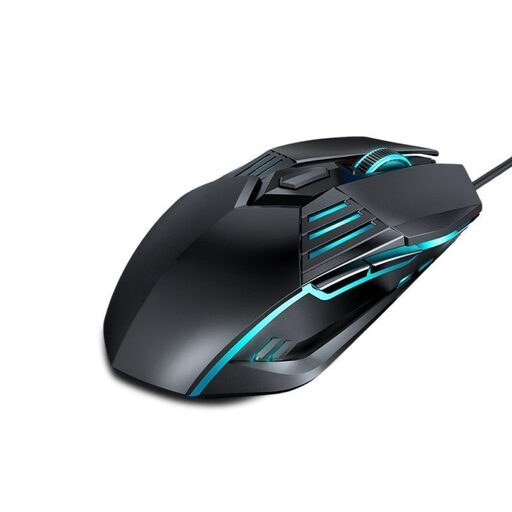 No image available
A wired USB mouse for a permanent desk setup, provided you have a suitable port.
Resolutions listed in the product name: 1,200, 1,800, 2,400 and 3,600 dpi.
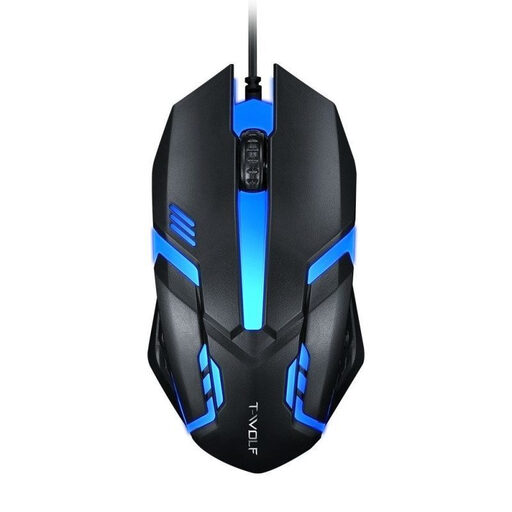 No image available
A wired option for desk use, if your computer has a suitable USB port.
Described in the product name as suitable for desktop PCs and laptops.
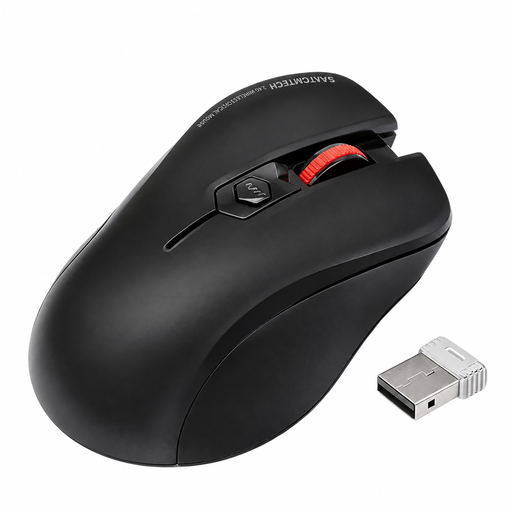 No image available
A good choice for a shared room if quiet clicks matter and your computer has a suitable port for the receiver.
The product name specifies quiet clicks and an included USB receiver.
 No image available
A wireless office mouse with quiet clicks for situations where noise in the room matters.
The product name lists several DPI settings and a black finish. A suitable USB port is needed for the wireless connection.
 No image available
A wireless mouse with quiet clicks, Bluetooth and 2.4 GHz connectivity, if these options suit your devices.
The product name lists several DPI settings, a white and grey finish and one AA battery (1×AA).
Not for a direct Bluetooth connection, but your computer must support Bluetooth. If the mouse connects via a USB receiver, you’ll need a suitable port. Check how the specific model connects.
No. A vertical shape doesn’t guarantee you’ll be free from discomfort. Logitech describes the MX Vertical as a mouse that holds your hand at a more rotated angle. The Federal Institute for Occupational Safety and Health also stresses the importance of a suitable shape, arm support, desk arrangement and avoiding prolonged static postures.
The seller is generally responsible for your statutory rights. The Verbraucherzentrale (German consumer advice centre) states that new goods are covered for two years; a voluntary manufacturer’s guarantee is separate.
The Bundesnetzagentur (German Federal Network Agency) lists points to check including the CE marking, product identification, manufacturer details, German-language instructions and the declaration of conformity. A listing alone doesn’t prove that the specific item is compliant, so check the product and its documentation when you buy it.
No. According to the German Environment Agency, waste electrical and electronic equipment must be collected separately. Remove the batteries before disposal if possible, and take them to a separate battery collection point.