Who is a headset for quiet quiz recordings suitable for?

Quiet quiz narrators

If you speak softly on purpose, it’s important to position the microphone boom correctly and set the input level to suit your voice. Audio-Technica describes adjustable microphone booms, while Shure explains that a microphone signal should go into a microphone input, not a line input.

Recording in a busy room

If you can hear computer fans or other noises in the room, you can check the microphone position and sound with a test recording. A noise-cancelling microphone alone is no guarantee that a quiet quiz voice will be recorded clearly in your room.

Quiz producers with existing recording equipment

If you already use a computer, mixer or interface, check that the headset connections match your existing setup. Audio-Technica describes USB and XLR configurations; RØDE specifies an analogue TRRS connection for the NTH-100M and provides guidance on connecting it to XLR.

What matters when recording a quiet quiz voice?

USB with a compatible computer

Suitable if: you want to record without a separate audio interface and your computer has the USB connection you need.

Worth noting: USB alone won’t eliminate room noise or compensate for poor microphone positioning; Audio-Technica says the ATH-M50xSTS-USB has a permanently attached cable.

XLR with an existing recording setup

Suitable if: your interface or mixer has a microphone input and a compatible headphone output.

Worth noting: you’ll need compatible connections; an XLR microphone should be connected to a microphone input, not a line input.

Analogue headset with compatible sockets

Suitable if: your device has a compatible headset microphone input and the pin configuration and signal path match the model.

Worth noting: for connecting the RØDE NTH-100M to an XLR microphone input, RØDE specifies a suitable adapter to provide the required plug-in power.

Priority What to check when buying Who is this important to?
Clear, quiet voice Check for an adjustable microphone boom and a suitable microphone input; record and listen back to a quiet test line. Shure highlights the difference between a microphone input and a line input. If I speak quietly, I want my voice to remain clear in the introduction. Around 42% of consumers prioritise recording a quiet voice.
Background noise and plosives Test the microphone position during a pause in speech and with P and B sounds; listen back to the recording in your own room. If room noise or harsh breath sounds could be distracting, I want to check for them in a test take. Around 25% of consumers prioritise reducing background and breathing noise.
Connection and recording setup Check the sockets on the exact model against your computer, interface or mixer, and allow for any adapters you may need. If I want to keep using my existing equipment, I need the headset to work without incompatible connections or unexpected extra equipment. Around 17% of consumers focus mainly on finding a suitable recording setup.
Fit and monitoring Check the fit and ear cushions; make sure you can monitor the microphone signal through your own recording equipment. If I’m recording several takes, I want the headset to feel comfortable and let me monitor my voice as I record. Around 16% of consumers pay particular attention to fit and monitoring.

Common misconceptions when buying a headset for voice recording

  • Assuming the USB and XLR StreamSet use the same connection

    Audio-Technica describes different connection options for the ATH-M50xSTS and ATH-M50xSTS-USB. Choosing the wrong version could mean you can’t connect it to your existing recording equipment as planned.

    Before buying, compare the full model name with the sockets on your computer, interface or mixer.

    The XLR version may require a suitable interface or mixer if your existing setup doesn’t have a compatible microphone input.

  • Assuming a physically compatible plug means full compatibility

    For connecting the microphone on the RØDE NTH-100M to an XLR input, RØDE specifies that plug-in power is required. A plug that fits physically doesn’t automatically mean the signal path and power supply are right.

    Check the pin configuration, microphone input and requirements of the specific device. A suitable adapter may be needed for an XLR connection.

  • Assuming noise cancellation guarantees a polished voice recording

    HyperX’s description of the Cloud III refers to voice chat and calls; it doesn’t establish whether the headset is suitable for a quiet quiz narration.

    Record a short section in your usual narration voice and check clarity, room noise and breathing sounds.

Notable brands to help guide your choice

Audio-Technica

The StreamSet versions are aimed at content creators and differ in their connections.

  • Audio-Technica describes the ATH-M50xSTS as having an XLR microphone connection and a jack connection for monitoring; the USB version is designed for USB-A on a compatible computer.
  • According to the manufacturer, the listed features include an adjustable microphone boom and two sets of ear pads.
  • These details don’t tell you how well it will sound with your particular quiet quiz voice; you’ll need to make a test recording.

RØDE

The NTH-100M combines headphones and a detachable boom microphone through an analogue TRRS connection.

  • RØDE describes a splitter for separate headphone and microphone connections, as well as microphone positioning to reduce plosives.
  • For connecting the microphone to an XLR microphone input, RØDE specifies a suitable adapter for plug-in power.
  • This doesn’t demonstrate any particular sound advantage for quiet quiz recordings.

beyerdynamic

The MMX 300 PRO is an analogue gaming headset to consider if you need compatible jack connections and replaceable parts.

  • The manufacturer specifies a condenser microphone with a cardioid polar pattern, as well as replaceable ear pads, a headband pad and cable.
  • Its gaming credentials don’t prove that it records a quiet narration voice better.

HyperX

The wired Cloud III is described as a gaming headset with several connection options.

  • HyperX lists 3.5 mm, USB-C and USB-A connections, as well as a microphone for voice chat and calls.
  • The manufacturer’s description doesn’t show how well the model records a particularly quiet quiz voice.

Joybuy products for quiz voice recordings

The wired and wireless gaming and communications headsets below offer different types of connection. To find out whether their microphones can record your quiet quiz voice clearly, test one with the device you plan to use.

ONIKUMA GT889 gaming headset with LED lighting

ONIKUMA GT889 gaming headset

This headset with microphone is worth considering if you can test its recording quality with your quiet narration voice before using it.

The product name lists 2.4 GHz wireless, Bluetooth and a wired mode, as well as LED lighting.

View at Joybuy
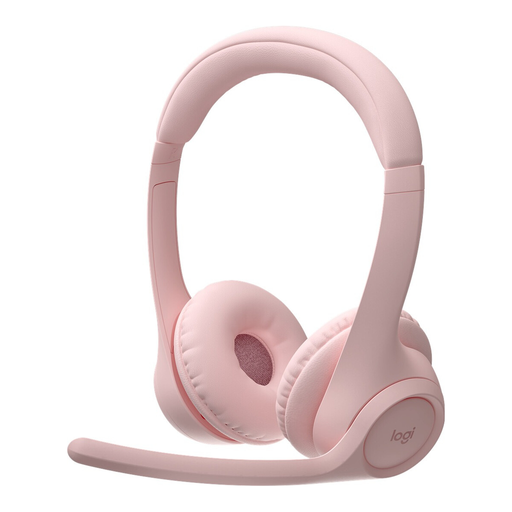
Logitech Zone 300 wireless Bluetooth headset in pink

Logitech Zone 300 Wireless, Pink

This wireless headset with microphone may suit you if Bluetooth works with your recording device; test the voice recording before using it for your quiz introduction.

The product name lists Bluetooth and the colour pink.

View at Joybuy
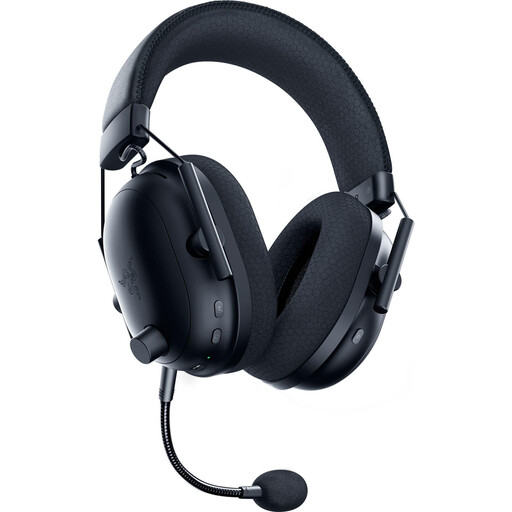
Razer BlackShark V2 Pro (2023) wireless gaming headset

Razer BlackShark V2 Pro (2023) Wireless

To assess this wireless gaming headset with microphone for quiet narration, make a test recording of your own.

The product name lists a HyperClear microphone and 70h battery life.

View at Joybuy
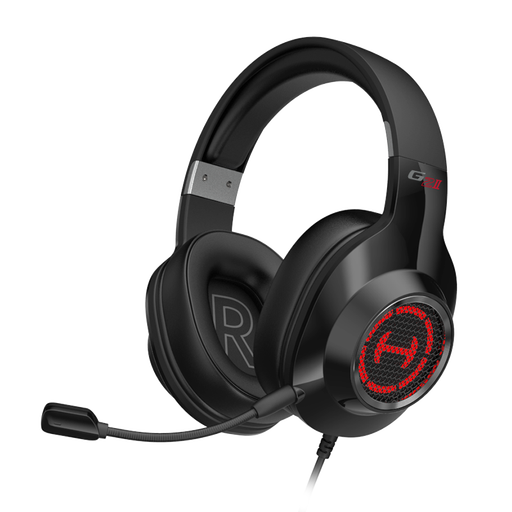
Edifier G2II USB gaming headset

Edifier G2II USB

The wired USB version may suit you if your recording device supports the connection; make a test recording to check how clear your quiet voice sounds.

The product name lists USB, a microphone and compatibility with PC and PS4.

View at Joybuy

Siukie H100 gaming headset with microphone

Siukie H100

If you’re considering a wired headset, check whether USB or the 3.5 mm socket works with your recording device, and whether the microphone records your quiet voice clearly.

The product name lists USB, a 3.5 mm connection and a microphone.

View at Joybuy

Frequently asked questions about recording with a headset

How do I set up a headset for a quiet quiz voice?

Position the microphone boom in a consistent spot in front of your mouth, select the right microphone input and record a test line in your usual quiet voice. Then listen for hiss and bursts of breath; a line input isn’t suitable for a microphone signal.

Can I connect an XLR headset directly to my laptop?

For the ATH-M50xSTS, Audio-Technica describes an XLR microphone connection for an interface or mixer, as well as a separate headphone output. The ATH-M50xSTS-USB instead has a USB-A connection; check the full model name against the inputs on your device.

What should I bear in mind when using the RØDE NTH-100M with a mixer?

RØDE describes a splitter for separate microphone and headphone connections. If you want to send the microphone signal to an XLR microphone input, RØDE specifies a suitable adapter that provides the required plug-in power.

Can I record someone else’s voice for the introduction?

Section 201 of the German Criminal Code (StGB) covers the unauthorised recording of another person’s non-public speech. So, before recording, make sure you have their consent and clarify how you plan to use the recording. This doesn’t apply to simply recording your own voice.

Can I put music under my quiz introduction?

Choosing a headset won’t clarify music rights. GEMA has a specific tariff for using its repertoire in podcasts; whether it applies to your quiz format and the particular piece of music depends on how you use it and the rights involved.