People recording a quiet-speaking voice
If you’re recording a quiet announcement, consider the distance from the speaker and the room itself. Shure explains that a microphone cannot reliably distinguish direct speech from reflections in the room.


For a quiet safety announcement, choose a recorder that you can position close to the speaker and keep steady. Shure points out that a microphone cannot reliably distinguish direct speech from reflections in the room. A compact voice recorder may be sufficient for a single announcement in a quiet environment, while flexible positioning or an external microphone connection gives you more options for placing the microphone. Make a test recording of the full script, listen back to it and check in advance which file format and transfer method will work with your playback system.
If you’re recording a quiet announcement, consider the distance from the speaker and the room itself. Shure explains that a microphone cannot reliably distinguish direct speech from reflections in the room.
If the speaker will be in a fixed position, it helps to set the recorder up securely so you don’t have to hold it or operate it right next to them during recording.
If you’re supplying the finished announcement, check the recording and confirm the required format and transfer method for your playback system. Sony lists a recording monitor function for the ICD-UX570.
For a quiet safety announcement, the main things to consider are finding a suitable microphone position, being able to monitor the recording process and choosing a file that works with your intended playback setup. The approximate percentages below indicate the main priorities for this particular recording scenario.
| Priority | What to look for | Who is it most relevant to? |
|---|---|---|
| Making a quiet voice easy to understand | Check whether you can position the recorder or a compatible microphone securely close to the speaker. Listen back to a full test sentence. | If I want to record a quiet voice clearly, I focus on distance, the room and listening back to a test. Around 36% of consumers put voice clarity first. |
| Positioning and operation | Check the positioning options and, if needed, whether a suitable remote control or microphone connection is available for the specific model. | If the speaker is staying in one place, I want to position the recorder securely without having to hold it during recording. Around 29% of consumers prioritise flexible microphone placement. |
| Monitoring and sharing | Check the recording monitor function, file format and transfer method for your playback system. | If I need to supply a finished announcement, I want to be able to listen to it and transfer it in a suitable format. Around 21% of consumers prioritise checking and exporting the file. |
| A simple recording process | Compare the steps involved and check what accessories you’ll need for your setup. | For a single announcement, I want a straightforward process without having to set up unnecessary extra features. Around 14% of consumers prioritise a simple basic setup. |
A recording format won’t remove echo from a room. Shure points out that a microphone cannot reliably distinguish direct speech from unwanted reflections in the room.
First, try positioning the microphone closer and keeping it in the same place, or recording in a quieter environment.
A poor recording may mean you need to record again and spend extra time editing.
How clearly a quiet voice is recorded also depends on the distance from the speaker and the room. A listed feature doesn’t tell you how your specific announcement will sound.
Make your decision based on a test recording you’ve listened to, and adjust the position or environment if needed.
The ICD-UX570 is a compact voice recorder with internal storage and several recording formats.
According to Philips, the VoiceTracer DVT4115 offers voice recording with a remote-control option.
The H1essential is a handheld recorder that can be mounted on a tripod for a carefully positioned setup.
The DR-05XP has built-in microphones and an input for external microphones or line-level signals.
According to the manufacturer, the LS-P5 offers a three-microphone system with directional control and remote-control options.
The following Joybuy products are voice recorders for capturing spoken content. For a safety announcement, pay particular attention to microphone placement, making a test recording and choosing the required output format.
 No image available
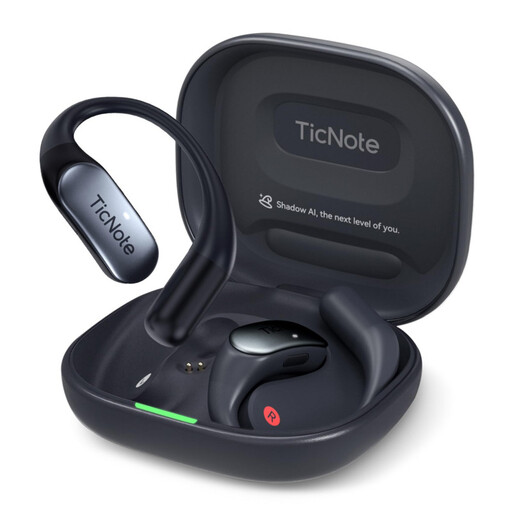
Worth considering for a voice announcement if you’re looking for a recorder with the listed microphones and internal storage. Test how clear it sounds in the room you plan to use.
64 GB storage; four MEMS microphones; 30 hours of battery life; compatible with Android and iOS.
 No image available
An option if you’re considering a voice recorder with a charging case and the listed cloud upload feature. Check that the recording and file process will work for your announcement.
32 GB storage; two microphones; ENC noise cancellation; 4G cloud upload; wireless charging case.
 No image available
May suit you if you’re considering a recorder with the listed wireless transfer options. Before recording, check how you’ll transfer the finished announcement to your playback system.
64 GB storage; three-microphone system; 20 hours of recording time; Wi-Fi and Bluetooth; OLED display.
 No image available
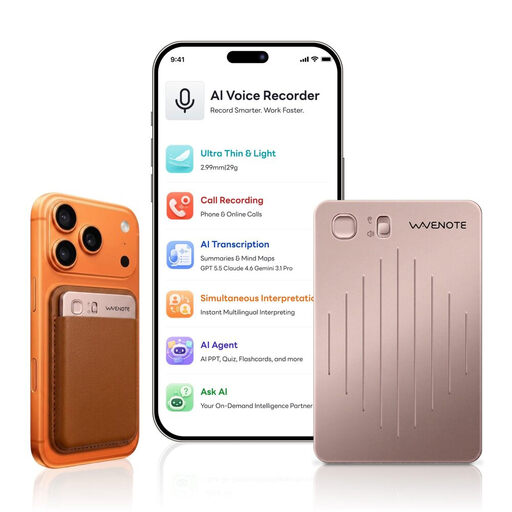
Worth considering as a voice recorder for an announcement if you’re looking at this storage capacity. Check the file format and transfer method required by your playback system.
64 GB storage; Rose Gold colour option.
 No image available
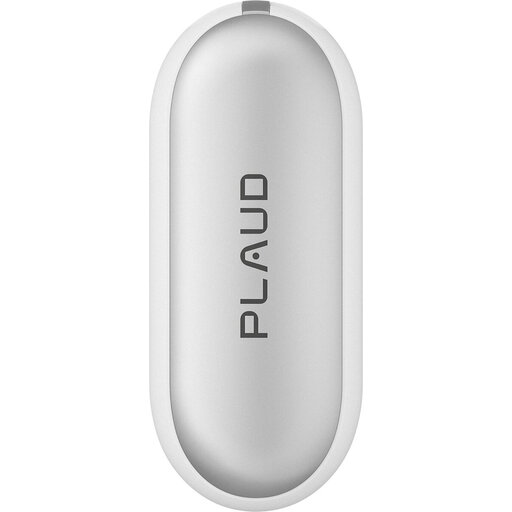
This wearable version may be worth considering if you’re looking for something to wear rather than a handheld recorder. Test it from the speaker’s intended position.
64 GB internal storage; up to 20 hours of recording time; Silver colour option.
Record the full script as a test from the position you intend to use, then listen carefully to the quietest words and the ends of sentences. If you can hear echo or background noise, first adjust the position or the environment. A microphone can’t improve the room acoustics after the recording has been made.
No, the format alone can’t guarantee a clear recording. Zoom lists 32-bit float for the H1essential and Tascam for the DR-05XP, but the recording still depends on microphone placement and the room.
Check in advance which file format and transfer method your playback system requires. Sony and Philips list PCM and MP3 recording, but that doesn’t automatically mean they’ll be compatible with your system.
Section 201 of the German Criminal Code (StGB) covers, among other things, the unauthorised recording of another person’s non-public spoken words and certain uses of such recordings. Before recording, check that both the recording and its intended use are permitted.