
Lieferung heute & morgen

Qualitätsgarantie

Willkommens-Angebote freischalten: KOSTENLOSE Lieferung | Bis zu 80 % RABATT | Kostenlose 30-Tage-JoyPlus-Testphase
App herunterladen
The search for a quiet wireless keyboard and mouse combo is often the first step toward a calmer, more productive work environment, whether in a corporate office or at home. However, the market is flooded with products whose marketing promises don't always match reality. Before you make a decision, it's crucial to understand the common pitfalls that can lead to frustration and unnecessary expense.
This guide will help you objectively evaluate technical features and make a choice that truly meets your needs.
To avoid these issues, you should base your selection on objective technical parameters. The following three criteria are essential for making an informed decision.
The volume and typing feel of a keyboard are primarily determined by the underlying switch technology.
The connection method and power source are crucial for day-to-day reliability.
The physical fit of the devices to your body and workflow should not be overlooked.
Here are some models that are suitable for different user profiles based on their technical specifications.
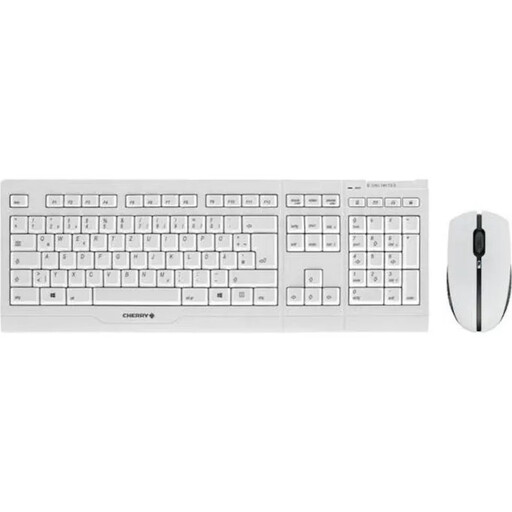
Why it's a good fit: Designed for professional, long-term use, this set combines a quiet keyboard with durable scissor-switch technology and a rechargeable power supply that enables uninterrupted work. Ideal for office environments where reliability and low noise levels are paramount.
The SX scissor-switch technology ensures an objectively quiet and precise typing feel. The rechargeable NiMH batteries and the ability to work while charging solve the problem of dead batteries and recurring costs.
Stable 2.4 GHz wireless connection with AES-128 encryption and abrasion-resistant, laser-etched keycaps for high durability.
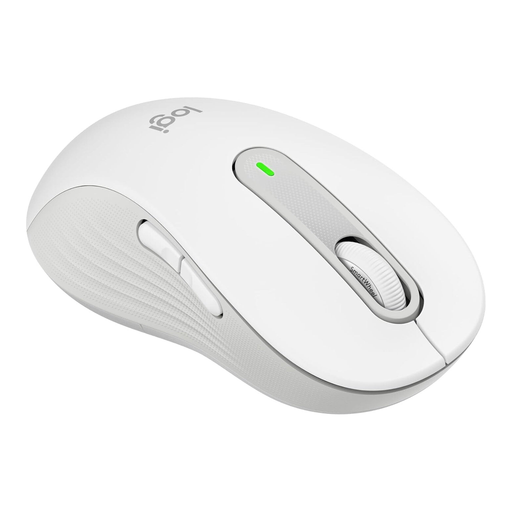
Why it's a good fit: This mouse is specifically designed for left-handed users with larger hands. It offers a contoured shape, a soft thumb rest, and rubberised grips for all-day comfort. A targeted solution for users who struggle with symmetrical or right-handed mice.
This model refutes "one-size-fits-all" ergonomics by providing a specific solution for left-handers. Its SilentTouch technology reduces click noise by 90% according to Logitech, addressing the issue of misleading "quiet" claims.
Flexible connectivity via Bluetooth or the Logi Bolt USB receiver. The SmartWheel scroll wheel switches between precision and hyper-fast scrolling.
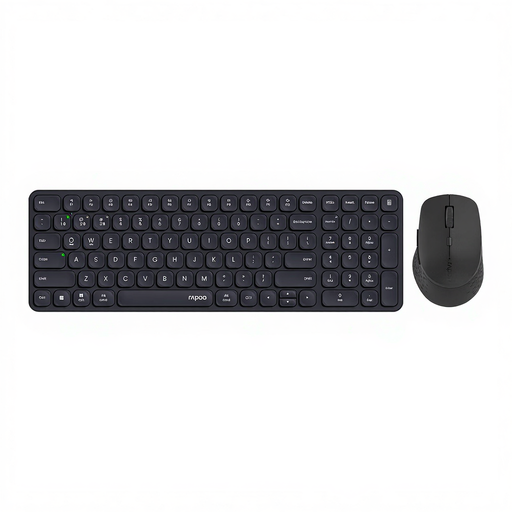
Why it's a good fit: This set is a practical solution for users seeking a compact, quiet, and versatile peripheral for use across multiple devices. It is well-suited for the home office, where space is often limited and flexibility between a PC, tablet, and smartphone is required.
Its multi-device capability (up to 4 devices via Bluetooth and 2.4 GHz) solves the problem of limited connectivity. The mouse is explicitly designated as a "Silent Mouse," and the keyboard uses quiet scissor-switch technology.
Compact 99-key layout with a number pad and a mouse with 5 adjustable DPI levels (up to 2400 DPI) for precise control on various monitors.
We have compiled a complete, up-to-date list of products that fully meet these strict selection criteria and relevant safety regulations.
1. How long does the battery last in a rechargeable keyboard and mouse set? Battery life varies greatly depending on the model, battery capacity, and usage frequency. Many rechargeable sets offer a runtime of several weeks to months on a single charge. A key advantage is that models like the CHERRY B.UNLIMITED 3.0 can continue to be used normally via a USB cable while charging, so there is no downtime.
2. What is the difference between a 2.4 GHz wireless and a Bluetooth connection? A 2.4 GHz connection uses a specific USB dongle that creates a direct and often very stable link between the device and the computer. This is typically the most straightforward "plug-and-play" solution. Bluetooth, on the other hand, does not require a USB port (if the computer is Bluetooth-enabled) and allows a single device to be paired with multiple computers or tablets, making it easy to switch between them (multi-device). However, its stability can be lower in environments with a lot of wireless interference.
3. Can I use a quiet mouse for gaming? Yes, it's possible, but it depends on the type of game and your requirements. For many games, quiet mice like the ONIKUMA CW905, which features RGB gaming mouse lighting and adjustable DPI, are perfectly adequate. However, competitive gamers often prefer mice with extremely low latency and specialised sensors, which are not always optimised for silent operation. A mechanical keyboard with quiet, linear switches can be a good compromise here.