What should you look for when choosing one?
First check whether you can position the microphone properly in front of your mouth. Then make sure the connection and listening comfort suit your recording setup and device.
| What matters |
What to check before buying |
Who should consider this? |
| Reducing audible room reverb |
Check that the microphone boom is adjustable and note the direction you need to speak into it. Listen to a test recording made in your recording space, paying attention to reverb and breathing sounds. |
If you’re speaking alone in a reverberant room, you’ll want to capture your voice as close and consistently as possible. This is the main concern for around 40% of consumers. |
| The right connection |
Check the full model name and make sure the microphone and headphone inputs you need match your device. |
If you want to record on a computer without extra audio equipment, you’ll need a suitable USB connection or the right adapter. Around 30% of consumers say the connection is their main concern. |
| A clear introduction |
Record both quieter and more emphatic parts of your script, then check the saved file for clarity and distortion. |
If you vary the emphasis in your quiz questions, you’ll want to make sure the whole introduction remains clear. Around 20% of consumers put clear speech first. |
| Comfort and listening back |
Try the fit for the length of time you plan to record, and listen to the saved recording through the headphones. |
If you expect to make several recording attempts, the headset should be comfortable and let you monitor your audio reliably. Around 10% of consumers say comfort and listening back are their main concerns. |
Joybuy products for recording a quiz introduction
The following wired USB and jack headsets have microphone booms that can be positioned for recording an introduction on your own. Still, check the saved audio in your room: the product descriptions don’t promise to eliminate room reverb.
 No image available
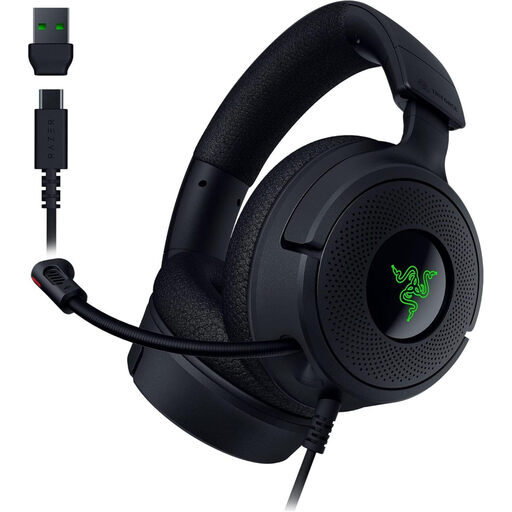
Razer Kraken V4 X, wired gaming headset, black
According to the product description, the retractable cardioid microphone can be pulled towards your mouth, making it a useful option for trying out a close microphone position.
USB-C connection with USB-A cable; microphone mute.
View at Joybuy
 No image available
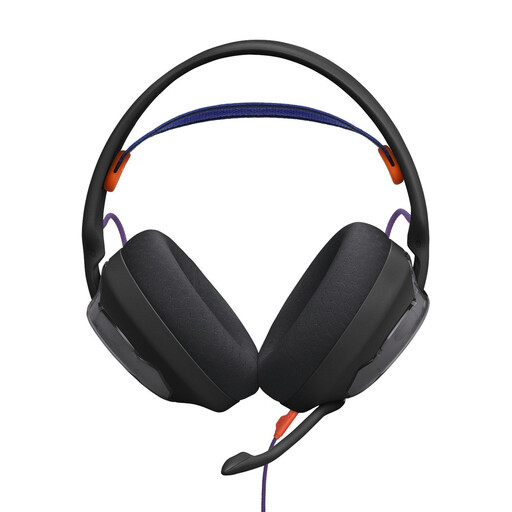
JBL Quantum 250, wired over-ear headset, black
According to the product description, the removable cardioid microphone on the boom arm can be positioned close to your mouth.
3.5 mm connection; foam windscreen.
View at Joybuy
 No image available
Logitech H540 stereo headset with microphone
The adjustable microphone can be positioned close to your mouth when recording on a computer.
USB-A connection; on-headset volume control and microphone mute.
View at Joybuy
 No image available
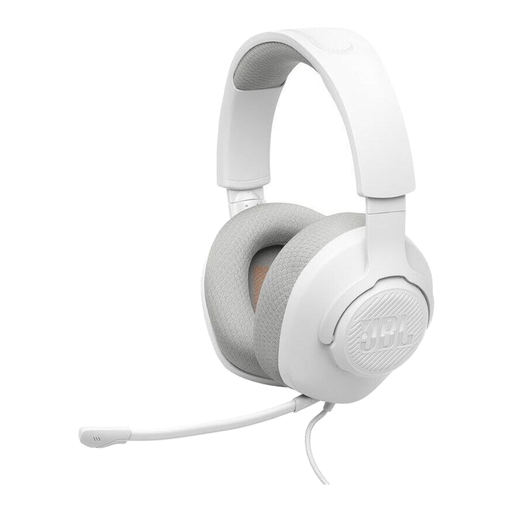
JBL Quantum 100M2, wired on-ear headset, white
The adjustable microphone boom lets you position the microphone to suit your introduction.
3.5 mm connection; removable microphone with windscreen.
View at Joybuy
 No image available
Logitech 960 stereo USB headset, black
The adjustable microphone is designed for recording speech on a computer. Check your saved introduction for reverb and clarity.
USB connection; 2.4 m cable; volume control and microphone mute.
View at Joybuy
Frequently asked questions
Will a headset microphone eliminate reverb from my quiz introduction?
No. A microphone capsule positioned close to your mouth and aimed correctly can help capture more of your direct voice and less of the room sound. However, Shure points out that a microphone can’t improve the room’s acoustics. You could also compare test recordings made in a less reflective space.
Do the ATH-M50xSTS and ATH-M50xSTS-USB have the same connections?
No. Audio-Technica describes the ATH-M50xSTS as having an XLR microphone output and a separate headphone connection, while the ATH-M50xSTS-USB has USB-A. Before buying, check the full variant name and your device’s inputs.
How do I check the microphone position and recording level?
Record your actual introduction, including both quieter and more emphatic passages, then listen to the saved file. Start with the microphone boom close to your mouth and adjust its position if you notice breathing sounds or room reverb.
Can I secretly record other people for my quiz introduction?
No. Recording another person’s non-public words without their permission isn’t simply allowed. Section 201 of the German Criminal Code (StGB) covers, among other things, the unauthorised recording of such a conversation and certain uses of the recording. If you plan to record other people, check beforehand that you’re legally entitled to do so.


