Which setup is right for you?

Sofa racer

If you want to play on the big screen without setting up a steering wheel permanently, a gamepad is a good place to start. The key is whether that specific model works with your gaming device and racing game; Microsoft Xbox, Sony PlayStation and Nintendo each list different supported devices and requirements.

Sim-racing beginner

If you play racing games regularly and have a secure place for a wheel and pedals, a racing wheel could be for you. Logitech G and Thrustmaster offer different platform versions, so also check whether your specific game supports the features you want.

TV cloud gamer

If you play directly through a gaming app on your TV, the TV model, app and game must all be compatible with your controller. Samsung Germany describes the Gaming Hub for selected devices.

What to consider when buying

Consideration What to check Who is this important to?
Compatibility Check the console or operating system, full model name and racing game. For a steering wheel, also check you have the right platform version. If I want to avoid buying the wrong thing, I first check that the controller and game are compatible with my console, PC or TV app. Around 33% of consumers put compatibility with their gaming device and racing game first.
Playing from the sofa Check the controller’s connection and power supply with the device you’ll actually use; if you’re gaming via HDMI, also check the TV’s available gaming settings. If I want to play comfortably from the sofa without setting up a steering wheel permanently, a suitable wireless connection matters to me. Around 27% of consumers put sofa comfort first.
Steering feel and controls Check game support, platform version and the space available for a wheel and pedals. Manufacturer claims about feedback features don’t necessarily apply to every game. If I want to race with a wheel and pedals rather than a gamepad, I check that they suit my game and setup. Around 20% of consumers prioritise the steering wheel experience.
Overall requirements Check what’s included, any mounting equipment you’ll need and the power supply; consider the voluntary warranty and your statutory consumer rights separately. If I want to understand what setup I’ll need and what cover is available if something goes wrong, I compare the included items and terms. Around 20% of consumers put overall requirements and after-sales support first.

Avoid common buying mistakes

  • Assuming Bluetooth means full compatibility

    Just because a connection is available doesn’t mean your console, TV app and racing game support that particular model. Microsoft, Sony, Nintendo and Samsung each describe different devices and setup methods.

    Choose your host device and game first, then check support for the controller’s full model.

  • Choosing a steering wheel based on its model name alone

    The Logitech G923 is available in different platform versions; the Thrustmaster T248 described here is specifically the Xbox/PC version. You’ll also need a suitable, stable place for the wheel and pedals.

    Check that the console version, supported game and mounting options all work for you before deciding.

  • Assuming manufacturer latency claims apply to your whole TV setup

    8BitDo’s very low latency claim is based on its own measurements under ideal laboratory conditions. It doesn’t automatically reflect the delay across an entire TV setup. Screen settings can also make a difference.

    Assess the controller connection and the settings on your specific screen separately.

  • Confusing a voluntary warranty with your statutory rights

    Your statutory consumer rights are with the seller; a manufacturer’s warranty is an optional extra with its own terms.

    Check who to contact if there’s a fault and exactly what additional cover any warranty on offer provides.

Key brands to consider

Microsoft Xbox

The Xbox Wireless Controller is an option for Xbox consoles and supported Windows use.

  • Microsoft lists Bluetooth, mappable buttons, and textured triggers and bumpers.
  • These features don’t guarantee that every TV app or racing game supports them all.

Sony PlayStation

The DualSense is designed for PS5, as well as supported PC games and devices.

  • Sony describes USB and Bluetooth connections with supported devices.
  • Adaptive triggers need game support; Sony specifies USB as a requirement for haptic feedback in supported PC games.

Nintendo

The Switch 2 Pro Controller is designed for players with a Nintendo Switch 2.

  • Nintendo lists mappable GL/GR buttons and an included USB charging cable.
  • Nintendo limits the Switch 2 Pro Controller to Switch 2; according to Nintendo, the older Switch Pro Controller works wirelessly with Switch 2.

Logitech G

The G923 is a racing wheel with pedals for compatible, carefully selected console or PC setups.

  • Logitech describes force feedback and different platform versions.
  • The compatibility list distinguishes between games and TRUEFORCE support; manufacturer claims about realism aren’t based on independent testing.

Thrustmaster

The T248 reviewed here is the Xbox/PC version, designed for a permanently set-up steering wheel.

  • The manufacturer lists a force feedback system, paddle shifters and a pedal set with adjustable braking modes.
  • The performance comparison refers to the T150 series, not other brands or every T248 version.

8BitDo

The Ultimate 2 Wireless is another gamepad option, particularly for supported Windows PCs connected to a big screen.

  • 8BitDo lists a dock, a receiver and switchable triggers.
  • The very low latency claim is based on the company’s own measurements under ideal laboratory conditions and doesn’t demonstrate the delay across an entire TV setup.

Joybuy products for gamepad and steering wheel setups

These product options include wireless gamepads and racing wheels for specified console, PC or smart TV setups. Before buying, check that the specific model, your racing game and your device are compatible.

Logitech G923 SE racing wheel with pedals

Logitech G923 SE Racing Wheel + Pedals Bundle

For a racing wheel setup, once you’ve checked that you have the right platform version and that your racing game supports it.

The product title lists PlayStation, Xbox, PC and Mac. The description lists 900° rotation, three pedals, desk clamps and a wired USB connection; check the exact version is compatible with your device.

View at Joybuy

EasySMX D10 wireless gamepad

EasySMX D10 Wireless Gamepad

For a wireless gamepad setup, provided your device and racing game support this specific model.

The title lists PC, Switch, Android and iOS, as well as Bluetooth. The description lists TMR joysticks, analogue triggers and a 1000 Hz polling rate.

View at Joybuy

Wireless Dualshock-compatible controller for PS4 and PC

Wireless Dualshock-compatible controller for PS4 and PC

An option for a PS4 or PC setup, if your specific racing game and device support this controller.

The product title lists wireless use and compatibility with PS4 and PC.

View at Joybuy

NAXSIR wireless Bluetooth gamepad with smartphone holder

NAXSIR Wireless Bluetooth Gamepad with Smartphone Holder

For wireless gaming on a compatible device. If you’re using a TV app, also check that your TV, app and game support it.

The title lists Bluetooth 5.2, 2.4 GHz wireless and a smartphone holder. The description lists linear triggers and 3D joysticks, as well as smart TVs, PCs, PS3 and Switch as compatible devices.

View at Joybuy
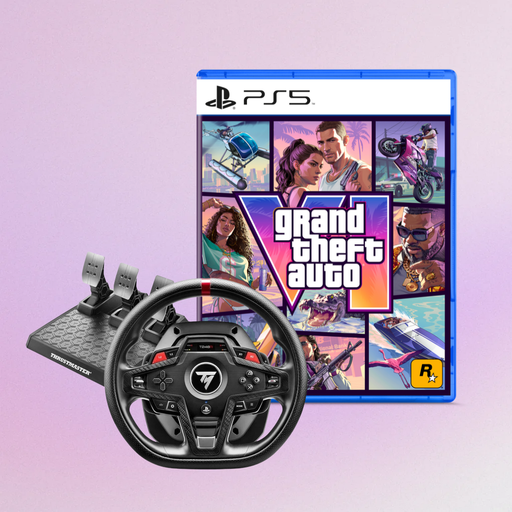
Thrustmaster T248R racing wheel for PS5, PS4 and PC

Thrustmaster T248R Racing Wheel

For a steering wheel setup, once you’ve checked the specified platform and that your racing game supports it.

The product title lists PS5, PS4 and PC.

View at Joybuy

Frequently asked questions

Should I connect the controller to my TV or to my gaming device?

If you’re using a connected console or PC, use the controller connection supported by that device. If you’re playing directly through a supported cloud gaming app on your TV, check which controllers the specific app supports. Samsung describes this setup process for selected Gaming Hub devices.

Do all DualSense features work on PC?

No, support depends on the game and connection. Sony describes USB-C or Bluetooth connections; adaptive triggers need game support, and Sony specifies USB as a requirement for haptic feedback in supported PC games.

Why does steering feel delayed on my TV?

As well as checking your controller connection, check the settings on your specific TV. For certain HDMI gaming setups, Samsung documents a Game Mode and Game Bar that displays input lag. This guidance doesn’t necessarily apply to other TVs or directly streamed games.

What are my rights in Germany if a controller bought online is faulty?

If you buy from a business seller, you have statutory consumer rights; EU consumer information specifies a minimum of two years from receipt. Your first point of contact is the seller, while a manufacturer’s warranty is an additional voluntary service. For standard online distance purchases, the EU generally provides a 14-day cancellation period from delivery; exceptions and return costs should be checked separately.

What should I check when buying a wireless controller from outside the EU?

Check the product labelling, manufacturer information, instructions and declaration of conformity. The German Federal Network Agency checks these details and the CE marking on electronic products, including Bluetooth devices. A CE mark is not individual approval from a government authority.