PC players who want a wider field of view
If you’re practising sections of a circuit repeatedly, consider the picture format, your seating position and how the game displays the image together, rather than focusing only on screen size.


Choose a monitor based first on your gaming device and the picture format your specific racing game actually outputs. A single 21:9 or 32:9 monitor may suit a PC if the game and graphics card support the format; on PS5, the available signal modes are what matter. Then check the refresh rate at the input you’ll use, the space available and how you’ll connect your headset for audio. Manufacturer claims about hertz or response times alone don’t prove that a monitor will help you learn a racing circuit.
If you’re practising sections of a circuit repeatedly, consider the picture format, your seating position and how the game displays the image together, rather than focusing only on screen size.
If smooth visuals matter to you, check the refresh rate your graphics card can actually deliver at your chosen resolution and through the monitor input you plan to use.
If you play on a console with headphones, you’ll need a suitable console picture mode and a clear audio connection. Built-in speakers or a headphone socket on the monitor aren’t automatically necessary.
First check that your gaming device and racing game support the format you want. Then consider the refresh rate at the input you’ll use, the space available and the right headphone connection.
A good fit if: your PC and the specific racing game display the wide format effectively. ASUS lists the VG34VQL3A as a 34-inch monitor with a 3440 × 1440 resolution and a refresh rate of up to 180 Hz; LG gives the 34GP63AP-B the same resolution and a maximum refresh rate of 160 Hz.
Bear in mind: These model specifications don’t confirm that a game will show more of the circuit, or that your graphics card can achieve the refresh rate you want.
A good fit if: your racing game supports 32:9 and you have enough room for a 49-inch screen. LC-Power lists a resolution of 5120 × 1440 and a refresh rate of 144 Hz for the LC-M49QCO.
Bear in mind: A wider format doesn’t guarantee a larger usable field of view in a particular game. You’ll also need to follow the care guidance for the QD-OLED model mentioned here when using static displays.
A good fit if: your racing game supports a suitable multi-screen setup and you want to configure side views precisely. iRacing Support describes using windowed mode across three displays and combining them into one virtual screen.
Bear in mind: You’ll need three displays, suitable connections, enough space and some extra setup. The iRacing guide doesn’t automatically apply to other games.
A good fit if: you play on PS5 or prefer a 16:9 format. PlayStation Support describes testing 1440p output at 60 Hz and 120 Hz, as well as VRR; GIGABYTE lists a resolution of 3840 × 2160 for the M32U and a console mode of up to 120 Hz.
Bear in mind: A stated refresh rate doesn’t guarantee that your specific racing game will output at that rate. A 16:9 format also won’t automatically give you the same horizontal view as a supported ultrawide format.
| Priority | What to check when buying | Who is it important to? |
|---|---|---|
| Usable field of view | Does the game support your preferred format? Will the screen width and viewing distance suit the space available? | If I want to keep an eye on corners and on-screen information while practising repeatedly, I check the field of view available in the game first. Around 36% of consumers put this priority first. |
| Smooth visuals | What refresh rate does the intended input support at your chosen resolution? Are your graphics card and game mode compatible? | If I want fast-moving images to look smooth, I check the refresh rate against my hardware and the game. Around 29% of consumers prioritise how motion is displayed. |
| Gaming device compatibility | Which resolutions and signal modes does your gaming device output through the input you plan to use? | If I want to avoid choosing a picture mode that doesn’t suit my device, I check its output beforehand. Around 21% of consumers put PC or console compatibility first. |
| Headphone audio connection | How will you connect your headphones? Do you need an audio output on the monitor, and will it carry audio and microphone input as required? | If I want to use my existing headset without extra steps, I check the connection on my gaming device first. Around 14% of consumers prioritise the audio connection for headphones. |
The resolution alone doesn’t show how a particular game arranges the field of view and on-screen instruments.
Before buying, check the picture format, field-of-view settings and the position of on-screen information in the specific game.
PlayStation Support says that 120 Hz output depends on having a suitable game and display. The monitor’s refresh rate alone doesn’t determine the game mode that will actually be output.
Check the resolution and signal mode at the input you’ll use, as well as the modes supported by your game.
According to PlayStation Support, you can choose an audio output device on PS5. And a headphone socket on a monitor doesn’t confirm that its microphone will work too.
First decide how you want to connect your existing headphones, then check the connections you’ll need.
MSI describes a risk from static elements displayed for long periods. According to Verbraucherzentrale, a voluntary manufacturer’s warranty is not the same as your statutory rights against the seller.
Check the care guide and warranty terms for the exact model variant, and consider your statutory rights separately.
Following the care guidance can mean extra effort during long practice sessions.
According to ASUS, the TUF Gaming range includes the 34-inch VG34VQL3A, with a resolution of 3440 × 1440 and a refresh rate of up to 180 Hz.
The UltraGear range considered here includes the 34GP63AP-B and the 34GX90SA-W. LG lists different refresh rates and display types for these models.
LC-Power lists the LC-M49QCO as a 49-inch QD-OLED display in a 32:9 format.
According to MSI, the MPG 341CQPX QD-OLED is a 34.18-inch ultrawide model with a resolution of 3440 × 1440 and a refresh rate of 240 Hz.
According to GIGABYTE, the M32U is a 31.5-inch 16:9 alternative with a resolution of 3840 × 2160, HDMI 2.1 and a headphone socket.
The Joybuy options below include wide 32:9 and 21:9 monitors for PC setups, as well as a 16:9 model. Check whether your racing game outputs in each monitor’s format.
 No image available
A wide single-monitor option if your PC and racing game display 32:9 effectively.
49 inches, 5120 × 1440, 165 Hz and 1500R curvature.
This screen needs plenty of space; if you’re mounting it on the wall, make sure the bracket can support its size and weight.
 No image available
A 21:9 single-monitor option if your PC and racing game support the wide format.
3440 × 1440, 175 Hz and QD-OLED; the description also mentions MSI OLED Care 2.0.
The product description advises against displaying static images at maximum brightness for extended periods. Follow the care guidance for this model.
 No image available
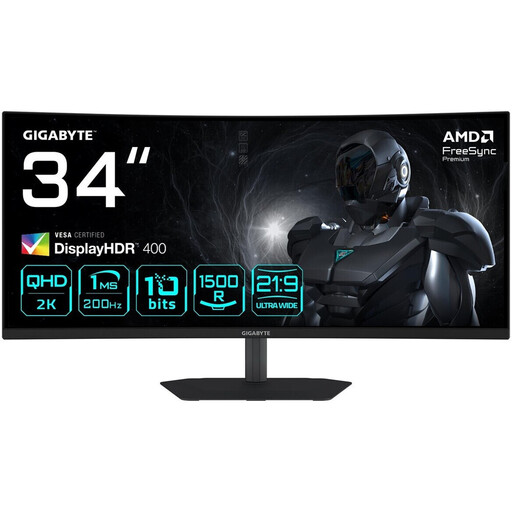
A 21:9 option if your PC and racing game support the wide format and you want to connect your headphones through the monitor.
3440 × 1440, 200 Hz and 1500R curvature; the description lists a headphone output.
The monitor specifications don’t prove that a particular game supports 21:9 or will show more of the circuit as a result.
 No image available
A 21:9 single-monitor option if your PC and racing game output the wide format. The description also lists a headphone output.
3440 × 1440, 180 Hz and FreeSync Premium.
The monitor specifications alone don’t prove that your game supports 21:9 or will show more of the circuit as a result.
 No image available
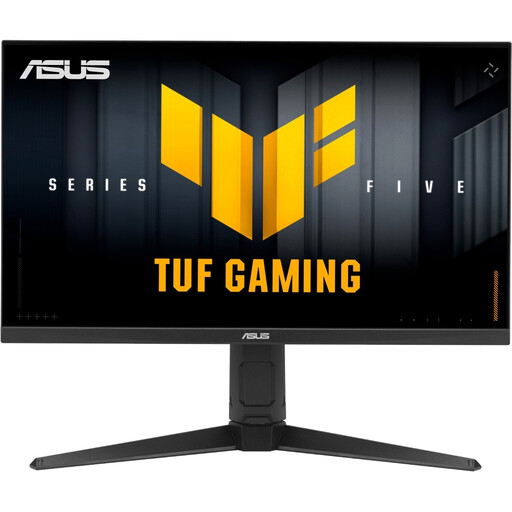
A 16:9 option for PC or console if you prefer this format. The description also lists a headphone output.
2560 × 1440, 210 Hz and FreeSync Premium.
The 16:9 format doesn’t promise the same horizontal view as an ultrawide format supported by the game.
No, not necessarily. According to PlayStation Support, you can choose the audio output device on PS5. Whether your headset connects directly to your gaming device or you want to use the monitor output depends on the connections available. A headphone socket doesn’t confirm that the microphone will work.
iRacing Support describes using windowed mode across three displays, or a combined screen provided by the graphics card. The guide is for iRacing; for other racing games, check their own multi-screen support.
Follow the care guidance for your specific model if static images are displayed for long periods. MSI describes protection against static elements for compatible OLED monitors; don’t assume that these features or warranty terms apply to every OLED monitor.
Compare the EU energy label details for the specific monitors. According to the European Commission, these include the energy efficiency class and consumption information. For a typical online purchase, Verbraucherzentrale says you generally have a 14-day right to cancel. Your statutory rights against the seller and a voluntary warranty are separate.