Choose a racing wheel that’s compatible with your simulation and platform. To practise hitting the same braking points consistently, pay particular attention to the brake pedal, calibration and a stable seat and pedal position. Multi-monitor setup is configured separately in the simulation and on your PC; a racing wheel won’t automatically configure your monitor layout or field of view. A bundle can make it easier to get started, while a brake upgrade may require additional accessories that are compatible with your pedal system.
Which setup is right for you?
Practising braking points
If you want to practise braking consistently and applying the pedals in a repeatable way, consider the type of brake, calibration and a secure seat and pedal position. iRacing Support recommends calibrating input devices when setting them up for the first time and after connecting new controllers.
Multi-monitor sim racers
If you race on a PC with multiple monitors, plan your display settings in the simulation separately from your choice of racing wheel. iRacing Support explains that it has dedicated multi-monitor settings.
Bundle and platform buyers
If you’re looking for a complete bundle or a console version, check the exact model variant and what’s included against your platform and game. Logitech G, MOZA Racing and Thrustmaster offer different platform variants and bundles.
What should you look for when buying?
Bundle with standard pedals
A good fit if: you want to set up the wheel and pedals together and practise with a consistent seating position.
Consider: The pedals included aren’t necessarily load-cell pedals; any later upgrade must be compatible with the pedal system.
Direct-drive bundle with the option of a brake upgrade
A good fit if: you’re looking for an adjustable steering system and want to check whether a compatible pressure-sensing brake is available for its specific pedals.
Consider: More torque doesn’t prove you’ll learn faster, and separately sold kits aren’t interchangeable across different pedal ranges.
Belt-driven or platform-specific bundle
A good fit if: a particular console version or an interchangeable wheel matters more to you than direct drive.
Consider: Check which pedals are actually included and whether they’re compatible with your simulation, rather than comparing drive types alone.
| Priority |
What to check when buying |
Who it matters most to |
| Consistent braking |
Brake type and calibration; how the pedals are secured |
If I want to practise braking points under comparable conditions, I look for consistent pedal pressure and a secure seating position. Around 33% of consumers put consistent braking first. |
| Multiple monitors |
Game support for multiple monitors; display settings |
If I want to race across multiple screens, I check my simulation’s settings separately from the racing wheel. Around 27% of consumers prioritise multi-monitor setup. |
| Platform and game compatibility |
Exact model variant; support for the specific game |
If I want to race on a particular console or PC, I check that the model and game work with my system. Around 20% of consumers prioritise platform and game compatibility. |
| Bundle contents and mounting |
What’s included: wheel, pedals and clamp; pedal mounting |
If I want to get started with a complete bundle that can be mounted securely, I also check whether the pedals will stay in place with my seating position. Around 20% of consumers prioritise bundle contents and mounting. |
Avoid common buying mistakes
-
Assuming more torque means better braking-point practice
Torque describes the wheel base, not the brake pedal’s sensor or mounting. Peak and sustained torque figures may also be based on different measurement methods.
Start by checking the brake pedals, calibration and mounting. Only compare torque figures when they’re defined in the same way.
-
Choosing a brake upgrade by brand name alone
MOZA says its SR-P Lite Performance Kit isn’t compatible with SR-P. Fanatec’s load-cell kit is designed for CSL pedals.
Check the full name of your pedals against the kit’s compatibility information.
If a kit isn’t compatible, you may need a different accessory that is.
-
Assuming a desk clamp and multi-monitor setup are all you need to mount everything
A desk clamp secures the base, but it won’t automatically tell you how to position your pedals and seat or configure your monitors.
Plan the base, pedals, seat and screens as separate parts of your setup that need to work together.
Key brands at a glance
MOZA Racing
R3 and R5 direct-drive bundles for buyers who need PC or Xbox/PC support, depending on the variant, and are considering a bundle with SR-P Lite pedals.
- MOZA lists a desk clamp and 5.5 Nm peak torque for the R5 bundle.
- The Xbox licence is tied to the relevant R3 variant. MOZA says the SR-P Lite Performance Kit changes resistance, but it isn’t a load-cell upgrade and isn’t compatible with SR-P.
Fanatec
CSL DD bundles for PC buyers who want the option of upgrading compatible CSL pedals later.
- The CSL DD Ready2Race 8 Nm bundle reviewed includes the base, wheel, CSL pedals, power supply and desk clamp.
- Fanatec sells the load-cell kit for CSL pedals separately. The 8 Nm figure refers to the base and doesn’t prove better braking performance.
Thrustmaster
The belt-driven T300RS GT and the T598 with Direct Axial Drive suit different PC and PlayStation setups.
- Thrustmaster lists T3PA-GT pedals and interchangeable wheels for the T300RS GT; the T598 comes with two adjustable Raceline Pedals LTE.
- The T598’s torque is described as sustained torque, so it shouldn’t be compared with peak figures for other models unless they’re measured on the same basis.
Logitech G
G923 bundles in PlayStation/PC and Xbox/PC variants, plus separately sold PRO Racing Pedals for a different pedal option.
- Logitech describes the G923 as featuring TRUEFORCE and an included brake system.
- Load-cell braking is listed for the separately sold PRO Racing Pedals; this feature doesn’t automatically apply to the pedals included with the G923 bundle.
Racing wheels at Joybuy
The products below are racing wheels for PC and console setups; multi-monitor configuration is handled separately in your simulation.
 No image available
Logitech G923 SE Racing Wheel + Pedals Bundle (PlayStation/Xbox/PC/Mac)
This listing includes a wheel and pedal set; check that the platforms listed are compatible with your system and game.
Platforms listed in the product title: PlayStation, Xbox, PC and Mac.
Joybuy
 No image available
Thrustmaster T128-P Force Feedback Racing Wheel (PC/PS4/PS5)
This listing describes a force feedback racing wheel for PC and PlayStation; check that your specific simulation supports it.
Platforms listed in the product title: PC, PS4 and PS5.
Joybuy
 No image available
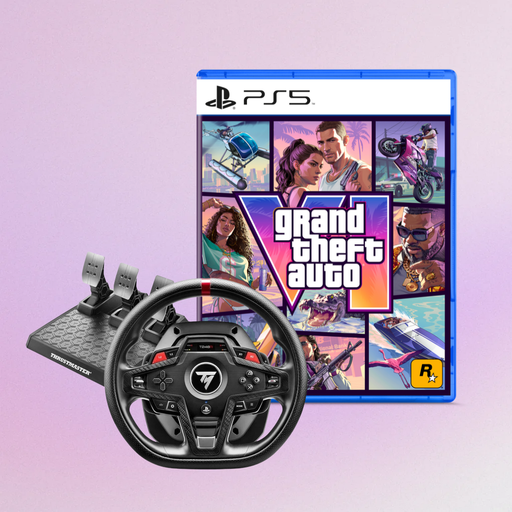
Thrustmaster T248R Racing Wheel + Grand Theft Auto VI (PS5 German Edition, Code in a Box, Vice City Pack pre-order bonus)
This listing includes a T248R racing wheel and a PS5 game bundle; check that the game version and platform are right for your setup.
Platforms listed in the product title: PS5, PS4 and PC.
Joybuy
 No image available
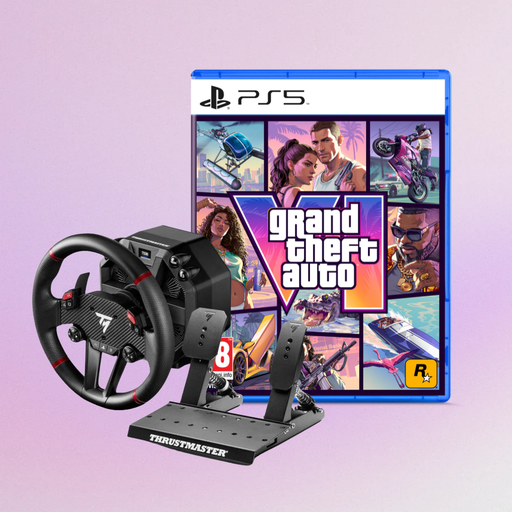
Thrustmaster T598-P Direct Axial Drive Force Feedback Racing Wheel + Grand Theft Auto VI (PS5 German Edition, Code in a Box, Vice City Pack pre-order bonus)
This listing describes a Direct Axial Drive force feedback racing wheel with a PS5 game bundle; check that the variant works with your simulation.
Platforms listed in the product title: PS5, PS4 and PC.
Joybuy
Frequently asked questions
Will a racing wheel automatically configure my three monitors?
No. For iRacing, iRacing Support explains that display and monitor settings are found under Display Settings, and describes two ways to display the game across three monitors. These steps are separate from choosing a racing wheel; other simulations may have their own settings.
What should I calibrate after connecting the pedals?
Calibrate the wheel and pedals in the simulation you’re using. For load-cell pedals, iRacing specifies a Brake Force Factor of 0.00. For potentiometer pedals listed there, it recommends a setting of 1.60 to 2.00. Don’t apply these values to other games or unknown pedal types without checking first.
Does a racing wheel bundle include a load-cell brake for a future upgrade?
Not automatically. The Fanatec CSL DD bundle reviewed lists CSL pedals; the compatible load-cell kit is a separate upgrade. MOZA describes a resistance kit for SR-P Lite, not a load-cell upgrade.
What rights do you have when buying online from a business seller in Germany?
For a standard distance purchase, you generally have a 14-day right to cancel from the day you receive the goods; exceptions and rules on return costs apply. If goods are faulty, you also have a statutory legal guarantee of at least two years from receipt. This is separate from any additional manufacturer’s warranty. Your Europe explains these EU consumer rights.


