What should you look for when choosing one?
First, check your platform, game and what’s actually included. Then compare the pedals and drive system. For a desk setup, you’ll also need to consider mounting and a separate headphone audio connection.
| Buying consideration |
What to check before buying |
Who is it most relevant to? |
| Braking and pedal calibration |
Check which pedals are included and what calibration your game recommends for their type. |
If I’m practising braking points over repeated laps, I want to understand and adjust my pedal inputs. Around 27% of consumers put consistent braking first. |
| Platform and racing game |
Check the platform, exact model variant and game support. With modular sets, the base and wheel need to be compatible. |
If I want to race on my console or PC, the specific set needs to work with my game. Around 27% of consumers prioritise platform compatibility. |
| Force feedback |
Compare the drive system and adjustment options, without treating peak torque as a measure of learning potential. |
If wheel feedback matters to me, I want to be able to adjust the settings for my game. Around 26% of consumers focus mainly on force feedback and adjustability. |
| Space and headphone audio |
Check the desk clamp, space for the pedals and your platform’s audio connection separately from the wheel. |
If my setup needs to fit on a desk, I need a suitable mount and a way to connect my headphones. Around 20% of consumers prioritise the available setup space and separate audio output. |
Drive systems differ in how they’re built: Logitech describes the G29 as gear-driven, Thrustmaster the T300RS GT as using a dual-belt system, and MOZA the R5 Bundle as Direct Drive. These features alone don’t prove a learning advantage or indicate how noisy they’ll be in your own gaming conditions. For headphones, PlayStation and Xbox explain audio settings or connections on the platform or controller.
Racing wheels and compatible sets at Joybuy
These product listings cover racing wheels for different platforms and setups. For each listing, check the exact variant, what’s included and whether it’s compatible with your game.
 No image available
Logitech G923 SE racing wheel and pedal bundle
An option if you’re looking for a wheel and pedals for one of the platforms named in the product title.
The product title lists Direct Drive, 900° rotation, three pedals including a clutch, and PlayStation, Xbox, PC and Mac. Check support for your specific game and platform combination.
View at Joybuy
 No image available
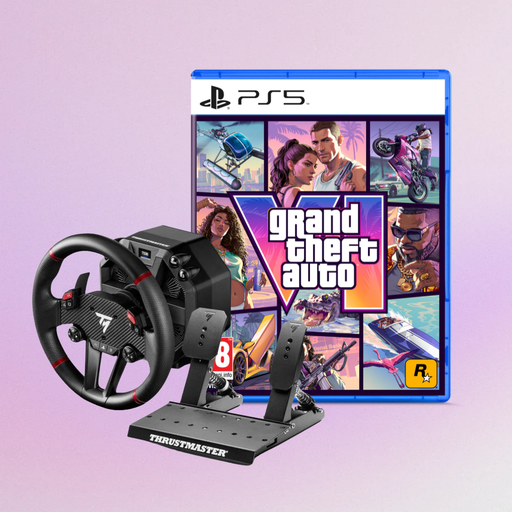
Thrustmaster T598-P with GTA VI code-in-a-box edition
This listing may suit you if you’re looking for a T598-P racing wheel for one of the platforms named in the title and also want the stated game edition.
The product title lists Direct Axial Drive, force feedback, and PS5, PS4 and PC. Before buying, check which other components are included in the specific bundle.
View at Joybuy
 No image available
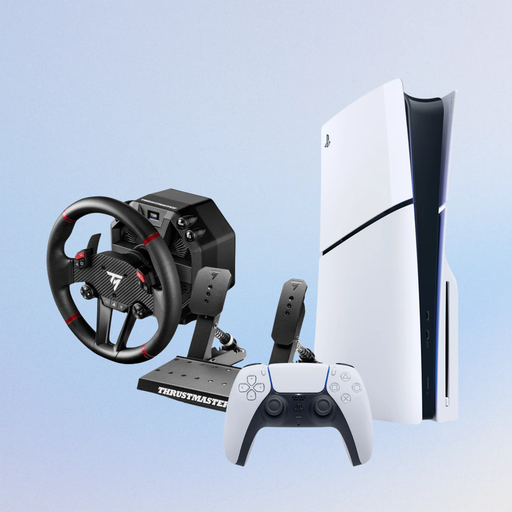
PlayStation 5 Slim Disc Edition with Thrustmaster T598-P
This listing is for you if you’re looking for a PlayStation 5 Slim Disc Edition with the T598-P racing wheel named in the title.
The product title lists a 1-TB console and a T598-P wheel described as compatible with PS5, PS4 and PC. Check everything included, especially the pedals you’ll need for your setup.
View at Joybuy
 No image available
Thrustmaster T128-P force feedback racing wheel
An option if you’re looking for a force feedback racing wheel for PC, PS4 or PS5.
The product title lists these three platforms. Check which pedals and mounting parts are included in the specific listing.
View at Joybuy
 No image available
Thrustmaster T598-P Direct Axial Drive racing wheel
This wheel may suit you if you’re looking for a T598-P with force feedback for PS5, PS4 or PC.
The product title lists Direct Axial Drive and these platforms. Check which pedals and mounting parts are included in the specific listing.
View at Joybuy
Frequently asked questions
Will the wheel alone help me learn the virtual racing line?
No, a wheel alone can’t guarantee learning progress. iRacing treats the racing line, looking ahead and braking as separate learning topics, and offers an on-screen driving line with marked braking and acceleration zones. Practise using consistent reference points rather than assuming a particular drive system or higher Nm figure will help you learn.
How do I set up the wheel and brake for iRacing on PC?
Connect the devices and calibrate them in iRacing. iRacing says you’ll need to recalibrate after changing the USB port; the recommended Brake-Force-Factor setting differs for potentiometer and load-cell pedals. These instructions apply to iRacing and don’t automatically apply to other games.
Does my racing wheel need a headphone socket?
No, the setups described don’t require a headphone socket on the wheel. On PS5, select your audio output device in the sound settings; an Xbox stereo headset, as described by Xbox, connects to a paired Xbox Wireless Controller. Check the connection method for your own headset separately.
What rights do I have when buying a wheel online in Germany?
When you buy from a business seller in the EU, you’re generally entitled to a statutory guarantee of at least two years from the date you receive the goods. For a standard online distance purchase, you generally have a 14-day right to cancel from delivery; possible exceptions and information about return costs should also be considered. A voluntary manufacturer’s warranty is separate from these rights.
What should I check for product safety?
Make sure the product meets the product safety rules that apply to it. The European Union’s consumer information lists electrical and electronic equipment among the product categories subject to CE marking requirements; whether a specific product needs a CE mark depends on the relevant requirements. A CE mark alone isn’t an independent quality test of the wheel.


