What should you look for when buying?
First, check that the wheel is compatible with your gaming device. Then consider the pedals, mounting and separate audio set-up to find a set that suits practising the same circuit repeatedly.
| What matters |
What to check before buying |
Who should consider this? |
| Platform and game |
Check the full model variant, gaming device and support for the specific racing game separately. |
If I want to make sure my game works with my console or PC, checking compatibility comes first. Around 28 % of consumers rank compatibility as their top priority. |
| Braking control |
Check the pedal model, which pedals are included and how securely they stay in place; don’t assume extra braking technology comes in the box. |
If you’re practising tight corners and fixed braking points repeatedly, you’ll want to fine-tune your braking inputs. Around 22 % of consumers put braking control first. |
| Steering feedback |
Consider the drive system and in-game adjustment options. A torque figure alone won’t tell you which set is better suited to your training. |
If a realistic steering feel and adjustable settings are especially important to me, I compare the specific systems. Around 17 % of consumers prioritise steering feedback. |
| Headphone audio |
Check the audio connection or supported headset on your gaming device; don’t assume the wheel has a headphone socket. |
If you want to listen to game audio through headphones while driving, check the audio output on your device. Around 17 % of consumers focus primarily on this audio set-up. |
| Mounting |
Make sure the clamp, desk edge, pedal area and seating position suit your set-up. |
If I want my wheel and pedals to stay firmly in place while practising, the mounting needs to work with my desk and available space. Around 16 % of consumers prioritise a secure, suitable set-up. |
Racing wheels at Joybuy
This Joybuy selection includes wheel and pedal sets for a range of PC and console set-ups. Check that the specific version works with your gaming device and racing game.
 No image available
Logitech G923 SE Racing Wheel + Pedals Bundle
Could be worth considering for circuit practice if the exact version works with your gaming device and racing game.
The product title lists PlayStation, Xbox, PC and Mac, as well as Direct Drive. Check the specific version and game support before buying.
Joybuy
 No image available
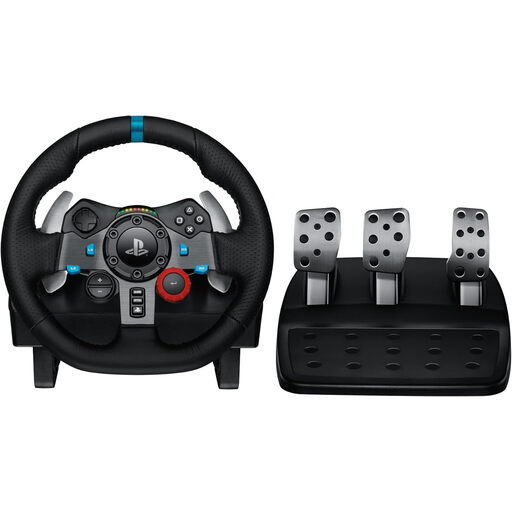
Logitech G29 Driving Force Racing Wheel
Could be a good fit if you’re looking for a wheel set for a supported PlayStation set-up and have checked that your game is compatible.
The product title lists PS3, PS4 and PS5. Compare the exact model version with your gaming device before choosing.
Joybuy
 No image available
Thrustmaster T128-P Force Feedback Racing Wheel
A possible option if you want force feedback for repeated laps and choose the right platform version.
The product title lists PC, PS4 and PS5. Check game support and what’s included in the exact version.
Joybuy
 No image available
Thrustmaster T598-P Direct Axial Drive Force Feedback Racing Wheel
Could be worth considering for steering and pedal practice if the listed platform and included set suit your set-up.
The product title lists PS5, PS4 and PC. Check that the exact version works with your racing game before buying.
Joybuy
 No image available
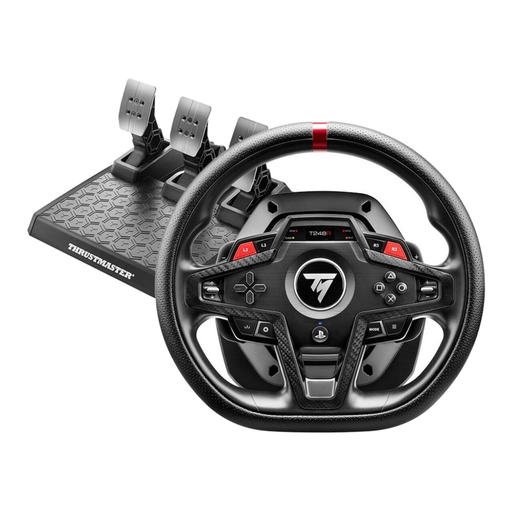
Thrustmaster T248R Racing Wheel
Could suit repeated steering and braking practice if it’s compatible with your gaming device and racing game.
The product title lists PS5, PS4 and PC. Check support for your specific game and which components are included.
Joybuy
Frequently asked questions
Do I need to plug my headphones into the racing wheel?
Not based on the wheel features described here. For PS5, PlayStation Support explains how to select an audio output device and adjust headphone output on the console. If you’re using another gaming device, check its audio connection or whether it supports your headset.
How do I start practising a virtual city circuit?
Set up the wheel and pedals in a supported game, then check that the controls work. iRacing recommends starting with a test drive and adjusting the controls if needed. For the Madrid circuit described, EA suggests time trials or focused practice sessions before online races. These tips apply to the respective games and don’t guarantee that a particular wheel will automatically make driving easier.
Are a load-cell brake and desk clamp automatically included in a bundle?
No, it depends on the specific bundle. The component list for the Fanatec CSL DD Ready2Race PC bundle reviewed here includes CSL pedals and a desk clamp; the Load Cell Kit is sold separately. Check the list again if you choose a different version.
Who should I contact if a wheel bought from a retailer in Germany is faulty?
The seller is generally responsible for your statutory consumer rights if goods are faulty; these rights are separate from any voluntary guarantee. For ordinary new goods, claims for defects generally become time-barred two years after delivery under § 438 BGB. If a product is faulty, repair or replacement may be available in the first instance; the circumstances of your purchase may matter. The Federal Ministry of Justice and the Federal Office of Justice list the relevant provisions in § 438 BGB.
Can I return a wheel bought online if I change my mind?
For online consumer purchases in Germany, you generally have a 14-day right to cancel. You must notify the other party to the contract that you wish to cancel; check the requirements and deadline for your specific contract. The right to cancel because you’ve changed your mind is separate from your rights if the product is faulty. The Verbraucherzentrale and § 355 BGB explain the relevant rules.


