If you need to clear away your setup after every session, a complete set with a desk clamp that’s compatible with your platform is a practical option, provided your desk edge, pedals and chair all fit securely. A foldable wheel stand is an alternative if desk mounting isn’t suitable or you want to store your wheel and pedals together. When practising an urban circuit, pedal feel, what’s included and support for your particular game also matter; the drive type alone won’t determine how well you train.
Who these setups are suitable for
Players sharing a desk
If you want to clear your desk after practising, check both the desk mounting and the space you’ll need for storage. Thrustmaster and Logitech specify desk clamps for certain sets; a foldable wheel stand is a separate setup option.
Practising braking points
If you’re repeatedly driving the same virtual urban circuit, check that the pedal position suits you and look at the adjustment options in your particular game. Calibration can depend on the game; iRacing, for example, recommends calibrating when you first start using controllers and after connecting new ones.
Players tied to a particular platform
If you play on PC, PlayStation or Xbox, check the exact set variant and support for your particular game. MOZA lists separate R3 versions for PC and for Xbox and PC; similar bundle names don’t automatically mean they support the same platforms.
What to look for when buying
Complete set mounted to a desk
A good fit if: You want to use your existing desk and remove the set after driving.
Bear in mind: The desk edge, space for the pedals and chair, and their stability all need to be suitable.
Compact Direct Drive set mounted to a desk
A good fit if: You’re looking for this type of desk-mounted set for your platform; MOZA offers separate R3 bundles for PC and Xbox/PC.
Bear in mind: Check the exact variant and what’s included; the stated torque alone doesn’t guarantee better training.
Mounted on a foldable wheel stand
A good fit if: Desk mounting isn’t suitable or you want to store the wheel and pedals together.
Bear in mind: The stand still needs storage space when folded; also check the mounting and the space it takes up when set up.
For anyone choosing a racing wheel set to practise an urban circuit repeatedly in a room with limited floor space, the main considerations are the setup, pedal practice, platform and steering feel.
| Priority |
What to check when buying |
Who it matters most to |
| Setting up and storing away |
Check the desk edge and desktop thickness, space for the chair and pedals while driving, and where you’ll store everything afterwards. |
If you need to put your setup away after every session, storage space matters as well as the clamp. Around 36% of consumers prioritise setup and storage. |
| Consistent braking inputs |
Check the number and type of pedals, their position and stability, and the calibration options in the game. |
If you want to practise braking points repeatedly, pedals that are easy to reach and suitable settings are important. Around 29% of consumers prioritise consistent braking inputs. |
| Platform and game version |
Check the full variant name, platform compatibility and support for the specific game. |
If you play on a particular PC or console, the bundle you choose needs to be compatible. Around 21% of consumers prioritise platform and game version. |
| Steering feel and features |
Compare the drive type, pedal set, controls and the game features that are explicitly supported. |
If wheel feedback matters to you, also check that your game supports the feature you want. Around 14% of consumers prioritise steering feel and features. |
Common buying mistakes
-
Assuming “MOZA R3” is enough to confirm Xbox compatibility
MOZA distinguishes between a PC bundle and a version specifically designed for Xbox and PC. A similar-sounding model name alone won’t confirm platform compatibility.
Before buying, check the full bundle name against your platform and the specific game.
-
Measuring only the wheelbase footprint
You’ll also need space for the pedals and chair, and they need to stay stable while you drive. A foldable stand needs storage space after your session too.
Measure the setup in driving position and the space needed for storage, rather than measuring only the wheelbase.
Depending on your setup, you may also need a stand or another solution for your chair.
-
Assuming TRUEFORCE or other extra features work with every game
Logitech notes that TRUEFORCE and the G923’s advanced features require integration with the specific game.
Check that your game supports the feature before letting it determine your choice.
-
Confusing a wheel stand with a complete racing wheel set
According to Next Level Racing, the Wheel Stand Lite 2.0 doesn’t include electronics or a seat.
Check the contents against the individual components you need for your setup.
You’ll need to already own or buy the wheel and pedals separately; you may also need a seat.
Key brands at a glance
Thrustmaster
The T248R is a complete set for PlayStation and PC that can be mounted to a desk.
- For this specific model, Thrustmaster lists three T3PM pedals and an included clamp for desks up to 45 mm thick.
- The desk thickness limit and platform details apply to the T248R and shouldn’t be assumed to apply to other sets.
MOZA Racing
The R3 bundles are compact Direct Drive sets, with separate versions for PC and Xbox/PC.
- MOZA specifies 3.9 Nm for the R3 PC bundle; the Xbox/PC bundle is described as including a desk clamp and two pedals.
- You can’t assume one version’s platform compatibility applies to the other just because of the name.
Logitech G
The G29 and G923 are wheel-and-pedal sets, and you should check the platform compatibility of the specific version.
- Logitech describes the G29 as having built-in desk clamps and three pedals.
- According to Logitech, the G923’s TRUEFORCE feature requires integration with the specific game.
Fanatec
The CSL DD QR2 Ready2Race Bundle is a modular PC option that includes a desk clamp.
- Fanatec lists a 5 Nm base, CSL pedals, a P1-V2 wheel and a desk clamp in this bundle.
- The listed contents apply to this bundle and don’t automatically apply to other Fanatec packages.
Next Level Racing
Wheel stands offer an alternative mounting option if you don’t want to leave your racing wheel attached to your desk; they don’t replace the wheel and pedals.
- Next Level Racing describes the Wheel Stand Lite 2.0 as foldable, with an adjustable pedal plate and a chair cradle.
- According to the manufacturer, the stand doesn’t include electronics or a seat; the mounting and space requirements need to suit your setup.
Joybuy products for desk setups
This selection includes racing wheel sets for desk setups; before buying, check the exact platform version and the space your setup will need.
 No image available
Logitech G923 SE Racing Wheel + Pedals Bundle
The desk mounting and pedal set described make this a good option for a desk setup, provided the mounting and game support are suitable.
The product description lists three pedals, a progressive brake pedal and a 900° steering angle.
View at Joybuy
 No image available
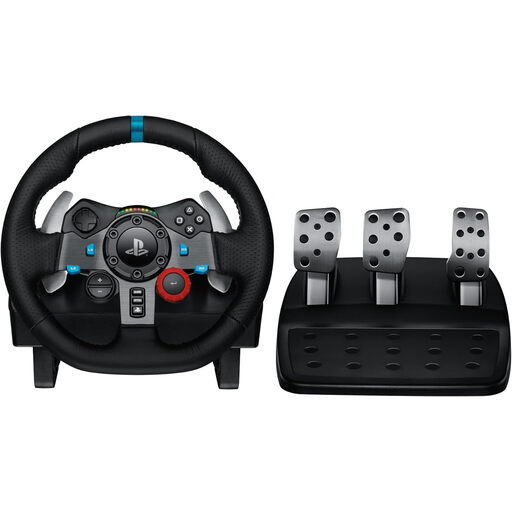
Logitech G29 Driving Force Racing Wheel
The desk clamp described makes this set an option for a desk setup, provided it’s compatible with your platform and game.
The product description lists a 900° steering angle, plus accelerator, brake and clutch pedals.
View at Joybuy
 No image available
Thrustmaster T598-P (PS5/PS4/PC)
This set is a desk setup option for the platforms listed in the product name; check that the mounting is suitable for your desk.
The description lists clamp or screw mounting, a pedal set, paddle shifters and a detachable wheel.
View at Joybuy
 No image available
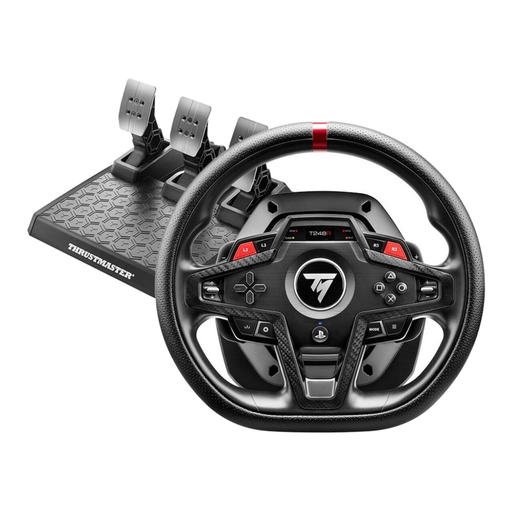
Thrustmaster T248R (PS5/PS4/PC)
The desk clamp and listed brake pressure modes may be useful for a removable desk setup and practising consistent braking inputs.
Thrustmaster specifies desk mounting for the T248R on surfaces up to 45 mm thick, with three pedals; the product description lists four brake pressure modes.
View at Joybuy
Frequently asked questions
Will the wheel fit my desk?
Measure the thickness of your desktop and check whether the clamp can grip the edge. Thrustmaster specifies desk mounting for the T248R on surfaces up to 45 mm thick; Logitech describes built-in clamps for the G29 but doesn’t give a universal millimetre limit in the instructions referred to here.
Do I need to set up the wheel and pedals after connecting them?
It depends on the game. According to its support information, iRacing requires calibration the first time you start with the controllers and after connecting new ones; you may also need to recalibrate after changing USB ports.
Are a clutch, wheel stand and seat always included?
No, what’s included varies by product. Thrustmaster lists three pedals for the T248R, while MOZA lists two pedals for the R3 Xbox/PC bundle; according to Next Level Racing, the Wheel Stand Lite 2.0 doesn’t include electronics or a seat.
What are my rights when buying online in Germany?
According to the Verbraucherzentrale, online orders generally come with a 14-day cancellation period from the date you receive the goods. For faulty items, statutory consumer rights should be distinguished from a voluntary manufacturer’s warranty; the Verbraucherzentrale explains that new goods are covered by a two-year period.


