Your first oval setup
If you’re moving from a controller to a wheel, look for a set with pedals, the right platform version and a secure base. Logitech G and MOZA Racing offer models with different platform compatibility.


Choose a racing wheel set whose specific version works with your gaming system and racing game. For consistent laps, pedals you can control and a stable mount matter just as much as adjustable force feedback. Set up your headphones and spotter calls in the game and audio settings – a more powerful wheel motor won’t fix the wrong audio output being selected.
If you’re moving from a controller to a wheel, look for a set with pedals, the right platform version and a secure base. Logitech G and MOZA Racing offer models with different platform compatibility.
For repeatable steering and braking inputs, pedals you can control, calibration and adjustable force feedback are key things to check. iRacing Support recommends calibrating connected controllers during initial setup and whenever you connect new ones.
If space is limited, check how the wheel and pedals are secured and whether your desk is suitable. iRacing Support recommends selecting the audio and microphone devices you actually use in the game settings.
First, check that the specific platform version works with your game. Then compare pedal control, feedback and the space you have for a stable mount.
| What matters when buying | What to check | Who should pay particular attention? |
|---|---|---|
| Platform and game | Check that the model version and your chosen racing game are compatible. | If you’ve already chosen a console, you’ll want to make sure the exact version on offer works with it. Platform compatibility is the main concern for around 36% of consumers. |
| Pedals you can control | Check the pedal type, adjustment options, number of pedals included and how stable they are on your floor. | If you want to brake and accelerate repeatedly during oval practice, pedal control matters. Around 29% of consumers say this is their main concern. |
| Wheel feedback | Compare the drive type and exact torque rating; don’t confuse peak torque with constant torque. | If you want to practise your steering inputs, look for feedback you can adjust in the game. This is the main consideration for around 21% of consumers. |
| Mounting and headphones | Check the clamp and space for the pedals; test game audio, voice chat and, if applicable, your spotter in the game. | If you race at a desk and want to hear calls through your headphones, you’ll need a stable setup and the right audio settings. Mounting and headphone audio are the main concerns for around 14% of consumers. |
MOZA Racing distinguishes between the PC version with ES Lite and the Xbox/PC version with ESX. The wheelbase name alone therefore doesn’t tell you which wheel version you’re looking at.
For Xbox, check the exact version and whether your specific game is supported.
A standalone Fanatec CSL DD QR2 wheelbase isn’t automatically a complete racing setup. You may need to choose a wheel, pedals and mounting hardware separately.
Check what’s actually included and the torque rating for the specific offer.
Game audio and calls depend on your audio devices and which ones you select in the game. iRacing Support notes that another programme having exclusive access to an audio device can affect game or spotter audio.
Once everything is set up, test game audio, voice chat and, if applicable, your spotter through the headphones you’ll actually use.
A cockpit listing may mention compatible wheels and pedals without including them.
Check the list of included parts rather than relying only on the compatible models mentioned.
The G29, G920 and G923 ranges cover different versions and specifications.
The T128, T248, T300RS GT Edition and T598 come in different set and drive configurations.
The R3 and R5 are Direct Drive sets. With the R3, be sure to distinguish the PC version from the Xbox/PC version.
The CSL DD QR2 wheelbase is a modular option for building a setup from a base and additional components.
The following options include racing wheels and sets for PC and console systems. Check the exact platform version for each model and whether pedals are included; set up your headphones and spotter separately in the game.
 No image available
An option if you’re looking for a wheel with pedals for your system; check the exact console version before buying.
 No image available
This set may suit you if you’re looking for a force feedback wheel with pedals for PC or PlayStation and need a compatible desk clamp.
 No image available
A Direct Drive option for a PlayStation or PC setup, provided you can securely mount the wheelbase and pedals to a sturdy structure.
 No image available
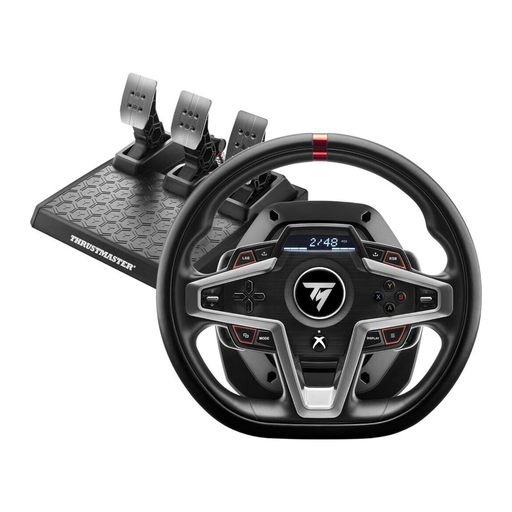
A possible choice if you’re looking for a force feedback wheel for Xbox or PC; check whether the specific offer includes a pedal set.
 No image available
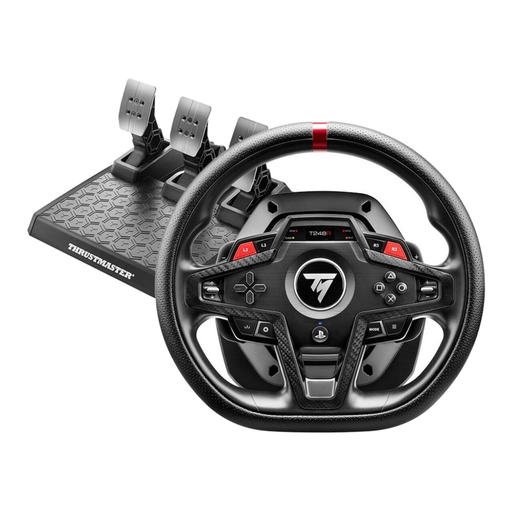
This set could suit you if you’re looking for a three-pedal set with adjustable brake modes for PlayStation or PC.
No, the game and platform depend on your existing setup. Before buying, check that your specific racing game and system support the exact wheel version. The iRacing setup guidance below applies only if you use that game.
If you use iRacing, connect your controllers and calibrate them in the simulator. iRacing Support notes that you need to calibrate them on first launch or after connecting new controllers; the right brake setting depends on the type of pedals you have.
In iRacing, check which audio and microphone inputs are selected, as well as the voice chat output. iRacing Support explains that another programme having exclusive access to an audio device can affect game or spotter audio.
When you buy from a business seller in Germany, you have a statutory warranty of at least two years from the date you receive the goods; an additional manufacturer’s guarantee doesn’t replace it. Distance purchases generally come with a 14-day right to cancel, subject to legal exceptions, as explained by Your Europe and the Council of the European Union.