First, choose a set that works with your platform and simulation, and can be mounted securely on your existing desk with enough room for the pedals. An all-in-one set with a desk clamp can make choosing components easier. With a modular direct-drive system, you’ll need to select the mount, pedals and compatible components carefully. The drive type alone doesn’t guarantee an advantage when learning to race on an oval.
Who is a racing wheel for oval practice suitable for when space is limited?
Desk users who set up and pack away
If you need the space back after every practice session, you’ll need a suitable desk clamp, enough clearance under the desk and somewhere to store the pedals. Thrustmaster, MOZA Racing and Fanatec describe desk mounts for specific models.
Drivers practising oval laps
If you want to set up and compare steering, throttle and brake inputs repeatedly, you’ll need to calibrate the connected controllers in your simulation. iRacing includes calibration in its setup guide and an oval test drive in its getting-started checklist.
Beginners with a specific system
If you’re buying for a PC or console you already own, check the exact wheel version against your system and game. Logitech G and Thrustmaster offer different PlayStation and Xbox versions.
What should you look for when buying?
First check platform compatibility and how the wheel will fit on your desk. Then consider the pedals and in-game calibration; force feedback comes next.
If you’re choosing a wheel for oval practice in a limited space, the main things to consider are the mounting system, pedal space, platform and game compatibility, and the type of drive you want.
| Priority |
What to check before buying |
Who should pay particular attention? |
| Mounting and space |
Check the desk edge and clamp for the specific model, and allow space for the pedals and storage. The Fanatec CSL DD desk clamp is specified for desk tops between 5 and 60 mm thick. |
If I need to put my setup away after practising, I need space for the clamp and pedals. For around 31% of consumers, mounting and space are the top priority. |
| Pedal setup and inputs |
Check the number of pedals and what’s included against your needs, and make sure you have a stable place for them. In iRacing, controllers must be calibrated the first time you start the game or after connecting new controllers. |
If I want to practise throttle and braking repeatedly, I need to be able to reach the pedals from my seat and keep them firmly in place. Around 25% of consumers prioritise pedal setup and consistent inputs. |
| Platform and game |
Check the full model variant, whether it’s approved for your PC or console, and whether it’s supported by your simulation. |
If I’m buying for a particular system, I want to be sure that this exact version works with my game. For around 25% of consumers, platform and game compatibility come first. |
| Force feedback and upgrades |
Check the drive type and the components included with the specific version; torque figures alone don’t prove that you’ll learn faster. |
If I prioritise settings or future upgrades, I compare the drive and component options rather than just the model name. For around 19% of consumers, force feedback and upgrade options are the main priority. |
Common misconceptions when buying
-
“For PC and console” is enough to confirm compatibility
Logitech G distinguishes between the G29 and G920 by console family; Thrustmaster also offers different platform versions of the T128.
Before ordering, check the full model name, your system and whether your specific game supports it.
-
A modular base is automatically a complete set
With a modular setup, you need to make sure the wheel, pedals and mount work together. MOZA says the R5 Bundle includes a desk clamp; Fanatec lists a separate desk clamp for the CSL DD.
Check what’s included in the specific configuration before choosing a wheelbase.
Depending on the configuration, you may need to buy pedals, wheel components or a desk clamp separately.
-
Measuring the space for the wheel is all you need to do
Even with a desk-mounted wheel, you’ll need enough usable floor space for the pedal unit.
Set up your seating position first, then check the desk edge, legroom and pedal position together.
Key brands to consider
Logitech G
The G29 and G920 are wheel-and-pedal sets for different console families, and both are also compatible with PC.
- According to Logitech G, both models offer dual-motor force feedback and adjustable floor pedals.
- The G29 and G920 are not the same console version; neither has a proven advantage for oval practice.
Thrustmaster
According to the manufacturer, the T128 versions combine hybrid force feedback, a quick-mount system and a T2PM two-pedal set.
- The quick-mount system is designed for desk setups.
- Make sure you choose the right PlayStation or Xbox version. If you need three pedals, bear in mind that the set includes just two.
MOZA Racing
According to MOZA, the R5 Bundle includes an ES steering wheel, SR-P Lite pedals and a desk clamp.
- MOZA lists 5.5 Nm of torque for the R5 Bundle, with settings available through Pit House.
- These manufacturer specifications don’t prove that you’ll achieve faster lap times; check the exact bundle version before buying.
Fanatec
The CSL DD range is a modular direct-drive base for PC, and is also compatible with Xbox when paired with a suitable wheel.
- Fanatec lists 5 Nm and 8 Nm versions of the CSL DD, and describes a separate desk clamp for it.
- Fanatec states that the CSL DD isn’t compatible with PlayStation. The wheel, pedals and mount need to match your specific setup.
Racing wheels at Joybuy
This selection includes wheels and sets for PC, as well as certain PlayStation and Xbox systems. For each version, check that it works with your platform and game, and suits your planned desk and pedal setup.
 No image available
Logitech G923 SE Racing Wheel + Pedals Bundle
An option if you’re looking for a wheel-and-pedal set for one of the platforms listed in the product title; check that your game supports it.
The product title lists PlayStation, Xbox, PC and Mac.
View at Joybuy
 No image available
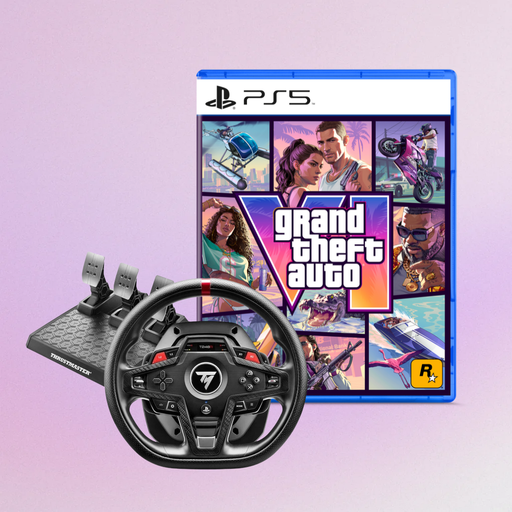
Thrustmaster T248R Racing Wheel, Black (PS5/PS4/PC) + GTA 6 PS5 German Edition
An option if you’re looking for a wheel for PS5, PS4 or PC; check that your simulation supports it before buying.
The product title lists a GTA 6 PS5 German Edition as part of the offer.
View at Joybuy
 No image available
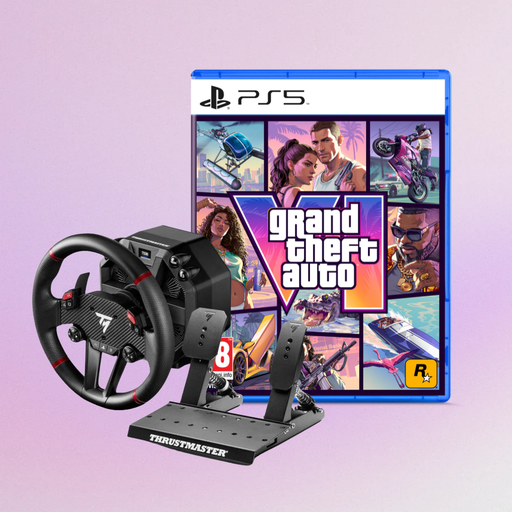
Thrustmaster T598-P Direct Axial Drive Force Feedback Racing Wheel (PS5/PS4/PC) + GTA 6 PS5 German Edition
An option if you’re looking for a direct axial drive wheel for PS5, PS4 or PC; check its compatibility with your simulation.
The product title lists a GTA 6 PS5 German Edition as part of the offer.
View at Joybuy
 No image available
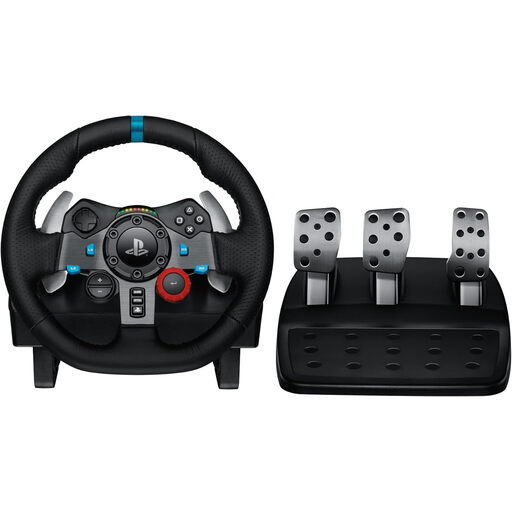
Logitech G29 Driving Force Racing Wheel (PS3/PS4/PS5)
An option for a PlayStation setup; check the full model version against your simulation.
Logitech G describes the G29 as a wheel-and-pedal set for PlayStation and PC. Check the mount supplied with the specific set and make sure you have enough room for the pedals.
View at Joybuy
 No image available
Thrustmaster T128-P Force Feedback Racing Wheel (PC/PS4/PS5)
An option if you’re looking for a set with a quick-mount desk clamp for a compatible PlayStation or PC setup.
Thrustmaster lists a T2PM two-pedal set for the T128-P; check that two pedals meet your needs and that your desk edge and legroom are suitable.
View at Joybuy
Frequently asked questions
Do I need a fixed cockpit for oval practice?
No, not with every set: Thrustmaster describes a quick-mount desk clamp for the T128, while MOZA says the R5 Bundle includes a desk clamp. Check that your own desk and available legroom are suitable for your setup.
What should I set up before my first practice lap?
If you use iRacing, connect your wheel and pedals, then calibrate the controls the first time you start the game or after connecting new controllers. iRacing also includes an oval test drive in its getting-started checklist; other games have their own setup processes.
Who should I contact about a fault, and is a voluntary warranty the same thing?
For a consumer purchase in Germany, your statutory rights relating to faulty goods are against the seller, not automatically the manufacturer. The Verbraucherzentrale generally describes a two-year statutory guarantee for faults that were present when the goods were handed over; this is separate from a voluntary warranty.
Can I cancel an online wheel purchase in Germany without giving a reason?
For a distance consumer contract, you generally have a 14-day right to cancel. The conditions and any exceptions that apply to the specific contract should be checked; the right to cancel doesn’t give you special permission to use a racing wheel.


